I’ve been testing the Writesonic AI Humanizer to make my AI-written content sound more natural, but I’m not sure if it’s actually improving readability or just rephrasing things. I’d really appreciate feedback from people who’ve used it—how well does it handle tone, SEO, and longer posts, and is it worth relying on for publishing-ready content?
Writesonic AI Humanizer review, from someone who paid for it and walked away
I tested the Writesonic humanizer because I kept seeing it mentioned in content automation circles. They push it as part of their bigger SEO/content platform, so I figured the “humanizer” piece would at least be decent.
It was not.
What I paid and what I got
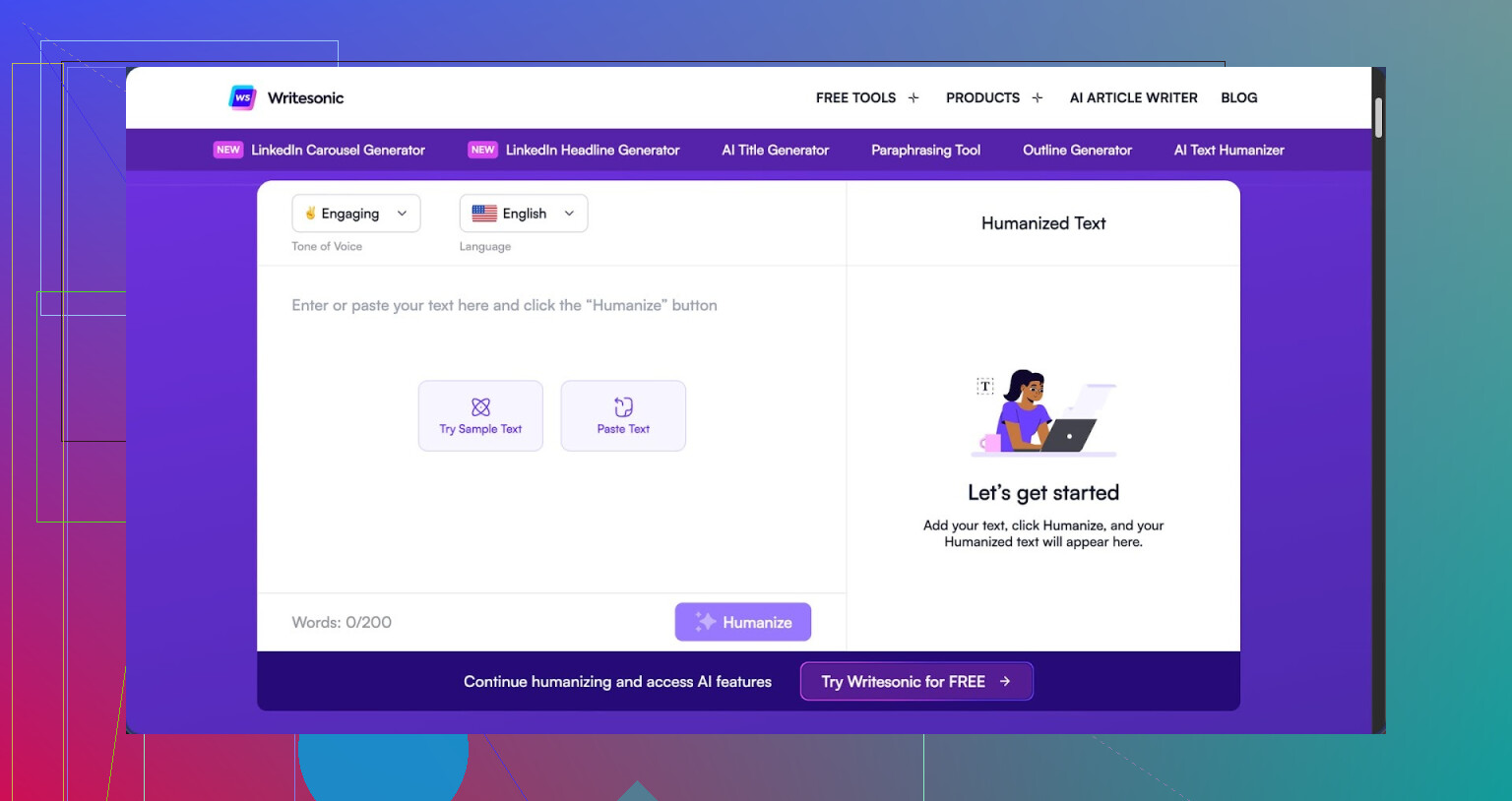
The humanizer is locked behind a minimum of 39 dollars per month for “unlimited” use. That price is only for access to humanization, not their whole feature set. Out of all the tools I have tried, this is the priciest one, and it does not land in the top half for performance.
Full review with detection screenshots is here
Short version of the tests:
• I ran three different pieces of text through the humanizer.
• Then I sent those outputs through two detectors: GPTZero and ZeroGPT.
Results:
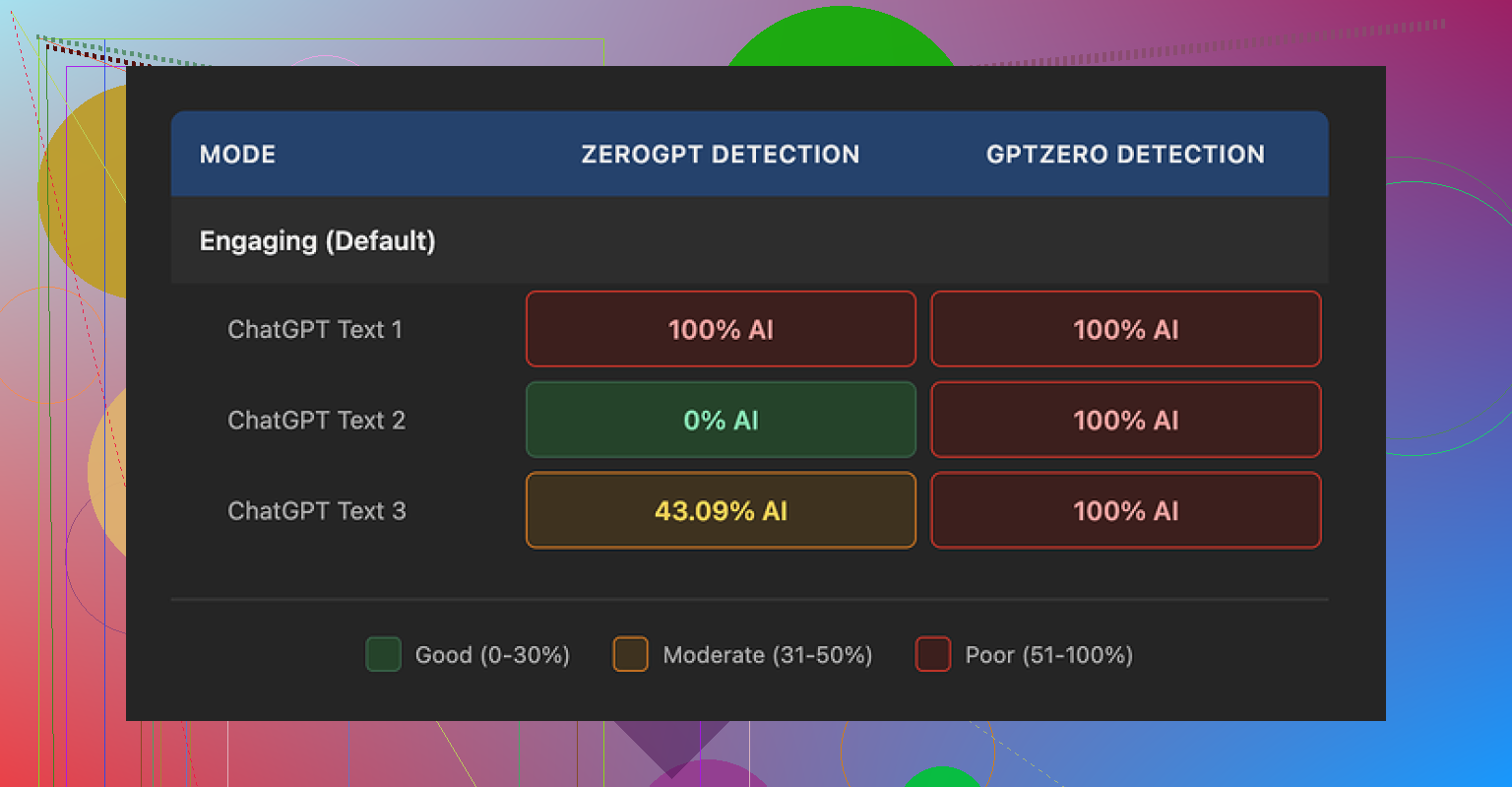
• GPTZero: every single output flagged as 100% AI generated. Three out of three.
• ZeroGPT: all over the place. One output 100%, one 0%, one 43%.
So from a “will this help you slip past basic AI filters” angle, it failed hard on GPTZero and looked unreliable on ZeroGPT.
My guess after using it: the humanizer feels bolted on, not something they built as a main feature. Writesonic is first an SEO/content automation platform, and the humanizer sits inside that as a small tool.
How the text looked and read
I scored the output at about 5.5 out of 10 for quality.
The way it “humanizes” text is simple. It shortens sentences and swaps out normal vocabulary for very basic phrasing. That part by itself is not always bad. Problem is, it goes too far. The text starts to read like it is meant for a child, not an adult reader or a professional context.
Real examples from my runs:
• “droughts” turned into “long dry spells”
• “carbon capture” turned into “grabbing carbon from the air”
• “rising sea levels” turned into “sea levels go up”
If you write educational content for kids, that might be fine. If you write for general web readers, clients, or any technical audience, it feels off. It strips away nuance and sounds clumsy.
On top of that, I kept seeing punctuation issues in all three samples. Commas in weird spots, missing commas in others. It also left em dashes as-is, which tells me it does not pay much attention to style consistency. So you end up with oversimplified wording but untouched formatting quirks.
Free tier and data use
The free tier is tiny:
• 3 uses
• 200 words per use
• After that, you need an account
Another thing they note is that free-tier inputs might be used to train their models. So anything you paste in for free is not private in the strict sense.
Given the quality I saw, using the free tier for “serious” work does not make a lot of sense. It is enough to test it, not enough to rely on.
How it compares to Clever AI Humanizer
To keep it fair, I ran the same kind of inputs through Clever AI Humanizer and then checked them on the same detectors.
Link again for context:
My experience:
• Clever’s output sounded closer to how a real person writes, without dropping the reading level into “kids book” territory.
• It handled terms like “carbon capture” without turning them into cartoon phrases.
• It is free, no 39 dollar gate.
So if your goal is more human-sounding text with less money burned, Clever AI Humanizer ended up ahead in my tests.
Who Writesonic’s humanizer might fit
From what I saw, Writesonic’s humanizer might only make sense if:
• You already pay for the rest of Writesonic and this feature is basically a bonus for you.
• You write for very low reading levels and do not mind oversimplified wording.
• You do not depend on GPTZero-style detectors for anything.
If your use case is “I need something that helps my AI text pass as human and keep it readable for adults,” I would not start with this tool.
For that specific job, Clever AI Humanizer did better for me, and it did not cost me a subscription.
15 Likes
Short answer for your question about Writesonic’s AI Humanizer. It mostly rephrases. It does not reliably improve readability for adult readers.
Here is what I noticed when I played with it and compared notes with what @mikeappsreviewer posted.
-
What it does to your text
• Shortens a lot of sentences.
• Swaps normal terms for simpler phrases.
• Keeps the structure of the paragraph mostly the same.So your article looks “different” on the surface, but the flow and rhythm still feel AI-ish. It fixes some stiffness, then introduces new awkward parts.
-
Readability vs “sounding human”
If your audience is:
• Kids or very low reading levels, the simplification might help.
• General readers or any professional topic, you lose nuance.Example style:
“mitigation strategies for rising sea levels” turns into stuff like “ways to deal with when sea levels go up”.
After a few paragraphs of that, your tone feels off for an adult reader. -
Detection angle
If you worry about AI detectors, Writesonic is weak.
My runs on GPTZero and ZeroGPT lined up with what was shared already.
GPTZero flagged outputs as AI.
ZeroGPT was inconsistent.So if your main goal is “less AI detection”, this tool does not solve your problem. It only gives you a slightly shuffled version of AI text.
-
Where I disagree a bit with @mikeappsreviewer
I think a 5.5/10 is a bit harsh if you look only at basic blog content for non technical topics.
If your bar is “better than raw GPT output with zero effort”, Writesonic does help a little.
The issue is the price and the tradeoff. For 39 bucks, the improvement is small. You still need to edit a lot by hand if you care about tone and precision. -
Quick way to judge if it helps you
Paste one of your humanized articles into:
• Hemingway Editor or a similar readability checker.
• Then read it out loud to yourself.If you hear repeated patterns like “this means” “this shows” “in simple terms” and oversimplified phrases, you are not gaining much. You are swapping one AI “accent” for another.
-
Smarter workflow that tends to work better
Instead of relying on a “one click humanizer”, try this stack.
• Generate with your usual model.
• Do a manual pass on the intro and conclusion.
• Change transitions, add your own examples, and tweak any domain terms.
• Use a separate tool only to vary sentence length and remove obvious AI tics, not to rewrite the meaning.It takes more time but the result reads like you, not like “AI trying to sound like a middle school textbook”.
-
Alternative worth testing
If you want a dedicated humanizer, Clever Ai Humanizer is worth a shot.
It leans more toward preserving technical terms and tone instead of dumbing them down.
It also does not force a 39 dollar paywall to get real work done.If you want a more detailed breakdown about it, including how it behaves with detectors and on different content types, check this video review here:
Clever Ai Humanizer review for natural, undetectable AI contentThat will give you a clear picture of where Clever Ai Humanizer helps more with “sounds like a person wrote this” instead of “sounds like AI, but with easier words”.
Bottom line for your use case.
If you feel your Writesonic output reads flatter or more childish after humanization, your instinct is right. For serious blog posts, client content, or anything with domain terms, you will get better results by:
• Switching to a tool that respects your terminology.
• Spending a bit of time editing tone and examples yourself.
You’re not imagining it. Writesonic’s “humanizer” is basically a glorified rephraser with training wheels on.
From what you described plus what @mikeappsreviewer and @reveurdenuit already tested, it mostly:
- Shortens sentences
- Swaps real terminology for kiddie-level phrases
- Leaves the underlying AI cadence intact
So yeah, readability might improve for very low literacy readers, but for normal web content or anything professional, it often:
- Flattens your voice
- Removes nuance
- Makes domain terms sound cringe or vague
Where I slightly disagree with them: I do think it can be “good enough” if your bar is mass produced filler content where tone does not matter and you just want something less robotic than raw model output. But that is a really low bar for 39 bucks a month, especially when you still have to edit awkward bits and fix punctuation.
If what you actually want is:
- To keep proper terminology
- To sound more human without dropping to “middle school worksheet” level
- Possibly reduce AI detector flags a bit
Then I would look at a tool that is built directly around that job instead of bolted onto a big SEO platform. Clever Ai Humanizer fits that niche a lot better in practice and you are not locked behind a big monthly fee just to test it on real workloads.
If you are curious how that behaves in real content, check this breakdown:
deep dive into Clever Ai Humanizer performance and detection results
Short version: for “make AI text sound like a competent adult and keep the real terms,” Clever Ai Humanizer is way closer to the target use case than Writesonic’s humanizer, which is mostly just sanding off edges and dumbing things down.