I need professional-looking headshots for LinkedIn and my portfolio, but I don’t have the budget or time for a real photo shoot. I’ve tried a couple of random AI photo apps on my iPhone and the results looked either fake or over-edited. Can anyone recommend a reliable AI headshot generator app for iOS that produces realistic, business-ready photos and is safe to use with personal images
Best AI Headshot Generators I Tried So You Do Not Burn Cash For Nothing
I got sick of looking at LinkedIn and seeing faces that look like they were born in Midjourney. At some point I needed a new headshot myself, did not want to pay a photographer a few hundred dollars, so I spent a few evenings testing a pile of tools.
I tried:
- Web tools
- iOS apps
- Android apps
- And a weird free workaround with ChatGPT and Gemini
Here is what was worth keeping and what felt like a waste of time or money.
Eltima AI Headshot Generator (iOS)
My main pick for iPhone
App Store:
Product page:
Reddit thread that first sent me down this path:
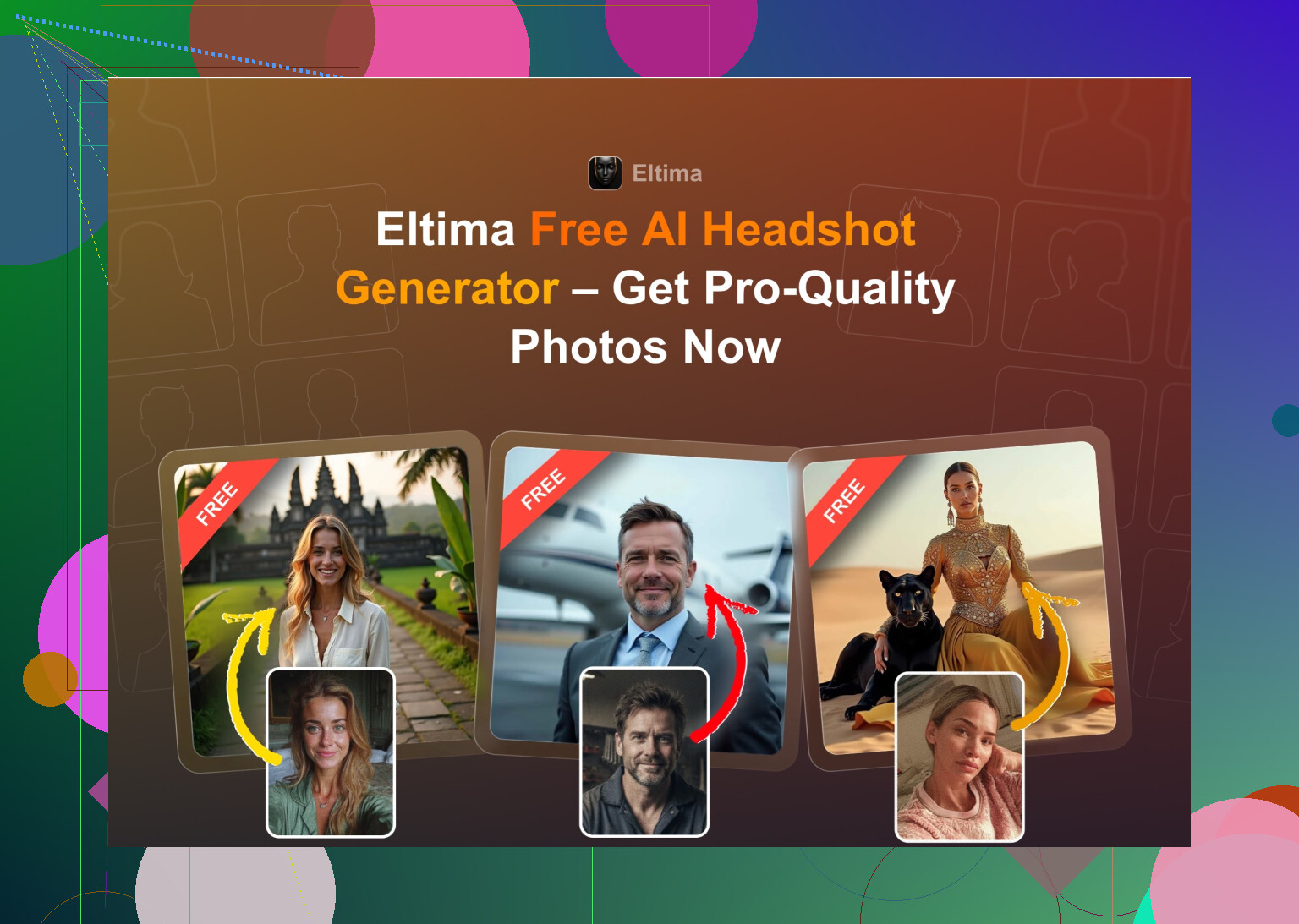
This is the only iOS headshot app where I looked at the outputs and thought “ok, I would put this on my CV and not feel like I am lying.”
Key points from using it for about a week:
What you get
- One free generation per day
- Single-photo start, then it lets you refine
- Group photos up to 3 people
- Video from photo
- Around 800+ templates from what I saw
My experience
-
Realism
The faces look like, well, your face. Not your “beauty filter plus 15%” version. There is a built-in beauty mode but it stays on the safe side if you do not drag sliders to extremes.
Skin texture is not plastic, hair does not merge into the background, and it does not randomly remove moles or change your nose, which a lot of apps kept doing to me. -
Styles
There are a ton of templates. Standard corporate, startup casual, hoodies, outdoor, studio lighting, “creative but still presentable”, etc. I used it for:
- LinkedIn photo
- A more casual portrait that still looks decent for internal tools
- A couple of “friendlier” ones for messengers
I did not hit the bottom of the template list.
- Price
- 7.99 USD per week
- 49.99 USD per year
- Plus the “1 free photo per day” thing, which, if you are patient, is enough for people who only need a few good shots.
- Speed
On Wi-Fi it took roughly 20–40 seconds for most templates.
Short version of my opinion
If you have an iPhone and you want a simple “install, feed it a selfie, get something usable” app, this was the one I kept. The free daily generation makes it less risky. I uninstalled most of the others.
Video demo I watched

Web Services I Tried
The “heavy hitter” SaaS options
I googled “AI headshot” like everyone else. The same three names pop up again and again:
- Canva
- Aragon AI
- HeadshotPro
So I ran the same basic test on all three: give each of them similar input photos and see what I would actually use on a professional profile.
Canva
Site:
https://www.canva.com/
I already use Canva for random design stuff. They added headshot generation on top of that.
Workflow I used
- Upload a photo
- Pick a style on the side
- Wait a bit
- Tweak or accept
What I saw:
Pros
- Nice presets
- Lots of editing tools after generation
- No extra learning curve if you already live inside Canva
Cons
- Skin looks over-smoothed a lot of the time, which gives that “plastic doll” effect
- For regular use, the higher tier gets expensive
- Pricing lands around 120 USD per year depending on their promo at the moment
Verdict
If you already pay for Canva Pro and do not want yet another subscription, it is acceptable. For a dedicated headshot tool, I found better realism elsewhere at lower total cost.
Aragon AI
Site:
Signup felt like HR paperwork. I had to answer a bunch of questions before it let me in. Then I had to upload a decent pile of photos.
My flow:
- Answer roughly 10 profile questions
- Upload a batch of selfies and candid shots
- Wait for the batch to process
Pros
- Likeness is strong. Out of all web tools, Aragon stuck closest to my actual face. Think “I got a professional shoot on a good day” rather than “new person entirely.”
- Decent turnaround time for a cloud service
Cons
- Needs a lot of source images. It asked me for at least 6 photos, and it really wanted more.
- No free tier for useful stuff from what I saw
- Price per pack is around 12–25 USD depending on promos and packages
Verdict
Good choice if you want a single batch of headshots and do not mind collecting a folder of selfies and uploading them. Strong on “this is actually me.”
HeadshotPro
Site:
This one screams “for HR teams” more than “for your personal creative profile.” It feels built for corporate directories.
Pros
- Lighting is consistent across all outputs
- Poses are safe and office acceptable
- Good fit for jobs in finance, law, consulting, large companies
Cons
- Less room for creativity
- Everything looks a bit stiff if you want something with more personality
- Pricing starts around 29 USD for a package, and goes up for teams
Verdict
I would recommend this to companies that want a uniform look for employee photos more than to individuals experimenting with their brand. Still, it did the job for straight corporate looks.
iOS Apps I Tried
Quick reviews from using them, one by one
I checked these on an iPhone:
- Remini
- Fotorama
- Collart
- IRMO
- Eltima (already covered above, which ended up being my pick)
I judged them on:
- Ease of use
- How much the face looks like me
- Variety of styles
- Price
- Speed
Remini
App Store:
I had used Remini before as an “old blurry photo fixer.” Their AI avatar and headshot feature is everywhere, so I tried it again for this.
What I ran into:
Ease of use
Interface is simple. You upload, tap style, wait. No tutorial needed.
Video from photo
There is a talking-head style video generator. The test output I got was bizarre. At one point it generated a clip of me holding a child under some stairs, and the kid did not exist in my original photo. Completely broke the illusion.
Photo quality
- Faces in still images look fine at first glance, but once you zoom in, detail feels wrong.
- Clothing gets strange folds, extra fabric, missing buttons.
- In some frames I looked like I was wearing CGI clothes.
Styles
- Plenty of presets for LinkedIn, portraits, etc.
- Results jumped a lot in quality between attempts.
Price and speed
- 9.99 USD per week
- 79.99 USD per year
- Free week trial
- The video generation took around 13 minutes per try on my connection
My opinion
For casual posts on social media, some people will be fine with it. For a serious profile, I did not trust it enough because of weird body and clothing artifacts.
Fotorama AI Photo Generator
App Store:
Interface
Easy to understand. Nothing confusing.
Issues started with generation:
- First big run took around 30 minutes
- I got bored, closed the app, and noticed it still burned through the “coins” without giving me results
- Tried again with a smaller batch and still waited way longer than felt reasonable for mobile
Pros
- Lots of style options, including drama, fashion, themed sets
Cons
- Slow to the point where I stopped bothering
- Coin system felt like a trap, since losing coins to app glitches puts you off immediately
- Pricing sits around 11.99 USD per week or 79.99 USD per year
My opinion
I did not get a stable, trustworthy flow out of it. Between speed and coins, I dropped it quickly.
Collart AI Photo Generator
App Store:
Usage
- Clear layout
- Quick to try different modes
- Has photo animation as a side feature
Main problem:
It leans on a single selfie for generation most of the time. That hurt realism a lot.
Output quality
- Many results did not look like me at all
- Faces were off, proportions strange
- It felt more like “a random person with my hair color” than an enhanced version of me
Price and speed
- 3.99 USD per week
- 59.99 USD per year
- Output speed is fine, so at least I did not wait forever
My opinion
Fun for messing around. I would not use it for a serious profile or anything where people know my face.
IRMO AI Photo Generator
App Store:
Workflow
- Upload one selfie
- Choose some styles
- Wait a few minutes per shot
The good
- Interface is clear
- Styles are diverse
- Speed is ok, around 2 to 6 minutes per shot
The not-so-good
- You can only give it one reference photo for headshots
- That single-photo limitation means a lot of the results felt like a different person with similar hair or skin tone
Price
- 5.99 USD per week
- 99.99 USD per year
My opinion
It feels more like a toy than a reliable headshot tool. If it let you upload more reference photos and trained better on your face, I think it would jump up a tier.
Android Apps
My quick pass through Play Store options
I went into the Play Store knowing it has a lot of junk. I stuck to apps with heavy download counts and recognizable names.
- Remini (Android)
Google Play:
Same story as iOS.
Pros
- Easy upload, no friction
- Good for quick “glow up” selfies
Cons
- Over-enhanced faces
- For me, it crossed the line from “cleaned up” to “this looks fake” especially under professional presets
Verdict
Fine if you want to look like an influencer. I did not trust it for hiring managers or serious networking.
- GIO: AI Headshot Generator
Google Play:
I already tried it on iOS, tested again on Android to see if things were different.
Pros
- Less plastic look than Remini
- Clothing replacement feature worked decently in my tests
Cons
- I had a lot of failed or half-broken generations
- Some faces distorted, some looked like completely new people
- Quality swung a lot between runs
Verdict
If Remini edits feel too fake to you, GIO sits in the middle. Not awful, not great. Enough failed shots that I lost patience.
- Momo
Google Play:
This one sat in “not terrible, not amazing” territory.
Pros
- Better than GIO on average
- Some outputs were usable without much complaint
Cons
- Priced higher than competitors in my region
- Did not reach the realism level of Remini in its best moments
- When you compare outputs side by side with better tools, the flaws show quickly
Verdict
If you only try Momo, you will think “okay, that works.” As soon as you compare with a top option, you notice where it falls short. Given the cost, I did not keep it.
The Free Route
Using ChatGPT and Gemini instead of a paid app
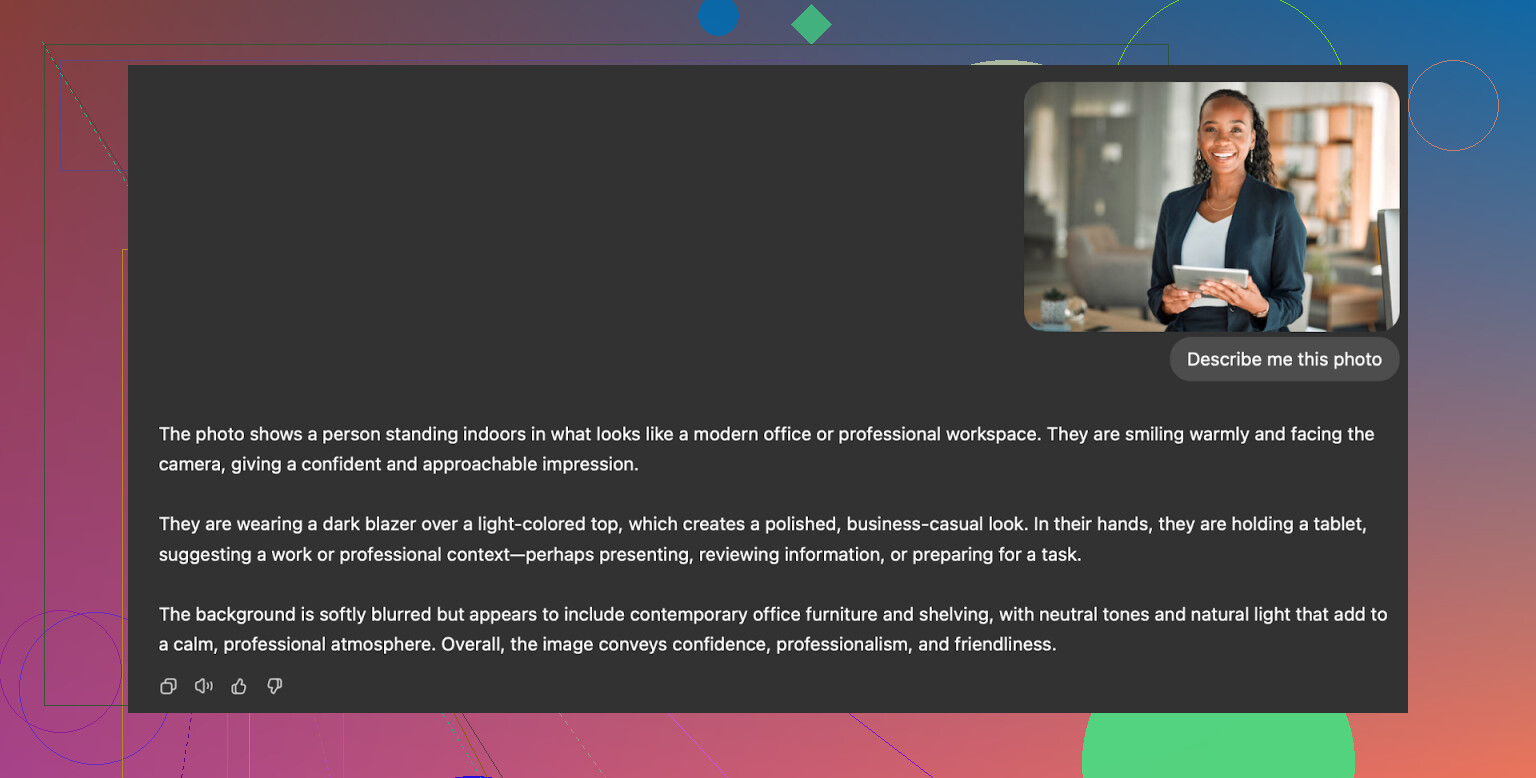
Yes, you can hack together a headshot workflow using AI image models like DALL·E and Gemini image generation. It is not as hands-off as an app, but it costs you time instead of money.
I played with what I call the “description loop” trick.
You need:
- ChatGPT with image generation (DALL·E) at https://chatgpt.com/
- Or Gemini image generation at Nano Banana Pro - AI-beeldgenerator en foto-editor van Gemini
Steps I used
-
Pick a reference photo you like
Something from a photographer’s site, LinkedIn, anywhere. A headshot with lighting and style you want. -
Paste that photo into ChatGPT or Gemini
Ask it something like “Describe this portrait in detail for an AI image generation prompt.” -
Copy the description
You will get a long breakdown of pose, lighting, clothing, background, etc. -
Open a new chat
Paste that description and say you want a similar portrait but of you. -
Upload your own selfie in the same chat
Then tell the model: “Use my face and this style description to generate a professional headshot.” -
Choose the image generator
- For ChatGPT I used DALL·E
- For Gemini I used the option sometimes referred to as Nano Banana Pro in prompts and docs
Then I tweaked the wording a few times to reduce how much the model “improved” my face.
Results I got
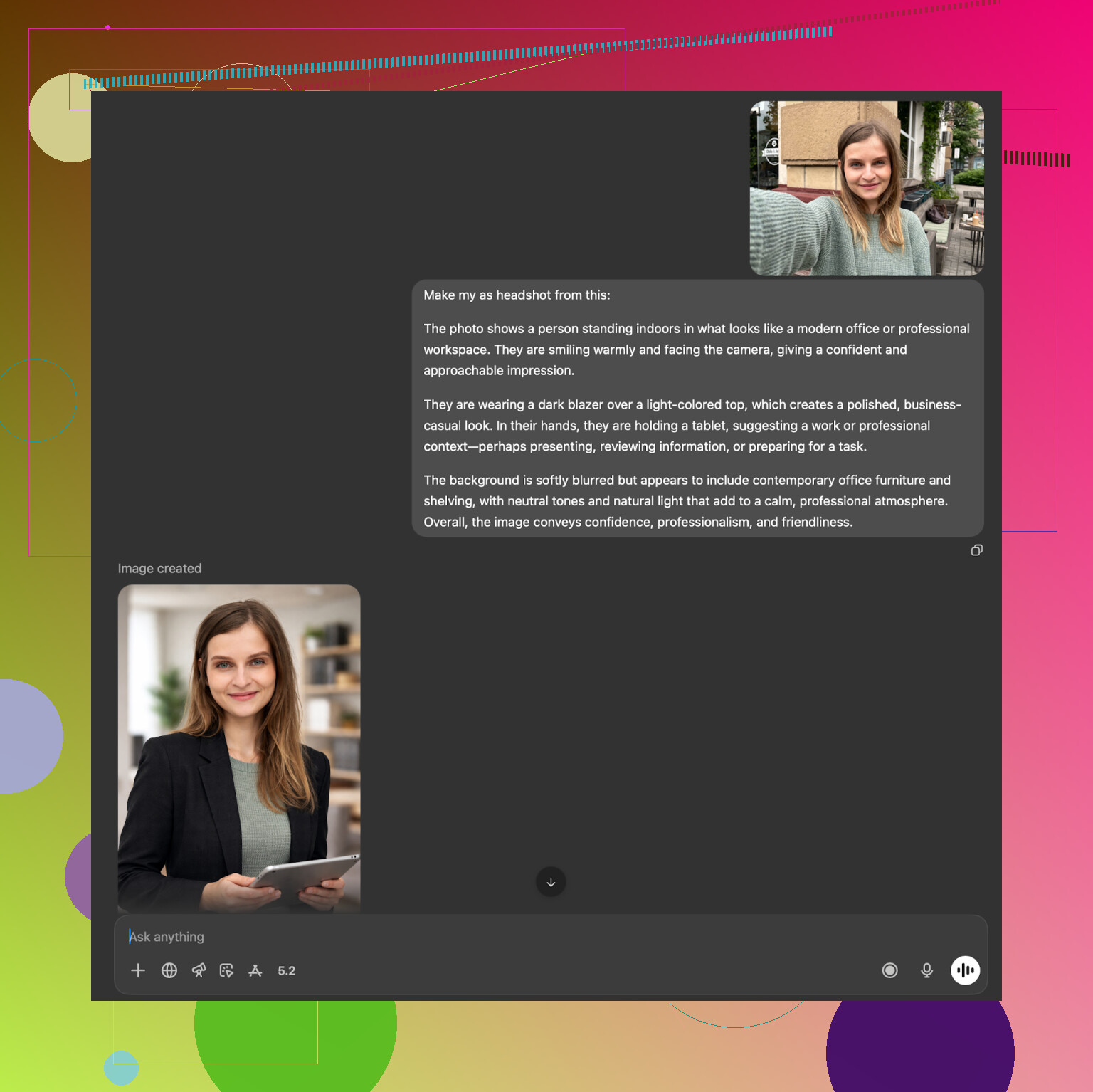
ChatGPT with DALL·E
- It often produced someone who looked like my brother, not me.
- The vibe of the reference photo was captured: similar lighting, clothes, pose.
- Facial details shifted toward its own style.
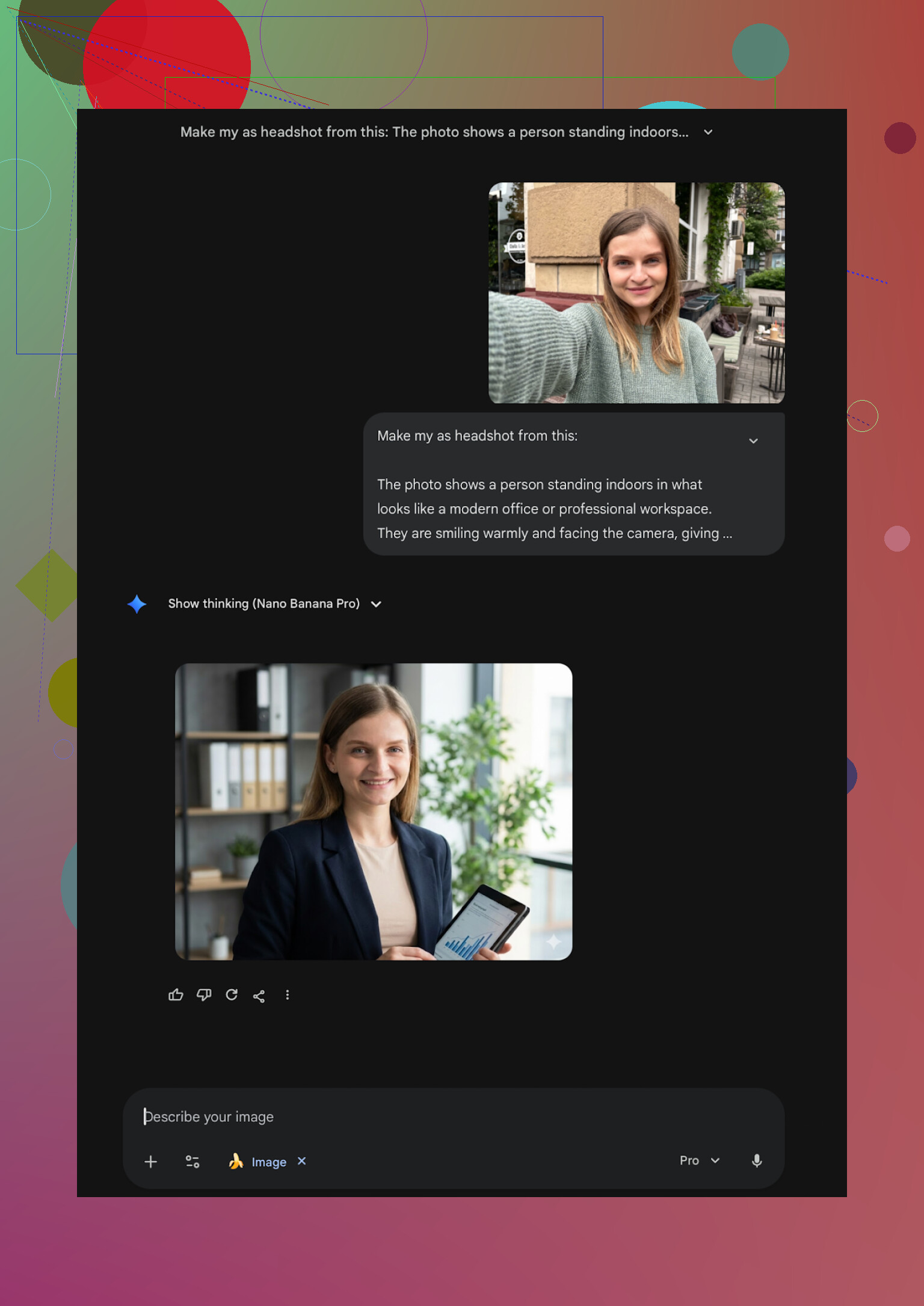
Gemini
- Once it agreed to generate, the photorealism was closer to a real camera.
- But it is strict about safety. If your prompt makes it think you are recreating an existing real person too closely, it hesitates or refuses.
- When it worked, I got some of my favorite free results, especially for more creative portraits.
Example screenshots from that process:
What I ended up doing
After trying everything:
-
For “I need something now, I have an iPhone”
I stuck with Eltima
Eltima AI Headshot Generator App - App Store
It hit the best mix of realism, variety, and price. The free daily shot is enough if you only need a few tries. -
For “I want a one-time high quality web batch and do not mind uploading a lot of photos”
Aragon AI was the only web tool where I consistently thought “yep, that is me”
https://www.aragon.ai/ -
For “I refuse to pay anything, I have time”
Gemini with the description loop method gave me some solid outputs once I dialed in the prompts. It did take tinkering.
Nano Banana Pro - AI-beeldgenerator en foto-editor van Gemini
If you need only one new LinkedIn photo, I would say:
- Start with the free daily generation in Eltima if you have an iPhone
- Or run one careful Aragon batch if you prefer web
- Or, if you like fiddling with prompts, spend an evening using the ChatGPT / Gemini method and see if you can get something you are comfortable with
That was my path. You will probably find your own mix, but at least you will know what you are getting into before paying.
35 Likes
I’m in the same boat as you, no time or budget for a photoshoot, and most AI headshots looked fake or “instagram filter” to me.
Short answer for iPhone only:
Eltima Ai Headshot Generator App is the one I’d start with.
Where I agree with @mikeappsreviewer
They’re right about two key things:
- Likeness. Eltima keeps your actual face. It does not erase moles, change your jaw, or turn you into a model. For LinkedIn that matters more than glam.
- Pricing flow. One free headshot per day is enough if you only need a handful of keepers and you are willing to test over a few days.
Where I slightly disagree
Eltima is not magic.
If your source photo is bad, you still get odd stuff. Overhead lighting, blurry selfies, strong filters, or big sunglasses hurt results. You still need to give it decent input.
What I would do on your iPhone, step by step:
-
Take 5 to 10 new selfies
• Stand near a window in daylight.
• Neutral background, plain wall if possible.
• No heavy beauty filters.
• Look at the lens, not the screen.
• Take a few with a natural smile and a few neutral. -
Install Eltima Ai Headshot Generator App
Use the free daily generation first. Do not pay until you see one or two outputs you would not mind on LinkedIn. -
Start with safe “corporate” or “business casual” styles
Skip the fashion or highly stylized options on your first run. Choose:
• Simple studio background.
• Plain blazer or shirt.
You want to test realism before style. -
Check for these issues before you decide it is “fake”
Zoom in and look at:
• Eyes: same color, no double pupils.
• Teeth: no extra teeth or merged gums.
• Ears and glasses: not merged into hair.
• Clothing seams and collar: no impossible folds or missing buttons.
If those look clean, you are in the safe zone for LinkedIn. -
Do small tweaks on-device
Use the iPhone Photos editor or a simple app, not heavy filters.
• Slight brightness up.
• Tiny contrast bump.
• Crop to head and shoulders.
Do not touch face reshaping.
If Eltima still feels off to you after a few free tries:
Plan B on iPhone only
• Use your best natural selfie with Portrait mode in the Camera app.
• Edit in the native Photos app to fix light and crop.
• If needed, use something like Canva on web only for background cleanup, but keep your real face.
For your use case, professional LinkedIn and portfolio, I would put effort into source photos and then lean on Eltima. That mix tends to look less AI and more like “you had a basic studio session and picked the one good shot”.
Short version: on iPhone, I’d also start with the Eltima Ai Headshot Generator App, but I wouldn’t stop there or treat it as magic.
Where I’m on the same page as @mikeappsreviewer / @voyageurdubois:
Eltima is the only iOS headshot app so far where the outputs usually look like you, not a TikTok filter of your cousin. The “1 free photo per day” thing is actually useful if you’re patient and just need 1–3 solid LinkedIn shots.
Where I’d push back a bit:
- If you only give it one mediocre selfie, it behaves a lot like the other apps you’ve already tried. The “fake” look is often from bad input more than from the AI.
- I’m less sold on some of the wilder templates. A few of them veer a little too polished for a serious LinkedIn profile and start to give away that it’s AI.
My own setup when I tried to get new LinkedIn pics without paying a photographer:
-
I took a handful of regular iPhone photos first
- Window light, plain wall, no portrait filters
- T-shirt or plain shirt, nothing too busy
I know they said a single selfie can work, but in my experience Eltima behaves better if your camera roll in general isn’t full of over-filtered or low light shots.
-
I ran those through Eltima Ai Headshot Generator App in a very boring way
- Only “business” / “business casual” styles
- Neutral backgrounds, simple lighting
When I stayed conservative on styles, the results looked a lot less AI-ish than what I got from Remini and friends.
-
I still did some manual cleanup
This is where I slightly disagree with how heavily people lean on templates. I exported the most realistic Eltima shot, then just used the built-in Photos editor to adjust crop, exposure, and a tiny bit of contrast. No extra face retouch app. That combo looked more like a legit studio shoot than anything the apps gave me straight out.
If you want iPhone only and minimal hassle, my order would be:
- Try Eltima Ai Headshot Generator App first, keep to simple business styles.
- If every result still screams “AI,” stop changing templates and instead re-take your base selfie in better light.
- As a backup, keep one normal, well lit iPhone photo on hand. If the AI stuff keeps looking weird, that honest shot with minor edits is still better than a plastic doll on LinkedIn.
So yeah, I’d call Eltima your best shot on iOS right now, just don’t expect it to rescue a grainy bathroom mirror selfie into a Fortune 500 executive portrait.
Skip AI entirely. Record a 30-second 4K video with your iPhone’s rear camera. Place it at eye level, face a window, and stand 4 feet from a plain wall. Turn slightly, smile, then hold still.
Open the video in Photos and save the sharpest frame as an image. Crop it from chest level upward. Adjust exposure and warmth slightly. Ask a friend to choose between three frames.
This takes 10 minutes, costs nothing, and avoids fake skin, strange collars, and facial changes. Your photo will look like you, wich matters most on LinkedIn.
Before you generate anything, decide how far you want the photo to sit from what you actually look like walking into a meeting. That gap is the thing nobody flags. If your AI headshot smooths ten years off you or gives you a jawline you don’t have, the first video call or coffee chat does the opposite of what you wanted. Recruiters notice, and it reads worse than a plain phone photo would have.
That’s why @matrixeagle’s frame-grab idea is the one I’d try first, honestly. A sharp still pulled from 4K video near a window gets you 80 percent of the way, costs nothing, and it’s unmistakably you. The Eltima app is a reasonable next step if that still feels too flat and you want a cleaner studio background or a blazer you don’t own, since from what people describe here it keeps your real features instead of inventing a new person. But treat it as a polish pass on a decent source photo, not a rescue for a bad one. Same caveat everyone already made, just from the other direction.
One thing I’d watch that hasn’t come up: don’t generate fifteen different looks and scatter them across LinkedIn, your portfolio, and your email avatar. Pick one and reuse it everywhere. Mismatched headshots across your profiles look sloppier than any single AI artifact, and it quietly makes people wonder which one is current.