I’ve been seeing a lot about Walter Writes AI and I’m not sure if it’s actually good or just hype. I’m looking for honest feedback on its writing quality, pricing, reliability, and how it compares to other AI tools. If you’ve used it for blogs, copy, or client work, can you share your experience and whether you’d recommend it?
Walter Writes AI review, from someone who spent a weekend breaking it
Walter Writes AI: what the tests looked like
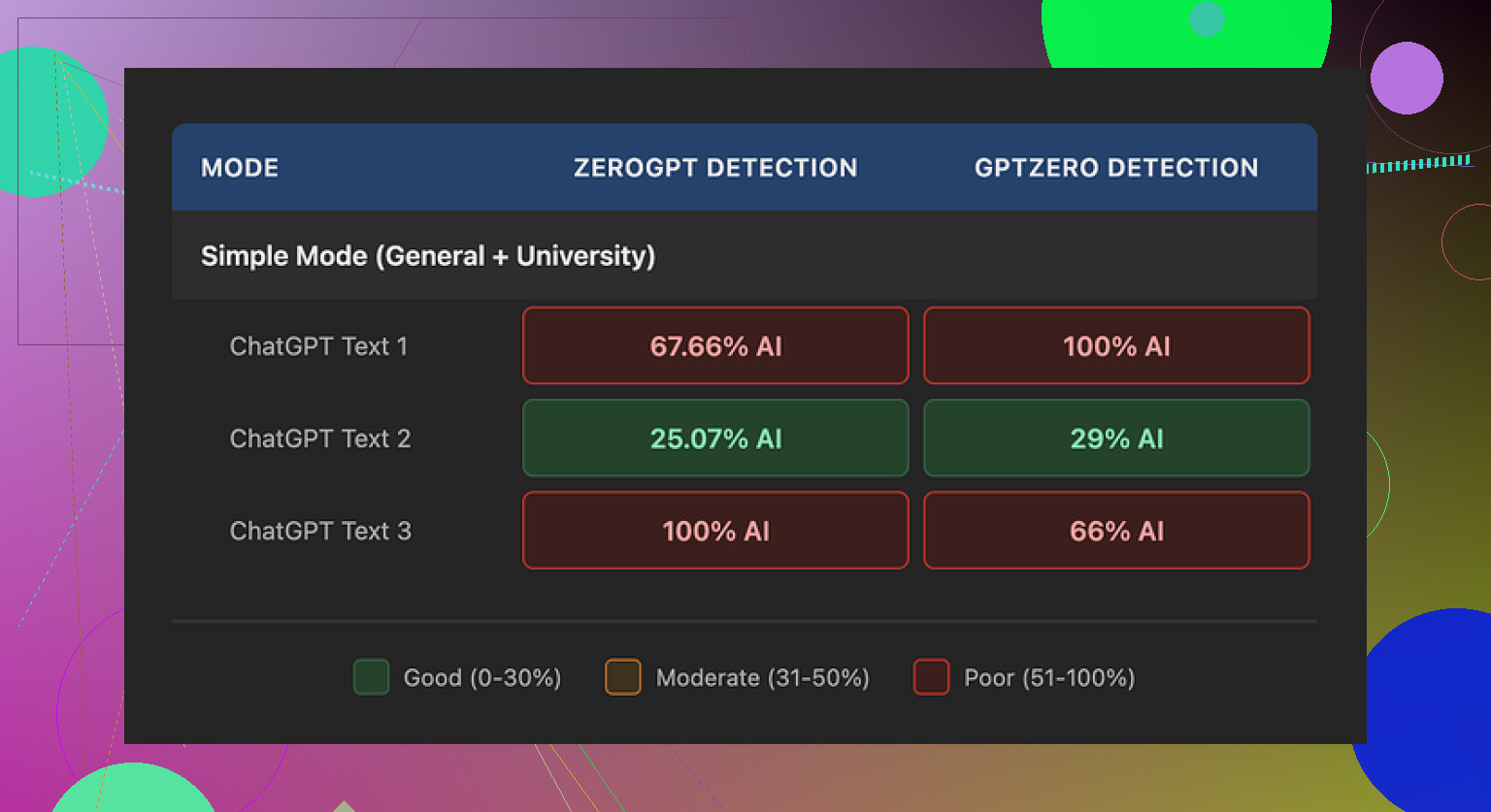
I ran a bunch of short samples through Walter Writes AI and then threw the results at a few detectors, mainly GPTZero and ZeroGPT.
One run looked decent. GPTZero said 29 percent AI, ZeroGPT said 25 percent AI. For a free-tier run, that is better than what I saw from a lot of random “free humanizer” sites people spam around.
Then it went weird. The other two samples hit 100 percent AI on at least one detector. Same tool, same Simple mode, same type of source text, different runs. Felt random, not reliable.
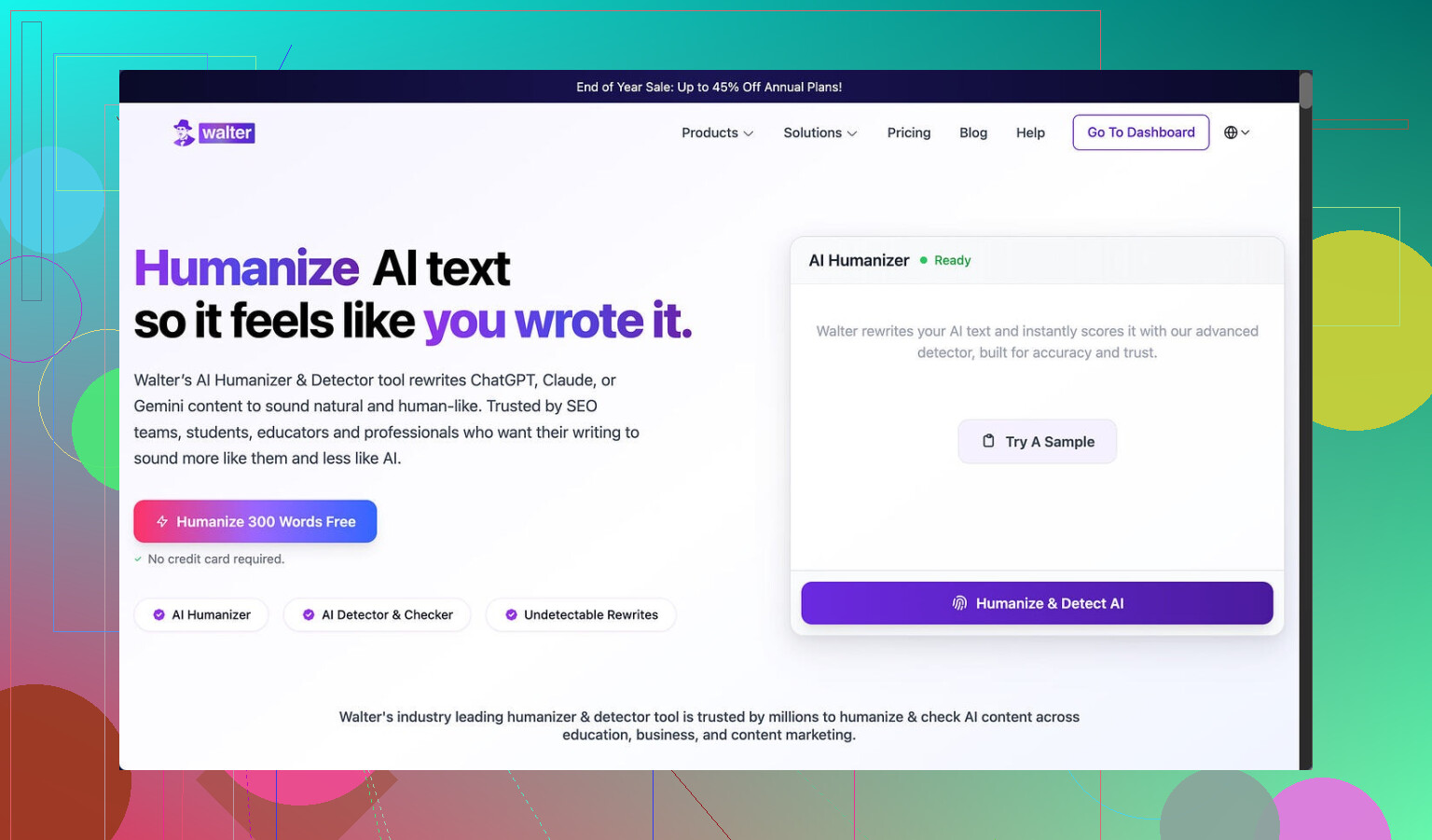
Important detail. I only had access to the free Simple mode. There are two higher levels, Standard and Enhanced, which are locked behind a subscription. Those are supposed to have stronger bypass behavior. I did not test those, so if you pay you might see better scores, but I would not assume it.
Screenshot of the run
How the writing looked to a human, not a detector
Ignoring the scores for a second, the text itself felt off in ways detectors are slowly learning to notice.
Here is what stood out:
-
Strange semicolon spam
It kept dropping semicolons where any normal person would use commas or split the sentence. It looked like this style quirk was hardcoded in. After a few paragraphs your brain starts flagging it as “generated”. -
Repeated filler words
In one sample, the word “today” showed up four times in three sentences. Not as emphasis, more like a stuck phrase. Humans usually vary phrasing more without thinking. -
Textbook-style parentheticals
It loved patterns like “(e.g., storms, droughts)” and kept repeating that structure. The combination of “e.g.,” plus two near-generic examples is very model-like. Once you see it, you do not unsee it.
If you need text for someone who skims quickly, you might get away with it. If you are sending this to an editor, a picky client, or anywhere detectors are in use, it feels risky.
Pricing vs limits
Here is where it lost me.
Pricing at the time I checked:
-
Starter plan
8 dollars per month on an annual subscription.
About 30,000 words included. -
Unlimited plan
26 dollars per month.
It is “unlimited” in total volume, but each submission is capped at 2,000 words. -
Free tier
300 words total. Not per day, total. That is enough for a couple of test runs, then you are done.
The submission cap on the “Unlimited” plan feels rough if you handle longer reports, essays, docs, or book chapters. You would have to split text into chunks, which tends to break flow and consistency in the output.
Refund and data handling
Two red flags for me.
-
Refund and chargeback language
The refund policy was written with heavy-handed chargeback warnings, including threats of legal action for disputes. That tone is not common for small SaaS tools in this niche and it pushed me away fast. If a service has strong retention and trust, it usually does not lean on legal threats in the refund copy. -
Data retention is vague
I did not find a clear, plain explanation of how long they store your text or how it is handled after processing. If you are pasting client docs, academic work, legal drafts, or anything sensitive, this matters. Lack of clarity here is a dealbreaker for some people.
What worked better for me instead
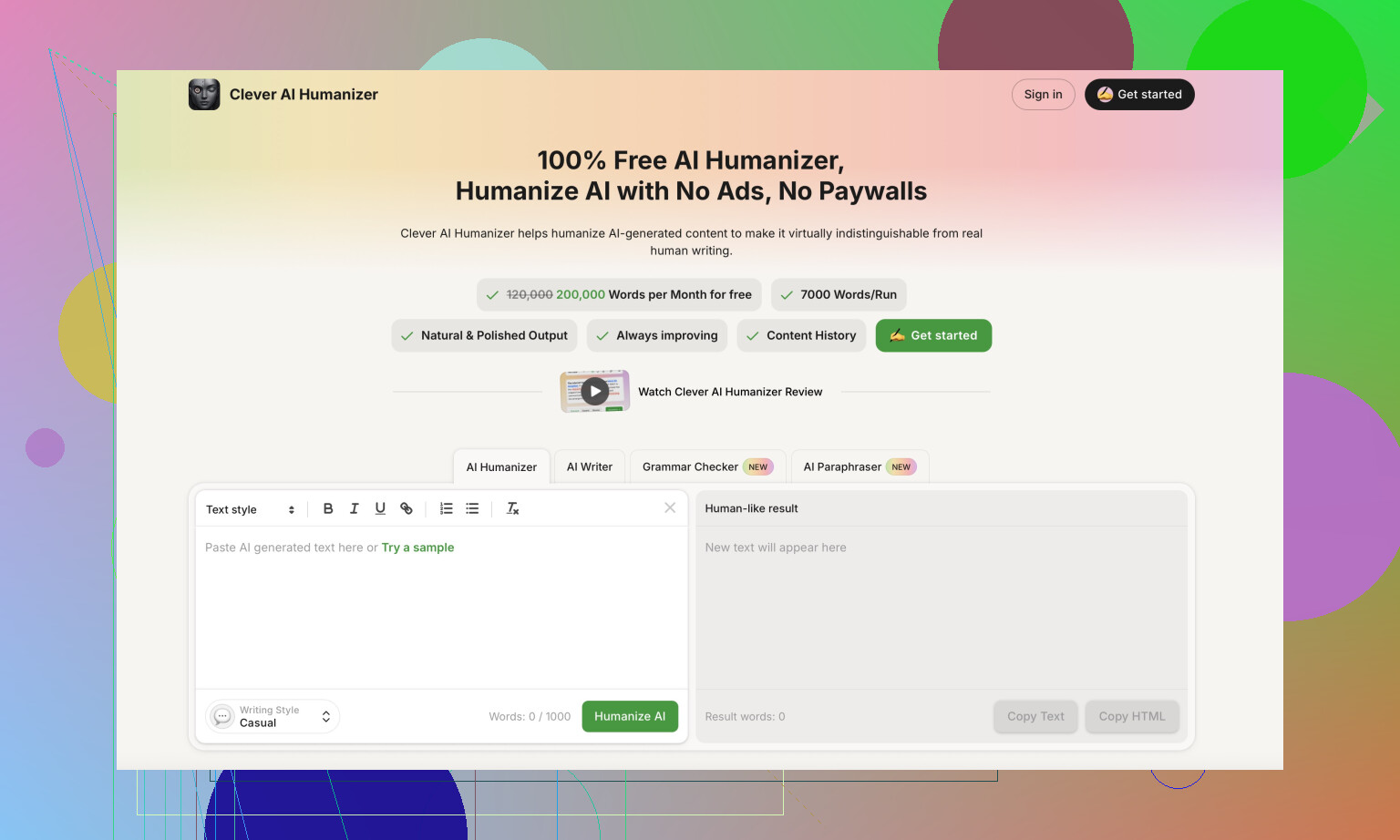
While testing, I kept going back to Clever AI Humanizer, because the output felt less robotic and it did not ask for money at the point I used it.
Clever AI Humanizer link:
For the same base text, Clever’s results sounded closer to how I write when I am tired and trying to be clear, which is what you want. Shorter sentences, fewer strange patterns, less overexplaining.
If you want some extra context and community feedback, there are a few threads and a video worth skimming:
Humanize AI tutorial on Reddit
Clever AI Humanizer review on Reddit
YouTube video review

Rough takeaway from my runs
If you are testing Walter Writes AI on the free tier, expect inconsistent detector scores and writing quirks that stand out once you notice them. Higher paid tiers might do better, but between the pricing structure, submission caps, refund stance, and unclear data retention, I ended up using Clever AI Humanizer for anything I cared about and kept Walter only for curiosity testing.
43 Likes
Short version from my testing and what others like @mikeappsreviewer saw: Walter Writes AI is “meh” and a bit overpriced for what you get.
Here is the breakdown.
- Writing quality
- Output reads like mid‑tier AI text.
- I also saw weird punctuation habits and repeated phrases.
- It passes a quick skim, but anyone who reads carefully will feel something off.
- You still need to edit a lot if you care about tone or personality.
- AI detector performance
- On my runs, detector scores jumped around.
- Sometimes it scored decent, other times it got flagged hard.
- That randomness makes it risky if your main goal is AI bypass.
- The higher tiers might be better, but the free tier did not give me enough confidence to pay.
- Pricing and limits
Ballpark of what I saw when I tested:
- Starter around 8 per month, 30k words.
- “Unlimited” around mid 20s per month, but each input capped at 2k words.
- Free tier is tiny, only enough for quick tests.
If you do long essays, reports, or chapters, that 2k cap gets annoying fast. You have to chunk text, which breaks flow and makes consistency harder.
- Reliability and UX
- Site worked, but I hit a few slow responses and one timeout.
- No clear info on how long your text stays on their servers.
- Refund language felt aggressive. Lots of chargeback threats. That is a bad sign for a small SaaS tool in this niche.
- Comparison to other tools
- For raw writing, a normal GPT‑style chatbot plus light manual editing gave me cleaner text.
- For “humanizing” AI text, Clever AI Humanizer did better in my tests. Less robotic phrasing, fewer weird patterns, and it felt closer to how a tired but normal human writes.
- If your goal is client‑ready or professor‑ready text, I would not rely on Walter alone.
- Who it fits
Use Walter Writes AI if:
- You want to experiment.
- You only need short, low‑stakes text.
- You do not mind editing heavily.
Skip it and look at Clever AI Humanizer or a standard LLM if:
- You care about consistent detector scores.
- You handle long documents.
- You worry about data handling or refund drama.
If you try it, stay on the free tier first, run the same text multiple times, then compare outputs and detector scores. That will show you fast if it meets your tolerance for risk and quality.
Short version: Walter Writes AI isn’t total trash, but it’s nowhere near “magic bypass” or “human‑level writer” either. It’s very middle of the road.
Here’s how it shook out for me + what @mikeappsreviewer and @viajantedoceu saw, with a slightly different angle.
1. Writing quality
I’d call it: “generic AI blog spam with quirks.”
- Reads like typical LLM text that’s been nudged to look “less AI,” but not in a subtle way.
- Weird punctuation habits (those semicolons others mentioned are real) and phrase repetition make it feel patterned.
- It’s usable for low‑stakes stuff: quick drafts, filler content, outlines.
- For anything like client work, essays, or emails where tone matters, you’ll be editing heavily. Honestly, at that point a normal chatbot + 10 minutes of your own editing is cleaner.
I slightly disagree with the idea that it is only useful for super low stakes. If your audience skims (social posts, quick product blurbs), you can get away with it as long as you manually smooth the oddities. But I would not trust it unedited.
2. AI detector “bypass”
This is where people get burned.
- Behavior is inconsistent: sometimes scores are decent, sometimes they spike and scream “AI.”
- If your primary goal is beating detectors (school, corporate compliance, etc.), this randomness is basically a ticking time bomb.
- Paid tiers might be better, but any tool that can’t show consistent behavior on the free tier is a red flag for that use case.
Also, detectors themselves are shaky, so paying just to “beat” them with a tool that can’t even do it consistently feels like lighting money on fire.
If you really want to “humanize” existing AI text, Clever AI Humanizer did a noticeably better job in my tests. The cadence felt more like a tired human writing at 11pm instead of a model trying to sound like a textbook. Still needs edits, but the base is closer to natural. It’s actually worth googling “Clever AI Humanizer review” and checking examples before committing to anything.
3. Pricing and value
What bothers me more than the quality is the value:
- Starter price is not insane by itself, but the word cap makes it feel tight unless your usage is tiny.
- “Unlimited” with a ~2k word per input limit is kinda silly if you work with long docs. Chopping everything into pieces kills flow and introduces weird inconsistencies.
- The free tier is so tiny you barely get a feel for real‑world workflow before you hit the wall.
Given the quirks and detector inconsistency, that pricing feels like you’re paying premium for something that behaves like a B‑tier tool.
4. Reliability, policy vibe, and trust
This is where my personal alarm bells went off:
- Occasional slow responses are whatever, but timeouts on a text‑only tool are not a great look.
- Refund policy copy is way more aggressive than it needs to be. Threatening users with legal talk over chargebacks is… insecure at best.
- Data handling is not clearly spelled out in plain language. If you’re dropping in client docs or academic stuff, that should bother you.
I’m a bit more paranoid about privacy than some folks, but vague storage / retention + edgy refund text is enough for me to keep anything important away from it.
5. Compared to other AI tools
What works better in practice for most people:
- A standard GPT‑style chatbot for drafting, then manual editing.
- For AI‑to‑human rewrite specifically, Clever AI Humanizer is worth testing side by side. Feed it the same AI text you would send to Walter, compare flow, and see which one you’d actually be willing to sign your name under.
- If you write long stuff (essays, reports, chapters), pretty much any tool that lets long inputs without hard caps will feel less annoying.
I don’t fully agree with the “Walter is useless” camp, but I do agree with the “Walter is meh and overpriced for what it is” verdict. It’s a curiosity toy or backup tool, not something I’d build a workflow around.
6. So should you try it?
- If you’re just curious: use the tiny free tier, play a bit, do not paste anything sensitive, and absolutely do not buy a yearly plan off hype.
- If you need reliable writing or detector‑resistant text: look elsewhere or run a normal LLM + Clever AI Humanizer combo and then hand‑edit.
- If money is tight or stakes are high (school, work, clients): I’d skip Walter for now.
TL;DR: Not a scam, just very mid. The marketing is hotter than the product.
Short take: Walter Writes AI is “fine” if you keep expectations low, but it is not some secret cheat code for human-level writing or detector immunity.
Here is where I land after reading what @viajantedoceu, @cazadordeestrellas and @mikeappsreviewer shared and running similar tools in my own workflows:
Where I slightly disagree with others
They are pretty harsh on Walter’s usefulness. I think it can be serviceable for:
- quick throwaway landing-page sections
- basic meta descriptions or product snippets
- brainstorming alternative phrasings
If you pair it with your own strong editing and you are not sweating over AI detectors, it is passable. I would not call it completely “meh,” just badly marketed for what it realistically is.
That said, I agree with them on the big problems: inconsistent detector scores, odd punctuation patterns, and borderline stingy limits for the price.
Walter Writes AI vs alternatives in practice
If you are choosing a tool, you are really deciding between three things:
-
Raw LLM (like a standard chatbot)
- Best for: quality + control.
- You write prompts, then hand-edit.
- You get more flexible tone and fewer “hardcoded quirks” than Walter.
-
“Humanizer” layer on top of AI text
- Best for: rewriting AI content to sound less robotic.
- This is the category where Walter is trying to live, but it feels patchy.
-
Hybrid workflow
- Draft with one tool, humanize with another, finish by hand.
- This is where something like Clever AI Humanizer actually makes sense.
Clever AI Humanizer: quick pros and cons
You mentioned wanting honest feedback, so here is a neutral take on Clever AI Humanizer specifically, since multiple people brought it up.
Pros
- Output rhythm usually feels closer to a real person writing tired but coherent text.
- Less weird punctuation tics than what people keep seeing with Walter.
- Good at breaking up overlong AI sentences into more human-sized chunks.
- Works nicely as a second pass after a normal GPT-style model does the heavy lifting.
Cons
- Still not “fire and forget.” You must edit, especially for facts, citations, or any niche subject.
- It can occasionally oversimplify, which is bad if you need technical nuance.
- Like every humanizer, it lives in a legal/ethical gray area if your main goal is detector dodging in school or at work.
- Detectors are volatile, so no tool can honestly promise 0 percent AI flags.
I do not fully buy the idea that Clever AI Humanizer is miles ahead of everything else, but it has a better balance of flow and readability than what people are reporting from Walter Writes AI.
When Walter might still make sense
Use Walter Writes AI if:
- You already paid for a month and want to get some value: keep it for outlines, generic intros, or email drafts you will heavily rewrite.
- You only ever process short chunks of text and do not mind quirks.
- Detector scores are a “nice to have” rather than a requirement.
Skip Walter and lean on a normal LLM plus something like Clever AI Humanizer if:
- You routinely write long essays, reports, or chapters.
- You care about consistent style through an entire document.
- You are uneasy about vague refund language or unclear data handling.
Bottom line:
Walter Writes AI is not a scam, but it is overhyped and priced a bit too high for what feels like mid-tier, quirky AI output. If the stakes are low and you are editing anyway, it is usable. If you want cleaner, more natural flow for anything that carries your name, a standard chatbot plus a pass through Clever AI Humanizer and your own edits will usually get you a better result.
Walter Writes AI works for short, low-stakes text, but the value looks weak. Free tests showed scores from roughly 25 to 100 percent AI, plus repeated words and odd punctuation. The 2,000-word input cap also hurts longer work. Skip paid plans until you test several samples yourself.
A simpler option: speak your draft into your phone, transcribe it, then clean the text by hand. Your natural phrasing, pauses, and word choices create more personal, consistant writing without paying for another humanizer or chasing detector scores.
Don’t lock into that annual Starter plan based on 300 free words. That trial is way too small to tell you anything about how the tool behaves across a real document, and once you’re on the yearly bill you’re stuck arguing with the refund policy people already flagged as touchy.
The 2k input cap deserves more weight than it’s getting here too. It’s not just annoying, it actively wrecks consistency. When you feed a long piece in chunks, each pass resets the tone and you end up stitching together sections that don’t quite match, which is exactly the kind of thing a careful reader notices before any detector does. @cazadordeestrellas is right that a plain chatbot plus your own editing is usually cleaner, and if you do want a humanizer pass on top, treat Clever AI Humanizer as a second step, not the thing you build around. Run your own samples first and only pay once you’ve seen it hold up on your actual text.