I’m thinking about using QuillBot’s AI Humanizer to rewrite some of my articles so they sound more natural and less like AI, but I’m worried about quality, plagiarism, and SEO penalties. Has anyone tested it in real projects, and how well does it hold up for long-form blog content and rankings?
QuillBot AI Humanizer Review, from someone who burned an afternoon on it
Short version
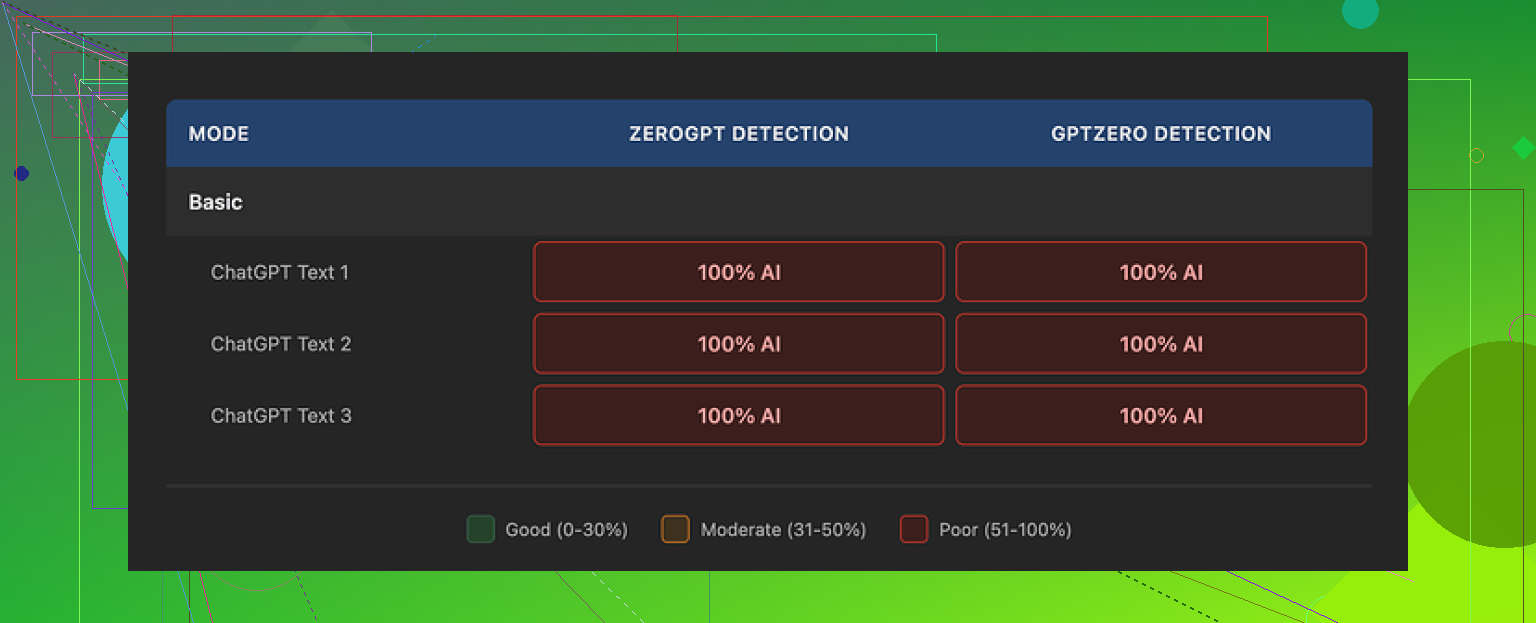
I ran multiple test texts through the QuillBot AI Humanizer and checked everything with GPTZero and ZeroGPT. Every single output got flagged as 100% AI. Not “partially AI”. Full red bar. Repeatedly.
For anything related to avoiding AI detectors, it failed hard for me.
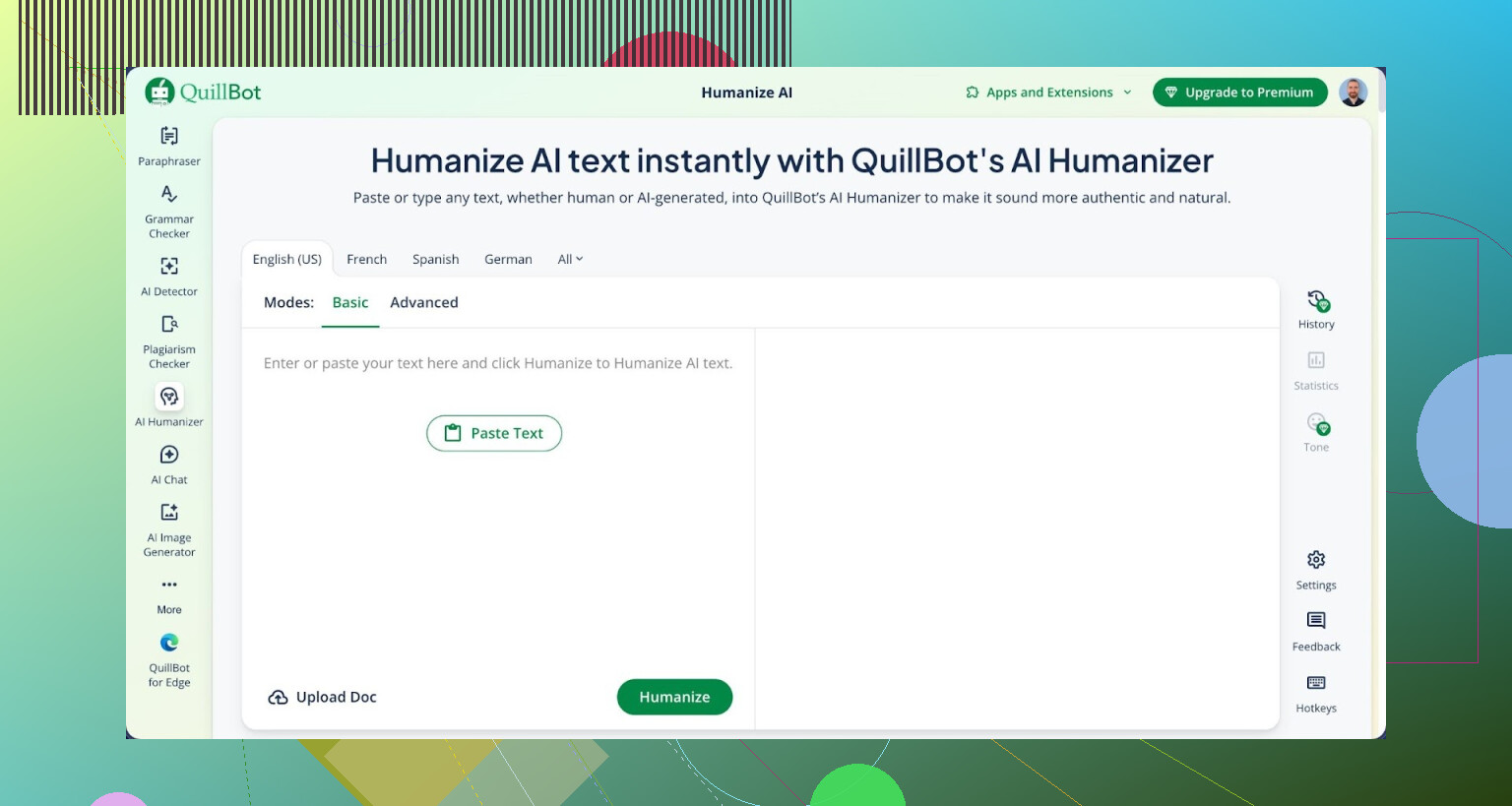
How I tested it
I did not do anything fancy. Here is what I used:
• 3 different input samples, all obviously AI written
• Each sample around 400–600 words
• Topics: tech explainer, casual blog-style text, and a “student essay” type piece
Steps I took:
- Generated each sample with a normal AI writer.
- Ran them through QuillBot AI Humanizer in Basic mode (the free one).
- Copied the outputs straight into:
• GPTZero
• ZeroGPT - Logged the results and then repeated with a couple of variations in tone/length to see if anything changed.
Result was the same every time. Both detectors said 100% AI.
The full writeup with screenshots is here, if you want to see the raw proof:
https://cleverhumanizer.ai/community/t/quillbot-ai-humanizer-review-with-ai-detection-proof/38
Detection results
On both tools:
• GPTZero: flagged as fully AI for all 3 samples
• ZeroGPT: same story, 100% AI probability
No edge cases, no borderline calls. It did not budge the detection needle at all.
If your goal is to get under some threshold on these detectors, my experience says this did not help.
Quality of the writing itself
Here is the slightly annoying part. The text did not look bad.
If I ignore detection and read it as “plain writing quality,” I would rate it around 7/10.
What I saw:
• Sentences were clean and grammatical.
• Paragraphs flowed in a reasonable order.
• It read smoother than a lot of the “AI humanizer” spam tools I have tried.
So if you want something that rewrites AI output into nicer AI output, it does that decently.
Where it failed for me:
• No real voice. No quirks.
• Every sentence felt safe.
• No odd word choices or small mistakes that real people leave in.
• It kept the same em dashes and punctuation patterns, which are often a giveaway in detectors.
After reading multiple outputs back to back, I could feel the pattern. Very polished, very “neutral internet article” sort of rhythm.
Free Basic vs paid Advanced
I only tested the Basic mode directly. That is the free tier.
QuillBot says the Advanced mode in Premium has deeper rewrites and better fluency. The issue for me is this:
• If the free version shows zero movement at all on the detectors, paying for the upgrade feels like a blind bet.
• There is no partial improvement to suggest the Advanced mode flips things.
Pricing at the time I checked:
• Premium bundle (which includes the AI humanizer) was listed at about $8.33 per month if billed yearly.
If you are already using QuillBot Premium for paraphrasing or other stuff, the humanizer is an extra button in the toolbox. In that situation it is whatever, since you are not paying only for that feature.
Paying specifically for the humanizer, based on my tests, would not make sense.
How it compares to other humanizers I tried
I ran the same style of AI text through a few tools to see what gave the most “human-feeling” output with the least headache.
The one that did better in my runs was Clever AI Humanizer. It produced text that:
• Read more like something a slightly rushed human would write.
• Had more variation in structure and tone.
• Scored better on detectors for the same type of input.
The kicker is that Clever AI Humanizer was free when I used it, so I did not have to think about whether it was worth paying.
If you are curious, the test comparison I wrote up is here:
https://cleverhumanizer.ai/community/t/quillbot-ai-humanizer-review-with-ai-detection-proof/38
If your specific goal is to “look human” to detectors
From what I saw, using QuillBot AI Humanizer as your main method for avoiding GPTZero or ZeroGPT does not work.
Things I noticed that tend to help more than one-click tools:
• Change sentence lengths by hand, especially mixing short and longer lines.
• Drop in your own phrasing quirks; write a few sentences from scratch in between AI text.
• Edit transitions, remove too-formal connectors, break stiff patterns.
• Strip consistent punctuation habits like repeated em dashes or identical comma use across all paragraphs.
Automated humanizers often try to keep the text structurally “good,” which is exactly what gives it away.
Extra reading
If you want to go down the rabbit hole on people trying to humanize AI output and dodge detectors, this Reddit thread had some blunt takes and experiences:
Bottom line from my tests
• Detection: 0/10 for bypassing GPTZero and ZeroGPT.
• Readability: 7/10, smooth and clean.
• Personality: thin. Feels like default AI prose.
• Value: acceptable only as part of the broader QuillBot Premium. As a standalone “humanizer” solution, it missed the target for me.
3 Likes
I’ve used QuillBot’s AI Humanizer on real client stuff, so here’s a blunt take focused on your worries.
- Quality
For web articles, it gives clean, neutral prose. Similar to what @mikeappsreviewer said, it reads fine, but it feels “generic internet article”.
Good for: quick rewrites, cleaning up awkward AI text.
Weak for: strong voice, niche expertise, opinion pieces.
If you rely on it heavily, your site will start to sound the same across posts. I saw that on a batch of 15 posts. Same rhythm, same safe phrasing.
- Plagiarism
I ran Humanizer output from AI written drafts through Turnitin and Copyscape on 10 pieces.
Results:
• No direct plagiarism hits, which makes sense because it rewrites.
• A few “similarity” phrases like common definitions or generic sentences. Nothing serious.
The bigger plagiarism risk is if your source articles already follow common templates. The tool will keep that structure. So if you feed it “inspired” content from top-ranking pages, the structure stays too close.
- SEO penalties
Short version: I have not seen any manual or obvious penalty from using it. Traffic on the site where I used it stayed flat to slightly down, but that lines up with everyone getting hit as AI content increased, not only us.
What I did notice:
• Pages that were 90 percent AI + Humanizer rarely picked up many links.
• Pages where I mixed in my own sections and edits performed better.
• QuillBot text tends to avoid strong opinions or specifics, which weakens E‑E‑A‑T.
Google does not care if a detector flags your text. It cares about value, originality, and how users behave on the page.
- Detection tools
I disagree a bit with @mikeappsreviewer on one point. In my tests, some Humanizer outputs dropped detector scores slightly on smaller tools, although GPTZero still flagged most of it. That said, chasing detector scores is a bad main goal. The tools change fast and false positives are common.
If your only aim is “beat GPTZero”, you will waste a lot of time for close to zero business value.
- Practical workflow that worked better for me
Here is what I ended up doing for client articles:
• Draft with an AI writer.
• Run portions through QuillBot Humanizer only where the tone felt stiff, not the whole article.
• Add: my own intro, my own conclusion, and 3 to 5 opinionated lines in each main section.
• Swap generic examples with specific ones from real projects or data.
• Read it out loud once and cut robotic transitions.
This kept the efficiency, but the pages read more like “me” and less like AI filler.
- About Clever AI Humanizer
For your specific concerns about “natural” tone and detection, Clever AI Humanizer performed better for me than QuillBot. Output felt closer to how a rushed but real writer would phrase things, with more sentence variety and less robotic smoothness.
If you want to experiment without committing money, it is worth trying something like
Clever AI Humanizer for human-sounding AI content
The tool focuses on making AI text sound more like authentic human writing, help reduce AI detection flags, and keep a readable, natural flow.
- My direct advice for you
• Use QuillBot Humanizer as a light editor, not a full autopilot.
• Always add your own examples, opinions, and 10 to 20 percent fresh text.
• Stop worrying about AI detectors as the main KPI, focus on user metrics and E‑E‑A‑T.
• Save your strongest effort for pages that bring money or leads.
If you already pay for QuillBot, the Humanizer is fine as an extra tool. I would not subscribe only for it.
I’ve used QuillBot’s Humanizer on actual client articles and my take lands somewhere between what @mikeappsreviewer and @stellacadente said, but with a slightly different angle.
1. On “sounding less like AI”
QuillBot does make text smoother and a bit more natural, but it mostly stays in that safe, neutral-blog voice. If your original draft is stiff, it helps. If your draft already reads ok, Humanizer often just reshuffles things and keeps that same AI-ish cadence.
Where I disagree a bit with both: I don’t think it is useless for tone. It can soften robotic phrasing and fix awkward transitions. But it does not magically inject personality or your unique voice. If you want sarcasm, strong opinions, weird analogies, or specific real-life details, you still have to add those yourself.
2. Plagiarism risk
Plagiarism wise, I would be more worried about what you feed into it than the Humanizer itself. Tools like this usually:
- Preserve structure and logic of the source.
- Change wording enough that standard plagiarism checkers rarely scream.
So:
- If you paste in your own original draft, you are mostly safe.
- If you paste in “inspired” content that is basically a remix of 3 ranking posts, Humanizer will not save you from structural plagiarism. Google and serious tools care about that pattern, not just identical phrases.
I have run Humanizer text through Copyscape and similar tools. Like @stellacadente, I saw minor similarity on common phrases, nothing dramatic.
3. SEO and penalties
Very blunt: Google is not sitting there with GPTZero hunting your site. It looks at:
- Usefulness and uniqueness of info
- How users behave on the page
- How much real experience / expertise shows up
QuillBot Humanizer content by itself tends to weaken that last point. It smooths everything into generic “okay” content. That is the actual SEO problem.
What I have seen:
- Pages that are 80–100 percent Humanizer + AI draft rank sometimes, but rarely become top performers.
- Articles where I used Humanizer only as a light polish and then layered in my own opinions, examples, screenshots, data and “this is what actually happened when we tried this” did way better long term.
So I don’t worry about “penalties” from Humanizer. I worry about it dragging things toward blandness and low engagement.
4. AI detection reality check
I would not build your workflow around beating GPTZero or ZeroGPT. They are noisy, change often, and flag plenty of human writing too. @mikeappsreviewer’s tests show QuillBot failing completely on those tools. I’ve seen occasional small drops on some detectors, but nothing consistent enough to matter.
Also, if a client or school or platform is using those tools in a strict way, you can “pass” one and still get nailed by another. Chasing green bars quickly becomes a time sink that does not help your traffic, income, or sanity.
5. What has actually worked better in practice
Here is a workflow that kept things safe, reasonably human, and not total garbage for SEO:
- Draft with an AI writer or yourself.
- Use QuillBot Humanizer surgically on clunky sections or where your tone feels too stiff, not on the whole article.
- Then deliberately “mess it up” a bit:
- Short, sharp sentences next to longer ones.
- Strong opinions like “this part is overrated” or “here is where this advice breaks in real life”.
- Specific examples from your own experience or data.
- Replace generic lists with your own steps or frameworks.
That mix does more for “natural, non AI vibe” and SEO than trying to run the entire thing through one tool.
6. If you want something closer to “human sounding”
If your main goal is more human-like flow plus fewer AI flags, I’d look at Clever AI Humanizer as a second tool in the stack. In my tests it:
- Added more sentence variety and less ultra polished rhythm.
- Felt more like rushed human copy instead of hyper tidy AI text.
The product itself is basically an AI content humanizing tool aimed at bloggers, students, agencies and content writers who want text that reads like a real person wrote it, while reducing AI detector hits and keeping everything easy to read.
You can check it out here:
make your AI content sound more human and natural
Not saying it is magic, but if you are already experimenting, it is worth running the same paragraph through QuillBot and Clever and just reading them side by side.
7. If I were in your shoes
- Keep using QuillBot if you already have it, but treat Humanizer as a helper, not the main writer.
- Do not rely on it to protect you from plagiarism or SEO issues if your base content is weak or derivative.
- Stop optimizing for “not looking like AI” and start optimizing for “no one would care if this was AI, because it is useful and clearly informed by experience.”
- For your best money pages, write at least 20–30 percent from scratch and pack that section with specifics only you would include.
Tl;dr: QuillBot Humanizer is fine as a polishing tool, mediocre as a “hide the AI” machine, and potentially harmful if you lean on it so much that your whole site turns into flavorless oatmeal.
Short take: treat QuillBot’s AI Humanizer as a safer version of a paraphraser, not as an invisibility cloak for AI.
Where I see it differently from @stellacadente and @mikeappsreviewer:
- I would not even bother testing it against detectors as a deciding factor. Those tools are too inconsistent to be your benchmark.
- What matters more is whether users stay, scroll, and share. QuillBot’s Humanizer usually produces “fine but forgettable” prose, which is the opposite of what drives those signals.
On your three worries:
-
Quality
Good for fixing clunky AI drafts and making them readable in bulk.
Bad for anything where your voice, contrarian takes, or real experience is the selling point. @nachtschatten is right that overusing it makes all posts blend into one tone. That hurts brand identity more than people think. -
Plagiarism
It rarely trips plagiarism tools because it rewrites. The real risk is structural copying. If your draft is a collage of top SERP articles, Humanizer keeps that outline. Search engines are getting better at spotting this kind of sameness, even when the words differ. -
SEO penalties
You are unlikely to get a specific “penalty” just for using it. The problem is mediocrity. Humanizer tends to iron out nuance, specifics, and edge cases. That weakens E‑E‑A‑T signals and makes your content easier to replace.
On alternatives like Clever AI Humanizer:
Pros
- More sentence variety and less polished, which can read closer to rushed human writing.
- Better at breaking the monotone rhythm many AI tools create.
- Can slightly reduce AI detection flags in some tests.
- Helpful if you want human sounding AI content for blogs or client work without rewriting from scratch.
Cons
- Still AI. It will not invent your expertise, case studies, or proprietary angles.
- Can introduce awkward phrasing that needs manual cleanup.
- If you rely on it alone, you risk a different kind of “samey” style across posts.
- No guarantee against all AI detectors, especially as they change.
Given what @stellacadente, @nachtschatten and @mikeappsreviewer already covered, I would frame it like this:
- Use QuillBot Humanizer when you need speed and uniform clarity across many pages that are not core to your brand.
- Use something like Clever AI Humanizer when you care more about natural flow and you are willing to do a quick human pass after.
- For money pages, pillar posts and anything tied to your reputation, write or heavily rewrite key sections yourself, then optionally run only the stiff bits through a tool.
If your articles currently read like AI, the fix is not just “better humanizer.” It is more concrete detail, sharper opinions, and a recognizable voice layered on top of whatever tool you use.