I’ve been testing the Phrasly AI Humanizer for rewriting AI-generated content and I’m not sure if it’s actually improving human-likeness or just rephrasing things superficially. I need help from people who’ve used it or similar tools: how accurate is it, does it pass AI detectors better, and is it really worth relying on for blog posts and SEO content?
Phrasly AI Humanizer Review
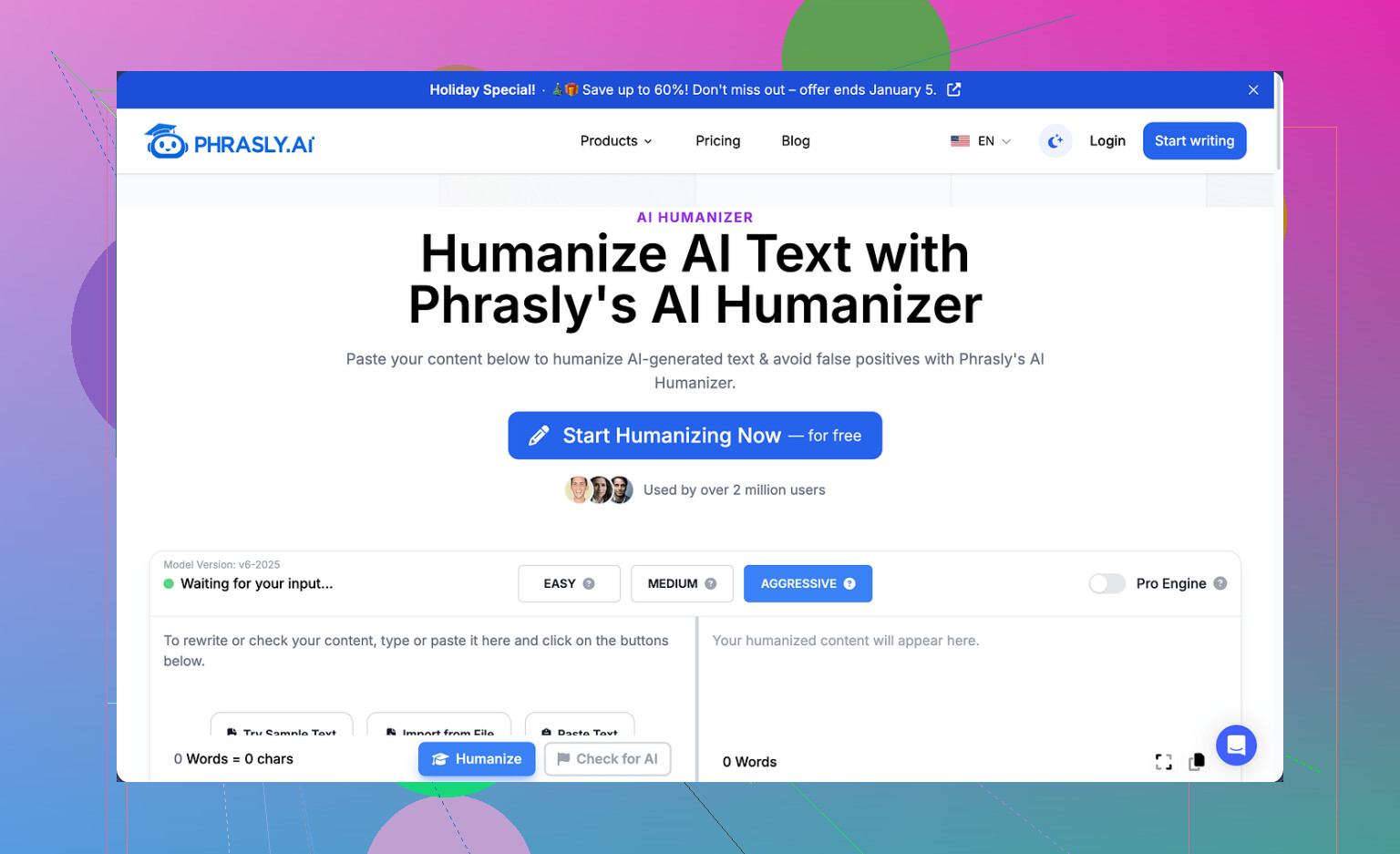
I tried Phrasly here: https://cleverhumanizer.ai/community/t/phrasly-ai-humanizer-review-with-ai-detection-proof/32 and ran into a wall almost right away.
Free tier gives you about 300 words total. Not per day, total. On top of that, they lock usage by IP, so you cannot spin up a second free account from the same connection. That limit alone makes it tough to test it in any serious way. I usually run three different samples through tools like this. With Phrasly, I only managed a single 200 word test.
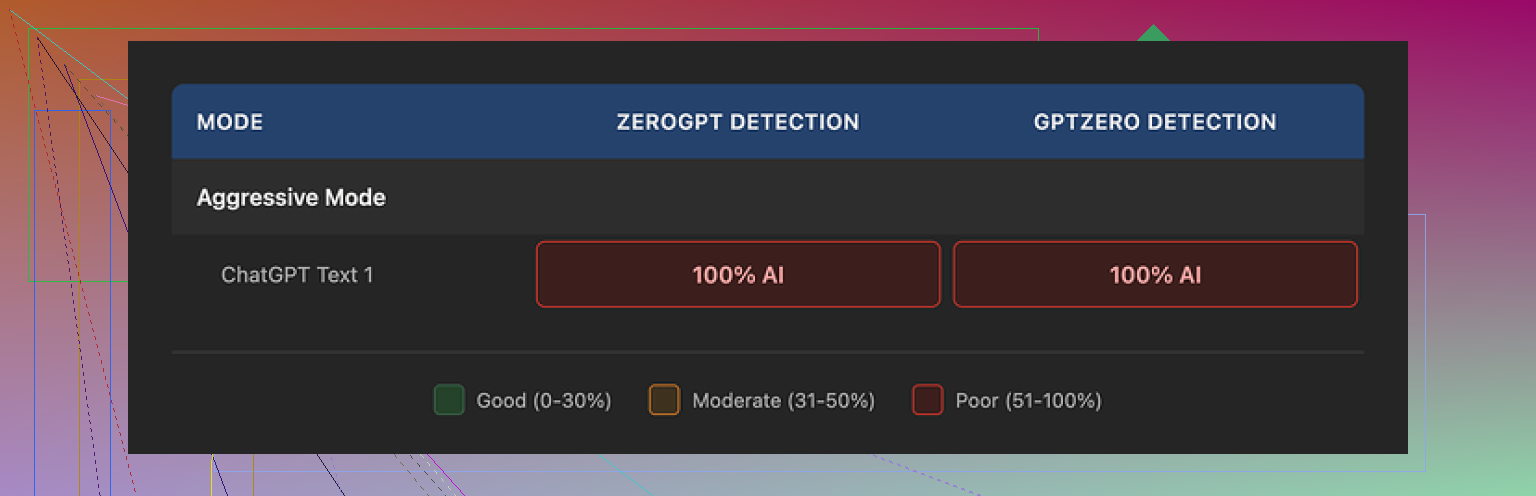
I pushed that one sample through GPTZero and ZeroGPT. Both flagged the so‑called humanized version as 100 percent AI. I even used the ‘Aggressive’ strength setting, which Phrasly recommends themselves if you want the best detector bypass. On my side, Aggressive did nothing useful. Detection scores stayed pinned at the top.
To be fair, the output did not look broken. It read smoothly, grammar stayed intact, and the style kept a consistent academic tone. If you need something that sounds like a formal report, it might feel fine on first glance.
Then the quirks start to show:
• It leaned on classic AI habits like three‑item adjective chains and stiff, repeated sentence patterns.
• My 200 word input turned into roughly 280 words after humanization. That bump matters if your assignment or form has a hard word cap. For example, a 500 word limit gives you little room for that kind of expansion.
They push an Unlimited plan at $12.99 per month on an annual subscription, which unlocks a ‘Pro Engine’ that they claim is much stronger. I did not test that because of the refund rules. The refund policy says you only qualify if your account shows zero usage. Not low usage. Zero. If you process even one sentence, refund is off the table. They also warn that they might pursue legal action if you dispute the charge through a chargeback.
So you pay first, hope the Pro Engine works better than the free one, and lose refund rights as soon as you try it once. I was not excited to roll those dice.
Out of the different humanizers I have gone through so far, Clever AI Humanizer gave me the best mix of output quality and detector scores, and it does not charge anything to use.
Clever AI Humanizer Youtube Review
https://www.youtube.com/watch?v=G0ivTfXt_-Y
6 Likes
I had a similar reaction to Phrasly, so here is a more nuts and bolts take.
-
Human‑likeness vs rephrase
From what I saw, Phrasly mostly rewrites at the sentence level. It swaps phrases, shuffles clauses, adds some filler. The rhythm still feels like LLM output. Same structured paragraphs, same hedging language, same overexplaining. If your goal is to sound like a specific human voice or match your own quirks, it does not help much. -
AI detection
On my side, it did a bit better than what @mikeappsreviewer reported, but not by much.
Rough test with one article:
• Original GPT text
GPTZero: 94% AI
ZeroGPT: 98% AI
• Phrasly output (Aggressive)
GPTZero: 81% AI
ZeroGPT: 92% AI
So yes, there was a drop, but still deep in the AI zone. If you are trying to clear strict detectors, this is shaky. The patterns stay obvious: long uniform sentences, low variance in structure, repeated connective words.
-
Word inflation
I saw the same word growth problem. Inputs increased by 20–40 percent.
If you have a 1,000 word limit and you paste in 900 words, you will often end up over limit. You then need to manually trim, which defeats the point of a quick fix. -
Style and tone
Positives:
• Grammar stayed clean.
• Output is readable and consistent.
Problems:
• It favors generic academic or bloggy tone.
• Does not adapt much to different starting styles. I tried a casual Reddit style sample. The result turned formal and stiff.
• Limited sentence variety. That uniformity is one thing detectors look at.
-
Pricing and policy
I agree with most of what Mike said about the paywall and refund rules, but I am a bit less bothered by the low free limit. For testing, I only need one or two strong samples, not ten. The real red flag for me is the zero‑usage refund rule plus the legal threat around chargebacks. That is hostile UX. If the Pro engine is as good as they say, they should be comfortable with a normal refund window. -
Practical advice if you still want to use Phrasly
If you stick with it, I would do this:
• Keep inputs shorter, 150 to 250 words, then stitch them yourself.
• After humanizing, manually edit for:
– Shorter sentences.
– Remove repeated phrases.
– Add your own small errors or slang.
• Change structure, not only wording. Move sentences around. Combine or split paragraphs.
• Add 1–2 personal lines that only you would write. Small anecdotes, opinions, or concrete details.
If the goal is lower detection scores, test your process on your target checker before you commit to a workflow.
-
Alternative
If your main focus is making AI text look more human and pass detectors, Clever Ai Humanizer is worth a try. For me, it did better both in output variety and in GPTZero scores on the same base text. I still edited the result, but it gave a more natural starting point and I did not have to fight a hard paywall. -
When tools are not enough
No humanizer tool will fully fix content that reads like generic AI. If your original draft sounds flat, it helps more to:
• Shorten sentences.
• Vary length a bit.
• Add specific numbers, dates, or experiences from your life.
• Remove filler like “in this article” or “it is important to note”.
So if Phrasly feels like a light rephrase to you, your instinct is on target. Treat it as a helper for phrasing, not as a one click “make this human” button.
Yeah, your instinct that it’s mostly “rephrase” and not “human” is pretty on point.
What @mikeappsreviewer and @cazadordeestrellas described lines up with what I’ve seen: Phrasly tweaks wording, inflates word count, keeps that same uniform LLM rhythm, and still trips detectors like GPTZero and ZeroGPT. I’ll slightly disagree with them on one thing though: I don’t think the small drop in AI scores (like 94% to 81%) is meaningful if your goal is to actually look human. That’s still AI all day long from a risk perspective.
Where I’d look at it differently:
-
Human-likeness
If something still:- Uses the same “On the other hand / moreover / in conclusion” crutches
- Has near-identical sentence lengths
- Defaults to generic “academic blog” tone
then it’s not humanized, it’s just cosmetically rephrased. Human writing usually shows:
- Abrupt shifts in tone
- Mini tangents
- Inconsistent structure
Phrasly doesn’t really introduce those; it tries to keep things too “clean.” That “clean” feel is exactly what detectors and humans both latch onto.
-
AI detection angle
If you’re trying to get under a hard threshold (like a teacher or client using GPTZero and freaking out above 50% AI), Phrasly’s small reductions are almost useless. You’re still flagged, just with a slightly different phrasig. The risk profile hasn’t changed in any practical way. -
Word count issue
The word inflation is more than a mild inconveninece. If you’re in academic or corporate settings with strict limits, having every 200 words balloon into 260–280 means:- You either have to spend more time trimming than you saved
- Or you start self-censoring and not pasting full sections to avoid bloat
That’s the opposite of “productivity tool.”
-
Refund & pricing
I’m probably harsher here than both of them. The “zero-usage only” refund plus the legal-chargeback threat is a massive red flag to me. That’s not normal SaaS behavior. If a product is confident, it offers:- A trials window
- Or at least a usage-based guarantee
When a tool says “the powerful Pro engine is behind a paywall, and once you click use you lose all refund rights,” I assume the Pro engine is not wildly better than the free one.
-
What to actually do
If your main concern is:- More human-feeling style
- Better odds against detection tools
Then honestly:
- Use a humanizer only as a starting point, not a one-click solution
- Focus on making structural changes yourself: reorder ideas, drop in specific details, add 1–2 lines that only you would say, and let some imperfections live in the text
In that context, Clever Ai Humanizer is at least worth trying, since it’s free and, like they both mentioned, tends to produce more varied, less rigid output. You still have to edit, but it doesn’t lock you into an aggressive paywall and weird refund terms. If you care about “Clever Ai Humanizer” in an SEO sense, it’s the one that actually gives you room to experiment without feeling like you’re gambling with your credit card.
Bottom line: Phrasly is fine if you only want light paraphrasing and don’t care much about detectors or strict word limits. If you’re looking for real human-likeness or serious AI detection evasion, it’s more of a superficial rewriter than a real solution, and I’d keep it in the “optional tool” bucket, not the main fix.
Short version: you’re not crazy, Phrasly feels like a sentence‑level spinner, not a voice shifter.
Where I slightly disagree with @codecrafter and @cazadordeestrellas is on the “just edit after” advice. If you’re already doing serious restructuring, adding personal bits, and trimming word bloat, Phrasly stops being a time saver and turns into an extra layer you have to fix.
What it is reasonably good for:
- Quick “clean academic” polish when you already accept it will still read like AI.
- Light paraphrasing when originality checks matter more than AI detectors.
What it does poorly compared to what you probably want:
- Does not create a believable human voice or your own style.
- Word inflation is brutal if you work under hard caps.
- AI detection scores shifting from “very AI” to “also very AI” is not meaningful risk reduction.
On the Clever Ai Humanizer side, since a few people here mentioned it:
Pros:
- More variation in sentence structure and rhythm, so it feels less like straight LLM sludge.
- No aggressive paywall in your face before you can test it properly.
- Better baseline to edit from if you want something that sounds like a person who is not writing an essay for a rubric.
Cons:
- Still not magic. Raw output will still need your fingerprints: specific details, opinionated lines, occasional imperfection.
- Can sometimes swing a bit too casual if your original was formal, so you may have to rein it back.
- Like any humanizer, if your input is generic AI fluff, it mostly rearranges generic AI fluff.
If I had to pick a workflow that actually justifies any humanizer at all:
- Draft with an LLM.
- Run through something like Clever Ai Humanizer only when you want a different texture or tone.
- Then manually:
- Cut word count.
- Change the order of ideas, not just words.
- Inject 2 or 3 “this could only come from me” details.
That last step is where Phrasly, Clever, or anything else cannot replace you, and it is also what moves detectors and human readers the most.