I’ve been using Phrasly AI to humanize AI-generated text, but I’m trying to cut costs and find a reliable free competitor that offers similar natural-sounding results. I need something that can handle longer content without sounding robotic or getting flagged by content filters. What tools or platforms are you using that can truly replace Phrasly AI for free, and what’s been your experience with them?
- Clever AI Humanizer, tested for real
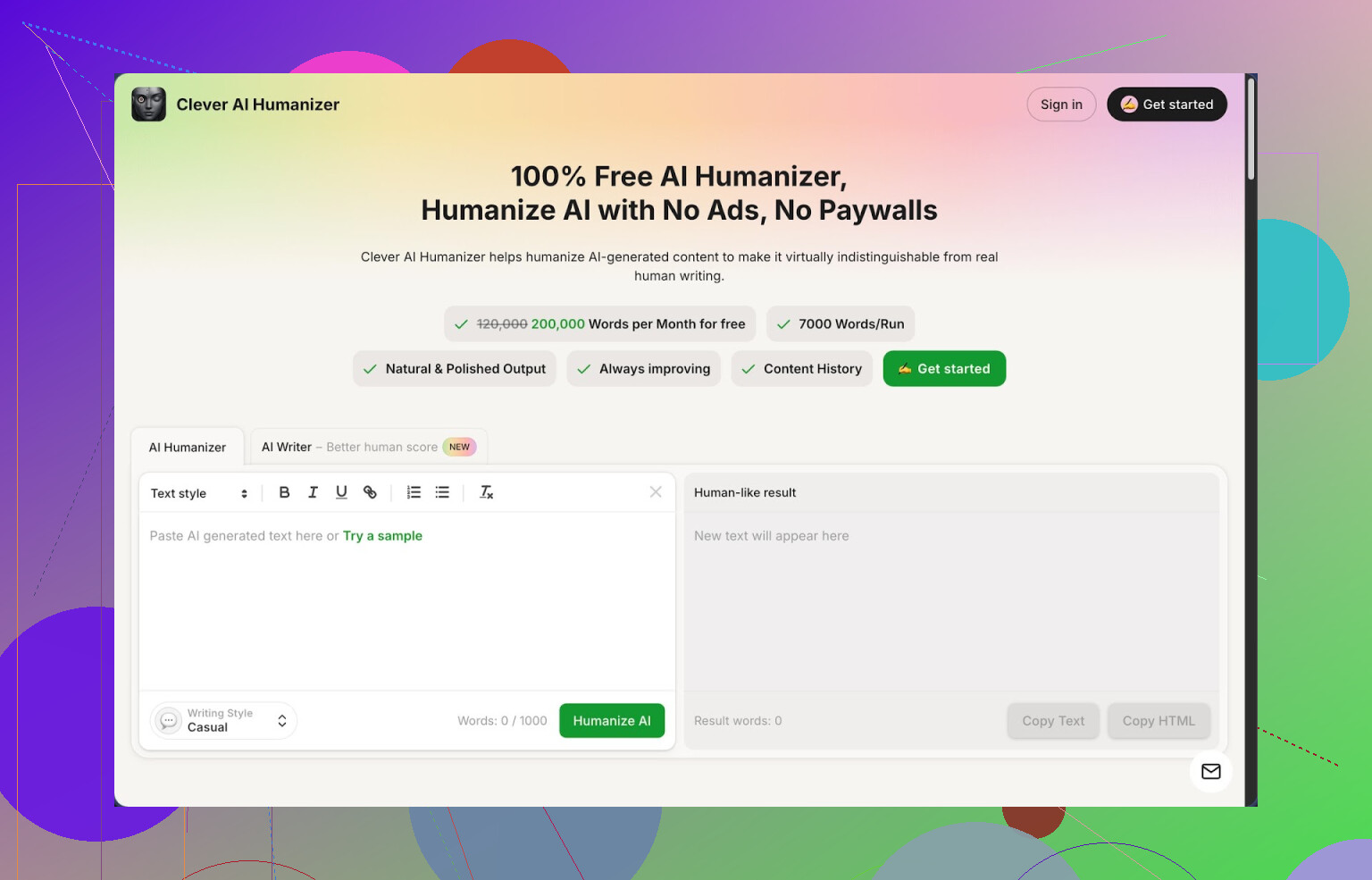
Link: https://cleverhumanizer.ai
I stumbled into Clever AI Humanizer after getting sick of rewording AI text by hand. I write a lot with AI, mostly drafts and outlines, and the same thing kept happening: the text sounded flat, and every halfway strict detector screamed 100 percent AI. So I went hunting for tools and ended up spending a whole afternoon testing a bunch of them. This one stuck.
Here is what stood out for me
• It is free, with a high cap
• 200k words each month
• Up to 7k words in a single run
• Three presets: Casual, Simple Academic, Simple Formal
• Built in writer, humanizer, grammar, and paraphraser in one place
No log of credit packs, tokens, or weird throttling. For people who do long essays, reports, or bulk content, this matters more than any fancy marketing.
Detection results I got
I ran three different Casual style samples through ZeroGPT, including a technical explainer, a more story like piece, and a dry informational bit. All of them came back as 0 percent AI on ZeroGPT. That surprised me, because most tools I tried either barely changed the score or wrecked the meaning.
Important detail though, this is one detector and one set of samples. Do not expect every detector to behave the same way. Some of the harsher ones still find traces sometimes.
How the main “Humanizer” behaves
My usual workflow:
- Draft something in an AI model.
- Paste the raw output into Clever AI Humanizer.
- Pick “Casual” if it is for blogs, “Simple Academic” for reports, “Simple Formal” if it is client facing.
- Run it once, skim for logic changes, then maybe tweak a sentence or two myself.
The tool rewrites the text with the same main idea, but shifts sentence rhythm, word choice, and structure enough that you stop seeing that stiff AI pattern. It does not randomly stuff in complex vocabulary or weird metaphors. It tends to add a bit of length though. If you feed it 1,000 words, you might get 1,150 back. That extra bulk seems to help break those “AI fingerprints,” but it is something you need to plan around if you have hard limits.
What I liked here is that most of my arguments and examples stayed intact. A lot of “humanizers” I tried earlier turned a nuanced paragraph into generic fluff. This one kept the logic line mostly stable.
Other modules I tried
Free AI Writer
There is an integrated writer that spits out essays, posts, and articles directly in the app. The neat part is you can fire the humanizer on top of the freshly generated text without jumping between tools. For raw AI drafts, this combo often scores better on human detectors than my manual prompt engineering.
How I used it once:
• Prompted the AI Writer for a 1,500 word piece on data backup strategies
• Took the output, sent it through the humanizer in Casual
• Got something that passed a quick ZeroGPT check with low AI probability
• Then I edited a few technical parts by hand to match my real experience
Free Grammar Checker
This is the boring module, but I ended up using it more than I thought. It auto fixes:
• Spelling
• Punctuation
• Awkward phrasing
It is useful when you paste in your own sloppy text instead of AI output. I ran a few older blog posts through it before republishing and it surfaced small mistakes I had stopped seeing.
Free AI Paraphraser
This one rewrites your own paragraphs while keeping the same intent. I used it for:
• Cleaning up clunky sections in drafts
• Reworking text for different platforms, for example, turning a formal page into something more relaxed
• Refreshing content for SEO without changing the core information
If you are rewriting your own material, this is safer than throwing everything at a random generator. It respects the original more than most “spin” tools.
How it fits into a daily workflow
After a week using it on and off, I ended up with this setup:
• Draft short stuff straight in Clever’s AI Writer, then humanize + grammar check in one flow.
• For long reports, I write half myself, half in a regular AI model, then run the AI parts through the humanizer in Simple Academic, so the tone does not clash with my own sections.
• For blog posts, everything does a final pass through the grammar checker, even text I wrote myself, to catch typos and punctuation slips.
Because all four modules live in one interface, I do not jump between websites or keep track of multiple subscriptions. That saved me time, more than I expected.
Where it falls short
It is not magic. A few points to keep in mind:
• Some AI detectors still tag the output as AI, especially the stricter or paid ones. You lower the risk, you do not erase it.
• Word count often grows after humanization, which is annoying if your teacher or client sets hard limits. You might need to trim manually.
• You still need to read what comes out. I had one or two instances where a subtle nuance in a technical section changed and I had to correct it.
Despite those issues, for something that costs nothing, I keep going back to it instead of the paid tools I tried.
Links with more detail
Full review with screenshots and AI detection proof:
YouTube review:

Reddit threads that helped me compare tools:
Best AI humanizers discussion:
General thread about humanizing AI text:
17 Likes
I’ve been in the same spot trying to replace Phrasly AI without paying monthly for every little thing.
Since @mikeappsreviewer already covered Clever Ai Humanizer in detail, I will not repeat the workflow part. I agree with the main point though. For longer content and budget concerns, Clever Ai Humanizer is one of the few tools that feels viable long term.
Here is what I would focus on for your use case.
-
Long form handling
If you do 2k to 5k word pieces, you want fewer chunks. Clever Ai Humanizer handles around 7k words per run, which means you avoid weird tone shifts between sections. With Phrasly I often had to split too much and then edit tone by hand. -
Natural tone
You mentioned natural sounding results. The Casual and Simple Academic modes in Clever Ai Humanizer tend to stay close to human college level writing. Not fluffy, not robotic. Good for blogs, reports, newsletters. You still need a quick read through, but the edits are lighter than with many paraphrasers. -
Detectors
You will not get 0 percent on every detector, no tool does that reliably. In my tests with 1k to 2k word samples, Clever Ai Humanizer usually dropped “obvious AI” flags on free detectors and reduced scores on stricter ones. If you rely on a specific detector, run a few of your typical pieces and see how it behaves. -
Cost and usage
If you write weekly long articles, the free 200k word cap is enough for many people. That is roughly 100 pages of text per month. For students or solo bloggers, it covers a lot of work without juggling credits. -
Workflow tip different from @mikeappsreviewer
I stopped running full articles through any humanizer in one go when I care about nuance. My approach now:
• Break into logical sections, like intro, body sections, conclusion.
• Humanize each section separately in the same style.
• Do a quick manual pass at the end to keep transitions tight.
This keeps arguments accurate, especially for technical or opinion pieces. Full article runs sometimes slightly shift claims or soften strong opinions.
- When not to use any humanizer
If you write academic work with real stakes, like a thesis or graded research, I would avoid heavy use of humanizers on core argument sections. I use them more for transitions, background paragraphs, or cleaning up explanations, then rewrite the key claims in my own words.
If your priority is long content, natural tone, and lower cost, Clever Ai Humanizer is the most practical Phrasly AI alternative I have found so far. Use it as a helper, not a full replacement for your own editing, and you should get decent results without blowing your budget.
I’ve also been trying to get off Phrasly’s paid treadmill, so you’re not alone here.
I mostly agree with @mikeappsreviewer and @waldgeist that Clever Ai Humanizer is the closest “free Phrasly alternative” right now, especially for long stuff. The 7k‑word per run and ~200k words/month is solid. But I’d tweak how you think about using it a bit.
Where I slightly disagree with them is this: I wouldn’t rely on any humanizer purely as a “detector beater.” Detectors are inconsistent, change their models, and sometimes just flag everything that sounds too clean. If you chase 0% AI scores, you’ll eventually wreck the tone or accuracy of your content. I’d use Clever Ai Humanizer more as a “tone normalizer” than an “AI eraser.”
Here’s what I’d actually do to replace Phrasly for longer content:
-
Use Clever Ai Humanizer for structure & rhythm, not for magic invisibility
- Feed it your full section (1k–3k words at a time) in Casual or Simple Academic.
- Look for rhythm changes: shorter / longer sentences, varied openings, slightly more filler.
- If a paragraph suddenly reads like a different person wrote it, regenerate just that paragraph instead of re-running the whole thing.
-
Mix in your own “noise”
This part almost nobody mentions. Detectors often latch onto super consistent, polished language. To break that pattern:- Manually add 2–3 short, blunt sentences per page.
- Drop in one “off” phrase here and there that you personally would say.
- Keep 1–2 sentences from the original AI output untouched so it does not look like 100% machine rewrite.
Sounds dumb, but that tiny imperfection layer is what usually makes text feel human, more than any preset.
-
Chunk smart, not tiny
I wouldn’t go sentence-by-sentence or 200-word bits like some suggest. That creates tonal whiplash.
Better chunks: intro / each major section / conclusion. For a 3k word article, that’s like 4–6 chunks. That way Clever Ai Humanizer can actually maintain flow, which is where Phrasly also used to shine. -
Decide what not to humanize
For long technical or opinionated content, I leave these parts mostly untouched:- Strong claims or hot takes
- Very specific instructions or niche technical explanations
- Anything you might get called out on if the meaning shifts 5–10%
Run background, transitions, and “explainer” parts through Clever Ai Humanizer, then manually bridge them to your key claims.
-
Keep Phrasly-style output… without Phrasly
To get that Phrasly-ish natural tone:- Generate raw content in your main AI tool.
- Send the mid-quality draft into Clever Ai Humanizer (Casual for web, Simple Academic for reports).
- Do a fast “personalization pass” at the end: add one personal anecdote, one tiny complaint, one specific detail from your actual experience.
That 5-minute pass usually does more for natural sound than another humanizer run.
So yeah, if your priority is:
- Free
- Long-form friendly
- Natural enough to not scream “I am ChatGPT text”
Clever Ai Humanizer is probably your best bet right now as a Phrasly AI Humanizer alternative. Just don’t outsource all your voice to it. Use it as the heavy lifter, then let your own minor quirks and small “mistakes” finish the job.