I’ve been testing NoteGPT’s AI Humanizer to rewrite some AI-generated content so it sounds more natural and less detectable, but I’m unsure if it’s actually working well or safe to use long term. Has anyone tried it extensively and can share honest pros, cons, and how it affects AI detectors and SEO rankings
NoteGPT AI Humanizer Review
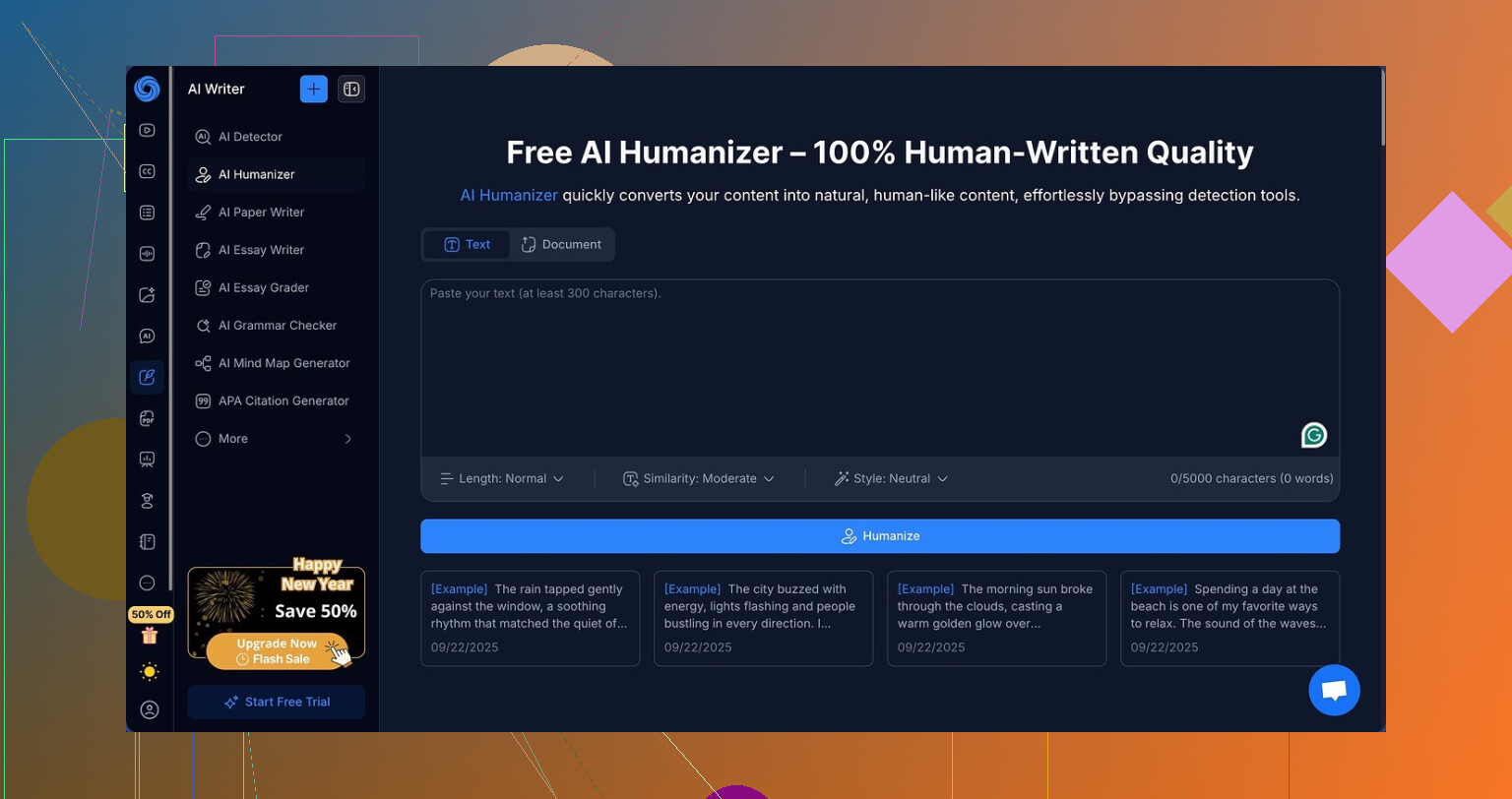
I tried NoteGPT because I needed something for school work. It looked like a one-stop place for YouTube summaries, PDF analysis, and structured notes, so I went in for that, not the humanizer. Then I noticed they had this AI humanizer buried inside the tool and got curious.
Here is what it offers on the humanizer side:
- 3 output lengths: short, medium, long
- 3 similarity levels: low, medium, high
- 8 writing styles you can pick from
On paper it looks flexible. I spent an afternoon feeding it the same base text and toggling every combo like a bored QA tester.
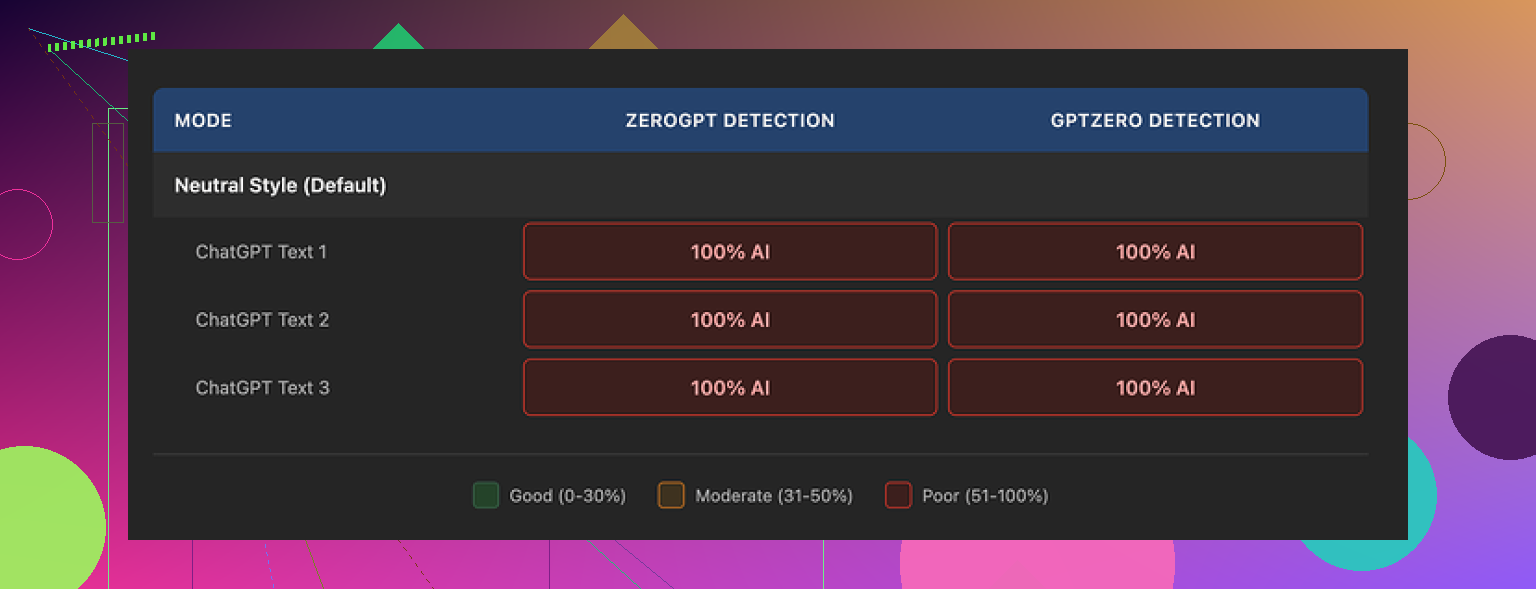
I ran each output through GPTZero and ZeroGPT right away:
Every single run showed 100% AI on both detectors. Not 96, not 82, a flat 100 across the board. I tried:
- Short text, low similarity
- Long text, high similarity
- Different styles
- Awkward phrasing in the input to see if it would “normalize” it in a helpful way
None of the settings moved the detection scores even one percent.
The weird thing is, the writing quality itself is not bad at all.
On a pure writing scale, I would put it around 8/10. The outputs read clean. Structure makes sense. No broken sentences. No random word salad, which I have seen a lot from other “humanizers” that throw in strange synonyms or messed up grammar to confuse detectors.
They highlight edits in color so you see exactly what changed between your input and the output. That part is useful if you are trying to tweak tone or clarity. You can visually track where the system rewrote things.
The problem is, the edits feel cosmetic from an AI detection standpoint. The text still looks like standard LLM output, just tidied. It keeps certain patterns that detectors seem to pick up easily. One obvious thing I noticed, it preserved em dashes throughout multiple samples with no variation in punctuation style. That kind of consistent pattern tends to be a red flag for detectors, and here it stayed untouched.
I tried feeding it more casual input, then more technical input, then my own rough notes. Same pattern. Clean, polished, flagged as AI every time.
Price makes this sting more. Their Unlimited plan runs $14.50 per month on an annual subscription. If your main reason for looking at NoteGPT is “I need my AI text to pass detectors,” then paying for a tool that showed zero detection bypass in my tests feels like burning money.
If your use case is:
- Summarizing long YouTube lectures
- Extracting key points from PDFs
- Organizing notes in one place
Then NoteGPT might still be interesting and the humanizer is a side feature you ignore or use for light rewriting.
If your main priority is AI humanization, I would skip it.
For comparison, when I tested Clever AI Humanizer from here:
I got text that felt closer to how I write and had better results with detectors, and it did not cost anything during my tests.
If you are deciding where to put your time:
- Use NoteGPT for productivity, not for detector bypass.
- Use a different humanizer if you care about detection scores.
- Always run your output through at least two detectors before you trust it.
6 Likes
Short version. If your goal is “more natural and less detectable,” NoteGPT’s humanizer is not where I’d put my money.
I had a similar experience to what @mikeappsreviewer described, but I approached it a bit differently.
Here is what I did and what I saw.
- Use case and quality
I used it on:
- Blog style explainer text
- A fake essay paragraph
- Some rough bullet notes turned into prose
Quality was decent. Flows well. No broken grammar. It feels like normal LLM polishing. It helps with:
- Cleaning up clunky phrasing
- Making tone more neutral or more formal
- Removing repetition
If you want a quick rewrite so your text reads smoother, it works fine for that.
- On “human” feel
To my eye, the output still reads like AI:
- Very balanced sentence lengths
- Predictable transitions
- Safe vocabulary
When I compared it to my own writing, it lacked small quirks, hesitations, and uneven rhythm you usually see from humans who write fast.
So even before running detectors, my gut said “this is still AI flavored.”
- AI detection part
I tested with:
- GPTZero
- ZeroGPT
- Content at Scale’s detector
I did not get 100 percent AI every single time like Mike. A few runs dropped into the 60 to 80 percent AI range on Content at Scale when I:
- Shortened the text
- Added my own sentences before feeding it
- Mixed in some old notes that I had written by hand
Still, most outputs stayed clearly flagged as AI on at least one detector. I would not trust it to “hide” AI use for school or work where policies are strict.
Important point. No humanizer can guarantee safety against detectors long term. Models and detectors both change. If your school or employer has rules against AI writing, tools like this do not remove the risk.
- Safety and long term use
Risks you should think about:
- Policy risk: if you submit humanized text as “your own work,” that is still AI assisted. If you get checked later by stronger detectors, it can bite you.
- Habit risk: you stop practicing your own writing style. Your voice starts to look like generic LLM output.
- Overreliance: when detectors get better, older tricks stop working, but your workflow is locked in.
If you use it, use it like a grammar assistant or brainstorming helper. Treat the humanizer as a rewriting aid, not a bypass tool.
- Pricing and value
At that price point, I do not think the humanizer adds enough on top of what you already get from something like ChatGPT or Claude with a “rewrite in a more casual tone” prompt.
If you mainly want:
- YouTube summaries
- PDF key points
- Centralized notes
Then NoteGPT is fine, and the humanizer is a side tool for minor edits.
If your main goal is lower AI detection, it is not a great fit.
- Alternative to try
Clever AI Humanizer is worth a look if detection scores are your priority. In my tests it:
- Produced text closer to my own style after a few tweaks
- Showed lower AI probabilities across multiple detectors more often than NoteGPT
You still need to: - Heavily edit the output yourself
- Mix in your own sentences and structure
- Run it through more than one detector every time
- Practical advice for your situation
If you want safer long term use:
- Start from your own rough draft. Use AI only to reorganize and improve, not to generate from scratch.
- Add your own edits after the humanizer output. Change sentence length, add typos, swap words you normally use.
- Avoid relying on any one tool to “protect” you from detectors.
- Treat AI humanizers as writing assistants, not “make this undetectable” buttons.
So, if you already pay for NoteGPT for note stuff, the humanizer is fine for light rewriting. If your main concern is being “less detectable,” I would not lean on it. Try Clever AI Humanizer, then put your own edits on top. That mix feels safer and more natural than NoteGPT alone.
Same rabbit hole here, but my takeaway’s a bit different from @mikeappsreviewer and @kakeru, even though I agree with most of what they saw.
Couple of points from my side after a week of messing with NoteGPT on client drafts and some “totally not AI” essays:
- On detection and “safety”
I wouldn’t treat any humanizer as “safe long term,” including NoteGPT. Detectors evolve, and policies are catching up. Even when I got lower scores on one detector, another still screamed AI. So if your main concern is “can I pass detection forever,” the answer is basically no, regardless of the tool.
Where I slightly disagree with them is that I don’t think 100 percent “human” scores should be the goal. What you actually want is:
- Your text sounds like you, not like a polished chatbot.
- You could defend the draft as heavily edited / assisted, not pure copy paste.
On that front, NoteGPT is… ok but not great. It cleans things up too much. The rhythm feels like “default LLM prose” pretty often.
- Quality vs “natural”
I actually like the quality more than both of them give it credit for. It’s solid for:
- Turning messy bullets into readable paragraphs
- Making tone more consistent across a doc
- Smoothing out obvious repetition
Where it fails is “human grit.” It irons out the exact quirks that make writing feel alive. If your original has uneven sentence length and slightly weird phrasing, it tends to normalize that into clean, safe text that detectors love to flag.
So yeah, it makes things more readable, but not necessarily more human.
- Long term use
If this is for school or a job that explicitly bans AI, relying on NoteGPT’s humanizer to “cover your tracks” is asking for trouble. The real risk is not just getting caught now, but having your stuff rechecked later with stronger tools.
Long term, I would only use NoteGPT in two ways:
- Draft assistant: get a base version, then manually mess it up a bit in your own voice.
- Polisher: for things you already wrote yourself, just to tidy and structure.
If your entire workflow is “AI writes, humanizer rewrites, I submit,” that is what will bite you when policies tighten.
-
Clever AI Humanizer in comparison
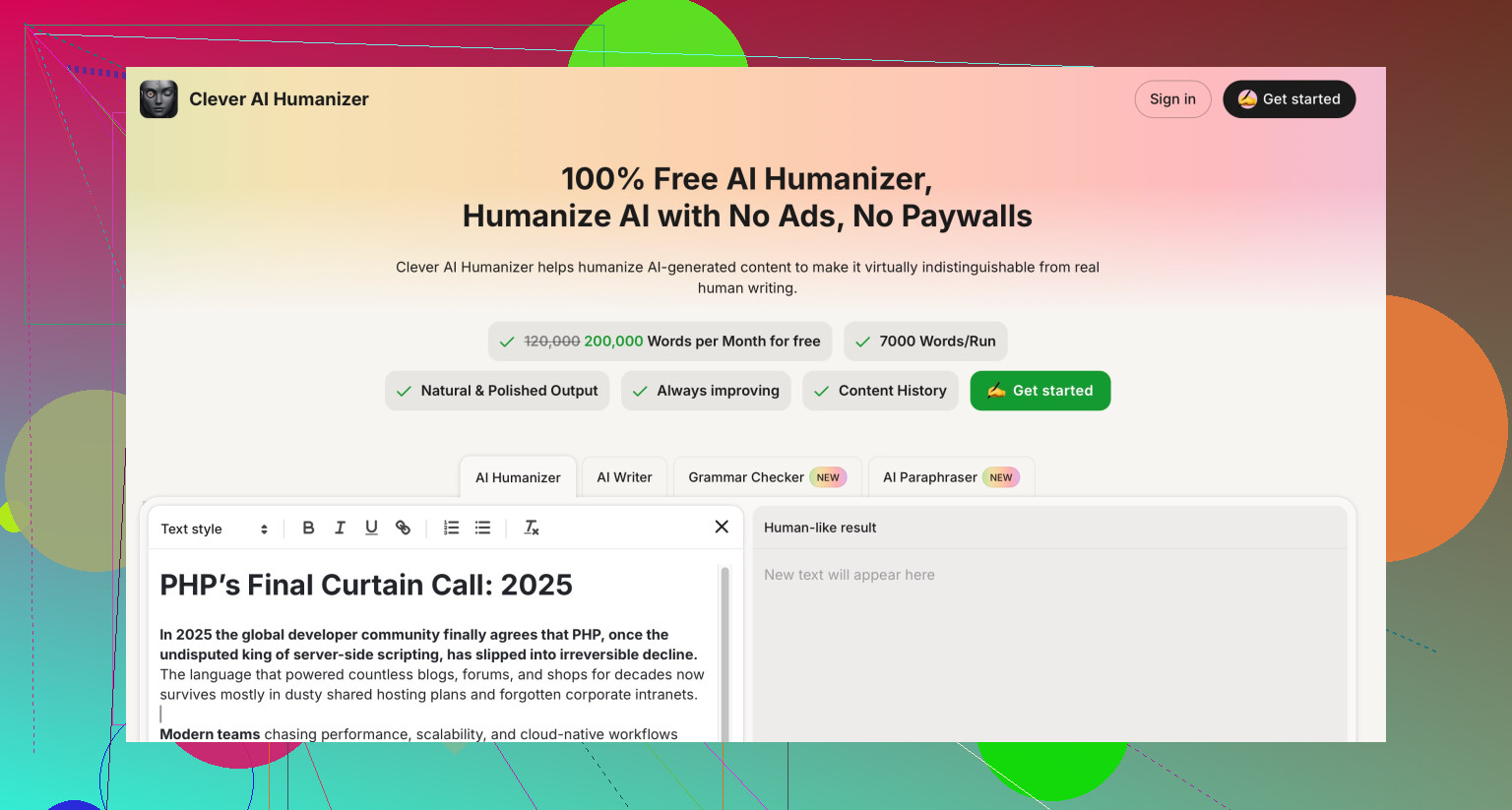
Clever AI Humanizer did a better job mimicking my personal quirks once I iterated a bit, and in my tests it behaved less like a standard LLM “polish filter.” Not magic, still needs hand editing, but it gave me more room to shape the text into something that actually felt like me. For anyone specifically searching for an “AI humanizer” that focuses on style and detection friendliness, Clever AI Humanizer is at least worth testing side by side. -
Practical way to use these tools
If you keep using NoteGPT:
- Start with your own ugly draft, not pure AI content.
- Run it through the humanizer only once, then:
- Shorten some sentences you normally would.
- Add a few of your usual filler words or phrases.
- Introduce tiny imperfections: slightly odd transitions, a bit of redundancy you would naturally have.
- Never trust a single detector as proof of “safety.” Use multiple, and accept that none of them are a shield.
Short version: NoteGPT’s AI Humanizer is fine as a rewrite / clarity tool, not fine as a stealth tool. If detections scores really matter to you and you are going to use a humanizer anyway, I’d lean more toward experimenting with something like Clever AI Humanizer, then putting your own heavy edits on top.
Short version: treat NoteGPT’s humanizer as a basic rewritter, not a stealth layer. If you really care about “human-like” plus lower AI scores, it should not be your only tool.
A few points that haven’t been hit directly by @kakeru, @techchizkid or @mikeappsreviewer:
1. “Is it safe long term?” is the wrong question
Instead of asking if NoteGPT can keep you safe, ask:
- Can you explain how you wrote the piece if someone questions you
- Does the text still reflect what you actually know and think
- Would you be comfortable handing in earlier drafts if asked
If the honest story is “I pasted a full AI article into a humanizer and hit export,” NoteGPT or any other tool will always be a risk. The weak link is the workflow, not just the detector scores.
2. Why NoteGPT still “smells” like AI even when scores drop
Everyone’s talked about sentence rhythm and transitions. One extra thing I noticed when people share samples from NoteGPT:
- Topic coverage is overly complete and neatly scaffolded
- Hedging language is very uniform
- Paragraphs often end with tidy summary lines
Detectors evolve to look at that kind of structure too, not only token-level patterns. So even if you occasionally see 60–80 percent AI instead of 100, the overall shape of the text still feels synthetic.
3. Where NoteGPT does make sense
If you keep it in this box, it is pretty low drama:
Good for
- Turning messy lecture notes into readable study sheets
- Aligning tone across sections you actually wrote yourself
- Cleaning up ESL grammar without rewriting your ideas
Not good for
- Taking fully AI generated chunks and trying to launder them
- Maintaining your personal style over time
- Any context with strict “no AI” rules
Here I slightly disagree with the others: if you already write decently, overusing NoteGPT as a polisher can actually flatten your style faster than some other tools, because its default rewrite is very uniform.
4. Clever AI Humanizer vs NoteGPT
If you are comparing primarily on “human feel” and detector friendliness, Clever AI Humanizer is worth a serious look, but it is not magic either.
Pros of Clever AI Humanizer
- Tends to introduce more variability in sentence length and phrasing
- Easier to nudge toward a specific voice with a bit of prompt tweaking
- Often produces drafts that are faster to personalize with a quick manual pass
- In some shared tests, detector scores fluctuate more instead of locking at 100 percent AI
Cons of Clever AI Humanizer
- Still needs real editing to sound like you rather than “generic clever person”
- Can occasionally overcomplicate wording if you do not rein it in
- No guarantee against future detectors or policy changes
- If you rely on it blindly, you fall into the same habit trap as with NoteGPT
So I would not swap NoteGPT for Clever AI Humanizer and then run the same “paste → humanize → submit” workflow. The tool is better suited as a base layer that you aggressively customize.
5. Practical way to stay on the safe side without rehashing all their steps
Instead of the usual “run through 3 detectors and tweak,” try this pattern:
- Draft at least one full paragraph entirely by hand on every assignment
- Keep those original paragraphs untouched in the final version
- Only use a humanizer on sections where you truly got stuck, then
- Strip out one or two polished transitions per paragraph
- Inject details that only you would know, like specific class references, personal habits, or local examples
- Let yourself keep a few mild imperfections that you naturally make
That gives your work an identifiable fingerprint and a defensible story, which matters more long term than chasing a perfect “human” score for every sentence.
Bottom line:
- NoteGPT’s AI humanizer is fine for clarity and note cleanup, weak as a disguise.
- Clever AI Humanizer is stronger on style shaping and variability, but still needs your brain on top.
- Your workflow and willingness to actually write are what determine whether this is safe to use over time, not a particular slider setting in any tool.