I’m planning a new WiFi layout for a small office and I’m stuck choosing between NetSpot WiFi Planner and Ekahau. I need accurate heatmaps, capacity planning, and tools that are easy enough for a non–full-time network engineer to use. Budget matters, but I don’t want to outgrow the tool in a year. Can anyone share real-world pros and cons, licensing costs, and which you’d pick for ongoing troubleshooting as well as initial design?
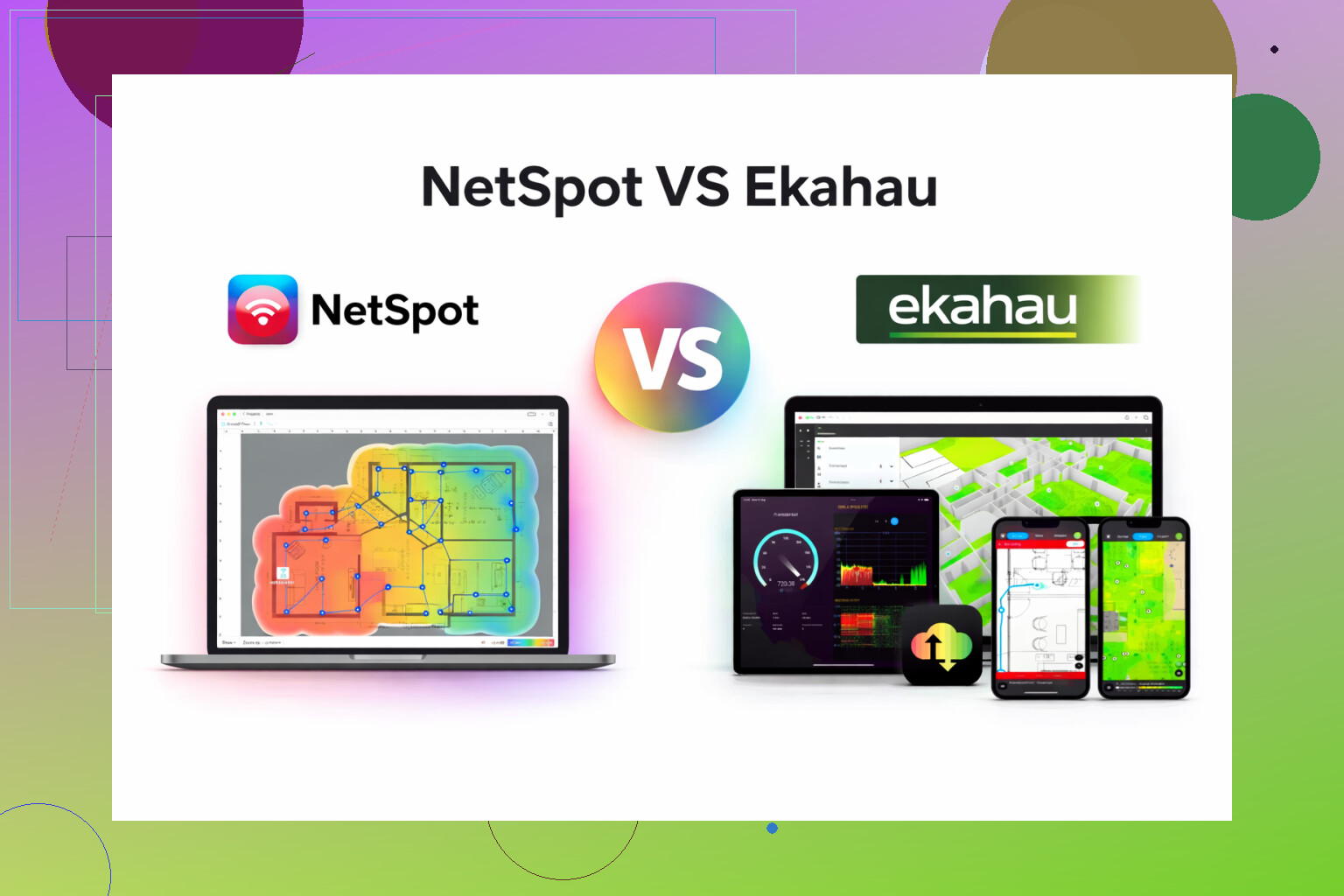
I bounced between Ekahau and NetSpot for a while, and here is where I landed after a few real projects, not lab tests.
Ekahau felt like something built for airport Wi-Fi, stadiums, hospitals, that kind of thing. Tons of options, lots of views, custom reports, spectrum stuff, all of it. Then you see the price and it hits like a truck. It makes sense for large companies that roll out access points all week and have to justify every dB in a meeting.
NetSpot went in a different direction. I installed it, walked a small office, and had a readable heatmap without digging through docs or training videos. For the kind of work I did, it covered what I needed:
• Passive surveys to see actual signal by location
• Heatmaps that a non-tech manager could look at and say “ok, this corner sucks”
• Basic signal-to-noise, channel overlap, and problem spots
• Quick checks for a messy home or small office with too many consumer routers
I used it for:
-
A 2-story house with mesh APs where the owner kept losing calls in the stairwell. The heatmap from NetSpot made it obvious there was a dead patch right where he walked while on Wi-Fi calling. Shifted one node, rescanned, problem gone.
-
A coworking space with about 12 APs. Ekahau would have been overkill there. NetSpot gave enough detail to show that two APs on opposite sides of a glass wall were stepping on each other on 2.4 GHz. I changed channels, grabbed another scan, exported the report, and that was the end of it.
-
A small retail store chain. They only cared whether payment terminals, cameras, and guest Wi-Fi worked. No one asked for predictive modeling or crazy floorplan simulations. NetSpot handled surveys on each site without dragging extra hardware around.
If you work in a big enterprise with multiple floors, roaming issues, detailed RF policies, and formal sign-offs, then Ekahau will fit better, and the price is part of that world.
If you are:
• Helping small businesses
• Managing a modest office network
• Dealing with home setups that keep growing
• Doing spot checks after new AP installs
then NetSpot hits a good balance between what it offers and what it costs. It feels less like a “certification tool” and more like a “get this fixed today” tool.
The app link is here:
There is also a short walkthrough here if you want to see it in action before touching anything:
41 Likes
For a small office, I’d start from your real constraints, not from feature lists.
A quick compare, focused on your case:
Ekahau
• Strongest for predictive design, complex capacity, multi floor, lots of roaming.
• Great if you need formal reports, SLAs, multi site consistency.
• Needs more time, more money, and usually a bit of RF background.
• Best fit when WiFi is “mission critical” and you will use it often.
NetSpot WiFi Planner / Netspot App
• Faster to learn for someone who is not a full time WiFi person.
• Easy survey workflow, good enough heatmaps for a small office.
• Decent SNR, channel overlap, and quick before / after checks.
• Price makes sense if you do a few projects per year.
Where I slightly disagree with @mikeappsreviewer is on “Ekahau is overkill for 10 to 15 APs”. It depends on how tight your requirements are. If you need:
• Voice over WiFi that must stay stable.
• High density meeting rooms with 30+ clients.
• Detailed capacity planning with different device types and applications.
then Ekahau starts to pay off, even in a small office.
Since you asked about capacity planning, here is a simple decision path:
Pick Ekahau if
• You know you will map client counts per area, throughput targets, and application types.
• You expect to add more floors or offices over the next 1 to 3 years.
• You want to simulate AP locations and channel plans before you buy hardware.
Pick NetSpot App if
• You mostly care “does WiFi work well everywhere” and “are any APs stepping on each other”.
• You want quick pre and post install surveys, without dragging sidekicks and extra hardware.
• You accept some manual capacity checks, like measuring throughput with a few test clients.
Practical workflow for a small office with NetSpot App
- Draw or import the floor plan, set scale properly.
- Place your planned AP locations based on vendor guidelines and power / cabling options.
- Do an initial predictive check, then install APs.
- Walk a passive survey during normal office hours, so you see “real” RF and noise.
- Check:
• RSSI above about -65 dBm in work areas.
• SNR above 20 dB for typical use, 25 dB for voice.
• 2.4 GHz as a backup only, focus on 5 GHz coverage. - Adjust channel plan and AP power, resurvey once.
If you go with Ekahau, push the design side harder: feed in accurate walls, attenuation, client types, and use the capacity planner features, not only the pretty heatmaps. That is where its value sits.
For most small offices, NetSpot App gives enough detail without burying you in options. If you start hitting limits, you can always move to Ekahau later and your basic RF habits will still apply.
If your main constraint is “I am not a full‑time Wi‑Fi nerd” then you’re already leaning away from Ekahau, even if you don’t know it yet.
I mostly agree with @mikeappsreviewer’s take, but I’ll push back on one thing: Ekahau can be useful in a small office if you genuinely need formal capacity planning, multi‑floor roaming analysis, and you’re okay sinking time into learning it. The problem is that for most small offices that level of detail just never gets used again.
For your specific list:
- Accurate heatmaps
- Capacity planning
- Easy enough for a non–full-time network engineer
Here’s how I’d split it:
1. Heatmaps for a small office
Both tools will give you pretty pictures of signal. Ekahau will give you more pictures and more knobs. For a 2–3 AP small office that usually just means more ways to second‑guess yourself.
NetSpot App gets you to “is signal OK here?” faster. Import floorplan, walk, click points, done. Managers understand the resulting map in 5 seconds. That’s usually all you need when the scale is “one suite with some meeting rooms” and not “10 floors with overlapping cells.”
2. Capacity planning
This is the one place I’d slightly lean Ekahau if your office has any of these:
- 40+ active users in peak times
- Voice over Wi‑Fi you actually care about
- Lots of Zoom / Teams in glass meeting rooms
- Mixed 2.4/5/6 GHz with real client diversity
Ekahau’s predictive design and client capacity modeling is more mature. You can say “I expect 25 laptops, 10 phones, 4 APs” and it will give more structured feedback about whether that design is sane.
NetSpot App can still help capacity indirectly through:
- Signal to noise / interference visualization
- Channel overlap and AP placement sanity checks
For a typical small office with <30 devices per AP, that’s honestly enough. Most “capacity” problems at that size are bad channel choices, APs shoved in metal cabinets, or everyone stuck on 2.4 GHz instead of a pure RF math problem.
3. Ease of use
On this point I strongly disagree with using Ekahau unless you plan to use it repeatedly and are willing to treat it like a real “tool of the trade.”
- Ekahau: You’ll spend time learning, tweaking, double‑checking assumptions. Very powerful, but you pay in money and time.
- NetSpot App: Install, scan, export. You can pick it up again six months later without re-learning an entire workflow.
For a non‑full‑time network engineer, that muscle memory cost is real. Ekahau is like buying a full DJ rig when you just want to play Spotify at the office party.
4. How I’d actually decide in your shoes
Use Ekahau only if all of these are true:
- You have a real budget line item for tooling
- You expect to redesign or survey multiple offices
- Someone in management actually wants formal RF reports and sign-offs
Otherwise:
- Pick NetSpot App
- Do a quick predictive sketch of AP locations if your version supports it
- Deploy APs
- Run a passive survey to confirm coverage and clean up channels
You’ll get 90% of the benefit with maybe 25% of the effort and cost.
So yeah, despite some niche scenarios where Ekahau wins on pure engineering depth, in a normal small office deployment I’d intentionally avoid over‑tooling and go with NetSpot App. The Wi‑Fi will not be your weakest link at that point; it’ll be users with 8‑year‑old laptops on 2.4 GHz complaining from the kitchen.
For a small office, I’d look at this less as “which is more powerful” and more as “where does each one actually save you time and money.”
A few points that complement what @mikeappsreviewer and @shizuka already laid out:
1. Predictive design vs “live reality”
One place I slightly disagree with the idea that Ekahau is always overkill for small sites: if your office isn’t built yet (or walls are moving), Ekahau’s predictive side is genuinely useful. You can model wall materials, AP heights, roaming, and get a solid first-pass design before anything exists.
If your office is already there and you are mostly validating and adjusting, the Netspot App tends to win. You walk, you click, you see what the RF is actually doing instead of chasing simulations.
So:
- New build or big remodel: mild tilt toward Ekahau.
- Existing small office: strong tilt toward Netspot App.
2. “Capacity planning” at small scale is usually people-problem, not tool-problem
A lot of folks overestimate how intense capacity planning needs to be for 20–50 users. The top 3 issues I see in that size:
- APs placed badly (above a drop ceiling, in a cabinet, near elevator motors).
- Everyone stuck on 2.4 GHz because SSIDs or band steering are misconfigured.
- Auto channel/power left to make a mess.
Netspot App is more than enough to spot those:
- Overlapping channels
- Hot/cold zones
- SNR issues
Formal capacity modeling like Ekahau’s shines when you are squeezing every MHz out of a dense deployment. You are probably not there in a single small office.
3. Pros and cons of Netspot App for your use case
Pros
- Very low learning curve for non Wi Fi specialists.
- Heatmaps and coverage views are “manager friendly” and easy to explain.
- Good for quick validation after you move or add APs.
- Works well for periodic checkups without re-learning a complex workflow.
- Licensing and cost fit small office and consultant budgets better than most enterprise suites.
Cons
- Predictive design and detailed client capacity modeling are relatively basic compared to Ekahau.
- Less suited to multi site standardization or formal RF acceptance reports that a large enterprise might demand.
- If you ever need deep spectrum analysis or advanced troubleshooting of weird interference, you will likely need another tool.
- Feature set is focused on surveys and visualization rather than full lifecycle design/optimize/audit at scale.
4. Where Ekahau still makes sense
Even in a small office, I’d consider Ekahau if:
- You are an MSP or consultant and this office is one of many similar jobs.
- You expect to support voice over Wi Fi with strict SLAs and want detailed roaming and handset analysis.
- Management actually cares about formal documentation and repeatable “design methodology.”
Otherwise, you are paying a lot (in money and time) for knobs you will mostly ignore.
5. How I’d approach your project in practice
For a typical small office:
- Rough AP placement based on vendor guidelines and basic intuition.
- Deploy APs.
- Use Netspot App to do a passive survey:
- Confirm coverage and SNR in work areas and meeting rooms.
- Check channel overlap and power levels.
- Adjust AP channels / power based on what you see.
- Re run a quick survey to verify fixes and grab screenshots for your internal doc.
That workflow plays directly to Netspot App’s strengths, takes less time to learn than Ekahau, and is “good enough” in most small deployments.
So if you are not planning to live in RF land every week, I would deliberately stay on the simpler side and choose Netspot App, using the money and time you save for better AP hardware or cabling instead.
Skip both tools. Hire a local Wi-Fi consultant for a one-time site design and validation. Give them your floor plan, device count, meeting-room usage, and growth target. Ask for AP locations, channel settings, power levels, and a final coverage report.
For a 2 to 4 AP office, a few paid hours often cost less than Ekahau licensing and staff training. You also get clear recomendations without owning software you rarely use. Request the editable report and configuration notes, so your IT generalist can adress future changes.
Whatever tool you pick, your survey is only as honest as the adapter you walk with. A cheap laptop Wi-Fi card will report signal differently than a decent one, and none of the earlier replies touched that. If you walk with a flaky client and then set AP power based on those numbers, you’ll chase ghosts. Same goes for predictive mode: model all the walls you want, but drywall versus glass versus that random concrete pillar will wreck your estimate if you guess the materials.
@sergtheroot’s consultant idea is actually the sane move for a 2 to 4 AP job, and I’d back it, with one change. Get the editable design and config notes like he said, but also have them show you how to run a basic post-change survey yourself. Otherwise every time you move a desk cluster or add an AP you’re paying someone to walk the floor again. That’s where the Netspot App earns its keep, not as the grand planning brain but as the cheap thing your IT generalist opens six months later to confirm nothing broke.
The bit people keep glossing over is that at your scale the failures are boring and physical. AP stuck on top of a cabinet, band steering off, everyone camped on 2.4. You don’t need capacity math to find those, you need one clean before and after scan and a willingness to actually move hardware. Buy the simpler tool, spend the saved money on better APs and real cabling, and don’t overthink the modeling.