My flash drive suddenly stopped showing my files after I removed it from my laptop, and now important photos and work documents seem to be missing. I need help finding the best USB recovery software for a flash drive that is safe, easy to use, and actually works without making things worse.
I’ve trashed enough USB sticks over the years to stop pretending I’m careful with them. Wrong format click, deleted folder, Windows yelling “you need to format this disk,” all of it. And yeah, when files vanish from a flash drive, they do not go to the Recycle Bin. They’re gone from view, which feels worse.
If the stick is physically wrecked, bent, cracked, or the controller burned out, software won’t fix the hardware. For everything short of that, recovery software is usually the first thing I try because lab work gets expensive fast. A lot of the time the files are still sitting on the storage cells, but the file system is broken or the index is toast.
The one I kept coming back to was Disk Drill. I started using it after one of those cheap giveaway thumb drives dropped dead with a pile of class work on it. What I liked was simple. It didn’t fight me.
USB drives are often FAT32 or exFAT, and Disk Drill handles those better than most of the stuff I tried. It scans by file signatures too, so even when the drive shows up as RAW or the file system is mangled, it still has a shot at pulling files out. The preview feature matters more than people think. I’ve sat through long scans before, only to end up with broken junk. Previewing files before recovery saves time and a lot of false hope.
One more thing I learned the hard way, if the USB keeps disconnecting or acts weird, make an image first. Disk Drill has a byte-to-byte backup option for this. Scan the image, not the failing stick. Less stress on the device, fewer random dropouts in the middle of recovery.
If you like tools with more knobs and less hand-holding, R-Studio is the other name I’d bring up. It looks old. Menus everywhere. Dense wording. I wouldn’t hand it to someone who only wants back one deleted PDF. Still, if partitions disappeared or the drive layout is a mess, it does more than the beginner-friendly stuff. It feels built for people who expect damage and want control.
For free tools, I’d split it like this.
1. Recuva
Good for the easy cases. You deleted a file, noticed fast, stopped using the drive, and want a quick undelete pass. Recuva is light and easy enough. Where it falls apart is after formatting or when the file system turns RAW. At that point it starts feeling flimsy.
2. PhotoRec
This one is ugly but serious. No polished interface, lots of text, and not much comfort. It carves files by signature, so it often finds a ton of stuff even when the drive structure is wrecked. The tradeoff is brutal. Original names and folders usually don’t survive. You get a mountain of files named like f12345.jpg and spend your night sorting them. If your budget is zero, though, it earns its keep.
A few things I wish someone had drilled into my head sooner:
1. Stop using the drive right away
Once you notice missing files, unplug it. Don’t browse it. Don’t copy to it. Don’t “check one more folder.” Small background writes from Windows are enough to overwrite deleted data.
2. Recover to a different drive
This is where people sabotage themselves. If the bad USB is drive D, save recovered files to your internal disk or another external device. Writing recovered files back onto the same stick risks overwriting the data you’re still trying to save. I’ve seen people do this and then wonder why half the photos came back busted.
3. Test the free limit before paying
A lot of freemium tools, including Disk Drill, give you a small free recovery allowance on Windows, often around 100MB. Use it on a few files you care about. Open the photos. Play the video. Check the document. If those look clean, then paying for the full run makes more sense.
One last split in the road. If the USB does not appear in Disk Management at all, not with the right size, not as unallocated, not anything, then I’d start suspecting hardware failure instead of file system damage. Software helps with most of the usual USB disasters. It does not do much for dead electronics.
For the common messes, deleted files, accidental format, RAW file system, missing partition, software recovery is where I’d start. Worked for me more than once, even if I had to learn the dumb way first.
Stop plugging the USB in and out. Every reconnect is a risk if the file system is unstable.
I mostly agree with @mikeappsreviewer, but I would put the order a bit differently. For a flash drive with missing files after unsafe removal, I’d start with Disk Drill only if the drive still shows the correct size in Windows. It’s one of the easier USB recovery tools, and the preview helps you confirm your photos and docs are intact before saving anything. For normal users, that matters more than a giant feature list.
If the stick mounts as RAW, freezes Explorer, or drops offline, I’d skip “quick fix” tools first and make a disk image. Then scan the image. Less wear, less chaos. This is where people mess up and make it worse.
My short list:
1. Disk Drill, best mix of easy and safe for most people.
2. R-Studio, better for ugly partition damage, harder to use.
3. PhotoRec, free and strong, but filenames come back mangled. Kinda a pain.
4. Recuva, fine for simple deletes, weaker for broken USB cases.
Also, this is a solid best data recovery software list for USB drives, SD cards, and hard drives if you want a broader comparison.
One more thing, do not recover back onto the same flash drive. People do it all the time, then wonder why files are corupt.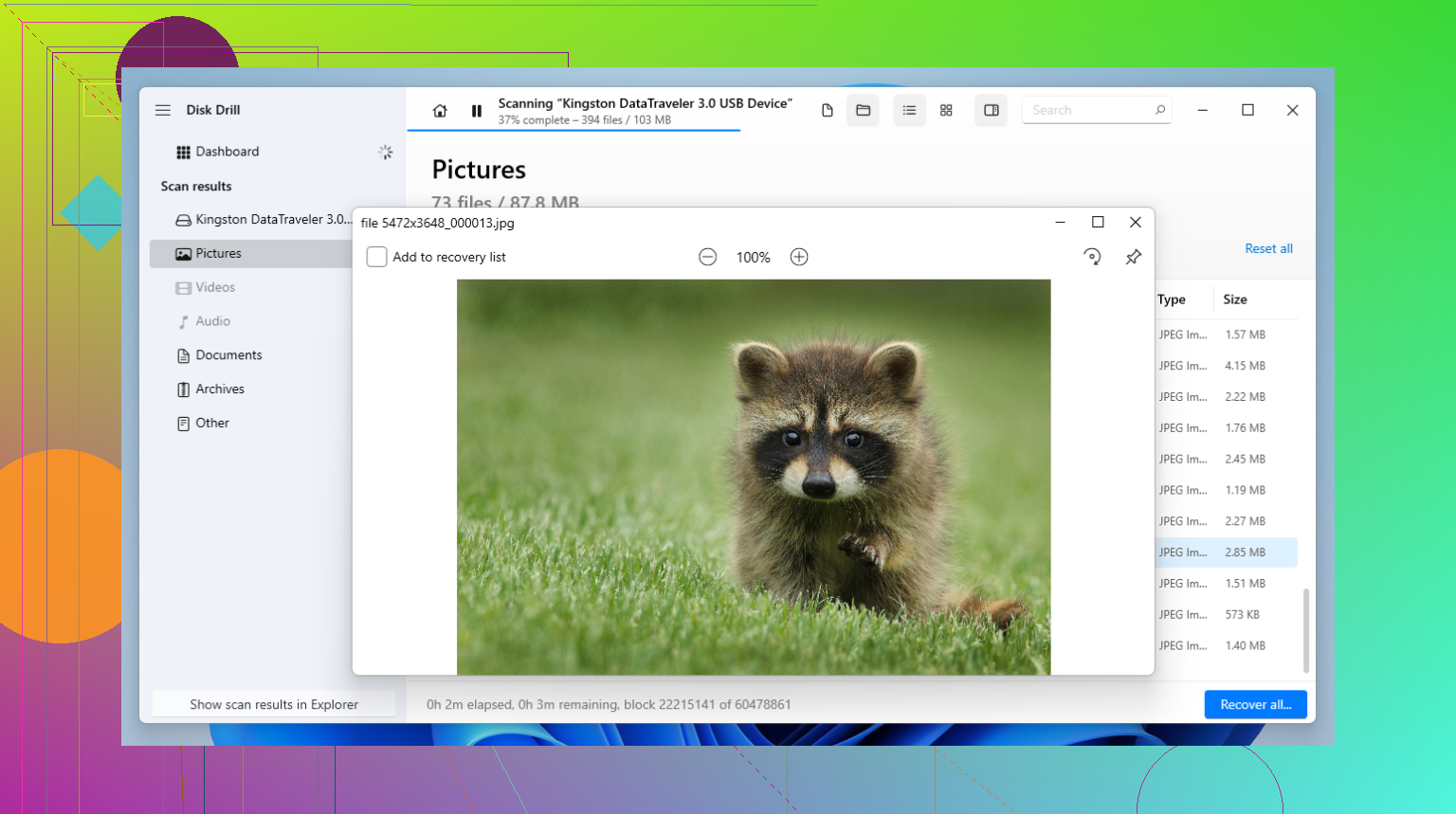
I’d mostly agree with @mikeappsreviewer and @techchizkid, but I’m a little less eager to throw every damaged USB straight into the “advanced tool” pile. For missing files after an unsafe removal, the safest move is usually the boring one: stop using the flash drive, check if it still shows the right capacity in Disk Management, then use something simple enough that you won’t click yourself into a worse situation.
For that, Disk Drill is probly the best starting point. It’s easy to use, previews recoverable files, and it’s good with flash drive messes like accidental deletion, corrupted exFAT/FAT32 structure, or a USB that suddenly looks empty. That combo matters more than people admit. A lot of tools can “find” files, fewer recover them in a way that normal people can actually verify.
Where I kinda disagree with some recommendations: Recuva is fine, but only for lightweight mistakes. If your USB suddenly looks blank after improper removal, that often means file system damage, not just a deleted folder. In those cases Recuva can feel too limited. PhotoRec is powerful, sure, but dumping thousands of renamed JPGs and DOCs on someone is not my idea of “easy.”
If you want a practical rule:
- USB seen normally, correct size, just files missing: start with Disk Drill
- USB visible but unstable: clone or image it first, then scan
- USB not detected anywhere: software may not help much
Also, do not run CHKDSK first. People love suggesting that, and sometimes it “fixes” the drive by deleting the evidence you wanted back. Not awlays, but enough that I wouldn’t gamble with photos and work docs.
If you want a simple step-by-step resource, this is a solid USB drive file recovery tutorial.
Short version: Disk Drill is the best USB recovery software for most people because it’s safe, easy, and less likely to turn a bad day into a dumber one.
Small disagreement with @techchizkid and @reveurdenuit here: I would not jump straight into the most powerful tool unless the USB is clearly in bad shape. For a drive that still appears normally, simpler is safer.
My take:
**Best first choice: Disk Drill**
**Pros**
- easy interface
- good preview for photos/docs before recovery
- handles common USB issues well
- can scan lost partitions and corrupted file systems
- imaging option is useful if the stick starts acting flaky
**Cons**
- not the cheapest if you need full recovery
- deep scans can return lots of clutter
- advanced repair/control is weaker than pro tools like R-Studio
I mostly agree with @mikeappsreviewer that Recuva is too basic for this kind of problem. Good for accidental deletes, not my favorite for “USB suddenly looks empty.” PhotoRec can work, but the filename chaos is miserable if you have lots of work files.
So my ranking would be:
1. **Disk Drill** for most people
2. R-Studio if you already know what you’re doing
3. PhotoRec if free matters more than convenience
4. Recuva only for simple deletion cases
One thing I’d add that they did not stress enough: if your files are photos and Office docs, use preview as your filter. If previews open correctly, recovery odds are usually decent. If everything previews as corrupt, stop wasting time and consider a different machine, a powered USB hub, or pro recovery if the data is worth real money.
Also, if the flash drive gets unusually hot, disappears mid-scan, or reads at 0 bytes sometimes, software choice matters less than drive condition. At that point even Disk Drill is only as good as the hardware staying alive long enough to read sectors.