I’m looking for a reliable video player for macOS. I’ve heard about IINA as an alternative to VLC — is it actually stable and worth using? How does it perform in terms of format support, battery usage, and crashes? And are there better alternatives if stability is a concern?
IINA on macOS — My Experience After Using It for a While
I tested IINA on macOS because I kept seeing people compare it to VLC. I wanted to see how it actually behaves in day-to-day use — not just whether it plays files, but how it feels living on a Mac.
Here’s what I noticed.
 Interface: Very “Mac-Like” – In a Good Way
The first thing I noticed is how closely IINA follows macOS design language.
-
Clean window chrome
-
Native Dark Mode support
-
Smooth trackpad gestures
-
Proper Picture-in-Picture integration
It doesn’t feel like a cross-platform port. It feels like it belongs on macOS.
Compared to VLC, which always felt visually out of place to me, IINA blends in. The menus make sense. Keyboard shortcuts are intuitive. Playback controls don’t feel dated.
That said, some advanced options are tucked away in menus. The interface is clean, but not always obvious if you’re digging for deeper playback settings.
 Features I Actually Used
IINA is built on mpv, which explains its flexibility.
In daily use, I found:
-
Reliable subtitle handling (styling, delay adjustment, multiple tracks)
-
Easy playback speed control
-
Video rotation and aspect ratio tweaks
-
Deinterlacing options
-
Gesture controls for quick navigation
 Format Compatibility & Performance
I tested common formats — MP4, MKV, AVI — plus HEVC and high-resolution files. IINA played nearly everything without complaints.
Performance was generally solid, especially on Apple Silicon. Hardware acceleration seems to be doing its job.
However, I did notice two important caveats:
-
Resource usage can spike. On heavier files, I saw higher CPU usage than expected.
-
On longer sessions, battery drain was noticeable. I didn’t fully deplete my machine in three hours, but I did see faster drain compared to lighter playback apps.
So while playback is smooth, efficiency isn’t always consistent.
 Stability Issues – The Big One
This is where my experience became less smooth.
I experienced frequent crashes on macOS, and I came across several complaints from other users on Reddit. Not constant — but often enough to be disruptive. Sometimes it would crash when opening certain files. Other times it froze during playback and required a force to quit.
It’s frustrating because the interface and feature set are solid. When it works, it works well. But instability undermines confidence.
If you’re watching long videos regularly, crashes become more than a minor annoyance.
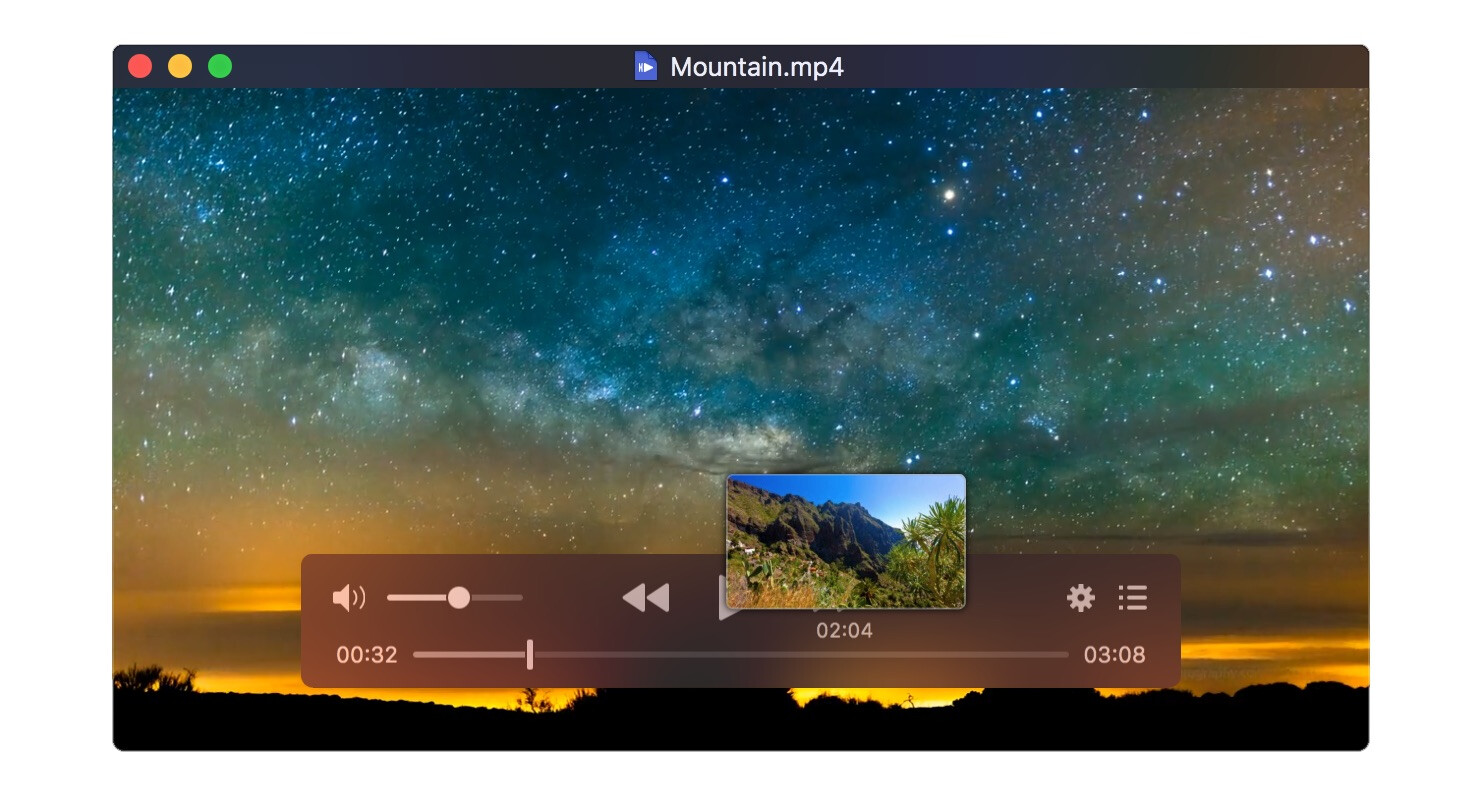
One alternative I looked into was Elmedia Player. It’s also a macOS player, but with a different balance of features and design:
-
It provides a more feature-forward UI, with more playback and audio controls immediately visible
-
Built-in support for a wide range of formats without having to tweak internal settings
-
A commercial model with a Pro version that expands control options (like advanced audio tuning, streaming ability, and tuned equalizer settings)
-
Playlist organization that feels more structured compared to IINA’s sidebar
In my testing, Elmedia felt more consistent and stable during extended playback — less “crash and restart” and more “open and watch.”
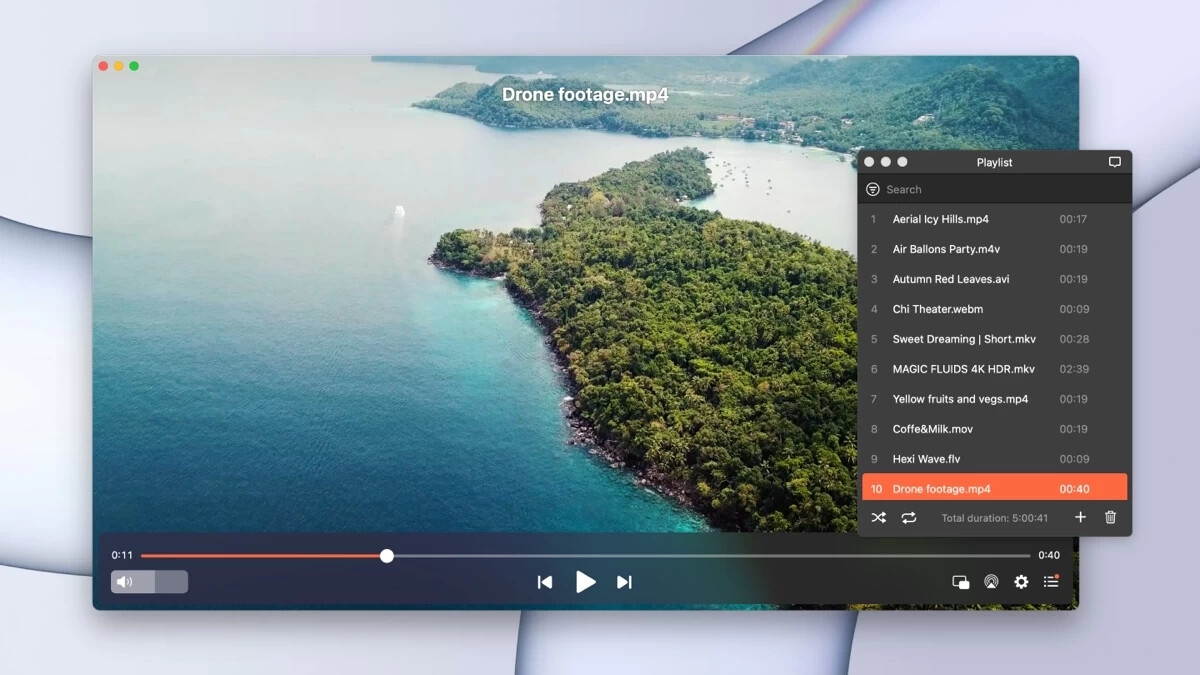
I don’t position it as strictly better – it’s just solving slightly different problems. If IINA’s occasional instability bothers you, Elmedia’s model might feel like a more predictable experience, especially if features like playlist management and more accessible controls matter to you.
 Color & Playback Quirks
I also noticed occasional color accuracy inconsistencies, especially with HDR content. It wasn’t dramatic, but compared to other players, the image sometimes looked slightly off.
Additionally, while compatibility is broad, I wouldn’t say playback is flawless across every edge case. Most files worked fine — a few required tweaking settings.
 Overall Impression
In my experience with IINA, it’s a modern macOS video player that focuses on integration, flexibility, and support for newer formats.
What worked well for me:
-
Native macOS design
-
Strong subtitle controls
-
Broad format compatibility
-
HDR support
-
Useful customization
What didn’t:
-
Frequent crashes
-
Noticeable battery drain during long sessions
-
Occasional color inconsistencies
-
Higher resource usage on some hardware
IINA feels thoughtfully designed, but stability issues hold it back. When it runs smoothly, it’s pleasant to use. When it crashes, that polish doesn’t matter.
If reliability is your top priority, that’s something to consider carefully.
46 Likes
Short version. IINA is worth trying, but I would not rely on it as your only player if your priorities are battery and zero drama.
My take, a bit different from @mikeappsreviewer:
-
Formats and playback
• IINA plays almost everything you throw at it, similar to VLC.
• For weird MKVs, soft subs, multiple audio tracks, it does fine.
• If you watch anime, fansubs, or niche formats, IINA is strong.
• For simple MP4 and streaming, it feels like overkill. -
Battery and performance
• On Intel Macs, IINA tends to hit CPU harder than QuickTime or TV app.
• On Apple Silicon, it is better, but still not the most efficient.
• For long 2 to 3 hour movies on battery, I get more life from lighter players.
• If you mostly watch plugged in, this matters less. -
Stability
• This is where I disagree a bit with @mikeappsreviewer.
• On my M1 Air with recent IINA builds, crashes are rare.
• On an older Intel MacBook, it froze more often when I switched audio devices or scrubbed fast.
• So your experience depends a lot on your Mac model and macOS version. -
UI and workflow
• IINA feels much nicer than VLC on macOS.
• Good keyboard shortcuts. Decent Picture in Picture.
• Some options hide in menus, so tweaking color or filters takes time.
• If you want a set and forget player, the number of settings can be a bit much. -
Where I use each player
QuickTime / TV app
• Best for battery on standard H.264 or HEVC.
• Works great for Apple bought content and simple files.
• Weak for advanced subs, extra tracks, odd codecs.VLC
• Good fallback when something refuses to play or behaves weird in other apps.
• UI is clunky on macOS, but it rarely fails to open a file.
• I keep it installed, but do not use it daily.IINA
• My pick for local media with subs and multiple tracks when plugged in.
• Strong for keyboard driven control and mpv style tweaks.
• I avoid it for long movie nights on battery.
If your priority is reliability and battery, I would treat IINA as your “advanced” player and use Elmedia Player or QuickTime as your default daily app. If you care more about format flexibility and subs, IINA is worth having, but I would not uninstall the others.
Short version: IINA is worth installing, but not worth trusting as your only player if your top priorities are battery life and zero-crash movie nights.
I land somewhere between @mikeappsreviewer and @nachtschatten:
- They’re both right that IINA’s UI feels way more “Mac” than VLC and miles ahead of that eternal Java-looking vibe VLC has.
- They’re also both right that stability and efficiency are… situational.
Where I disagree a bit:
-
Battery & efficiency
People sometimes oversell IINA as “just as good as Apple’s players” on battery. Nope.
If you watch a lot on battery, Apple’s TV / QuickTime apps are still king for standard H.264 / HEVC. Hardware decoding is used more consistently and the energy impact is clearly lower.
IINA is fine if you’re plugged in, but “efficient” is not the word I’d use, especially for 4K or high bitrate stuff. -
Stability
On recent Apple Silicon, IINA is ok, but not rock solid. I’ve had fewer crashes than @mikeappsreviewer, but more weird hangs than @nachtschatten.
Sub delay tweaks, switching audio tracks, scrubbing aggressively in big MKVs: it usually works… until that one time it doesn’t and you’re staring at a spinning beachball mid-movie. If you hate that kind of surprise, that alone is a dealbreaker. -
Formats & advanced use
This is where IINA earns its keep:
- Complicated MKVs with multiple subs and tracks
- Anime / fansubs with fancy ASS/SSA styling
- Odd codecs that QuickTime won’t touch
IINA is basically a pretty mpv wrapper. If you need that level of flexibility, it’s great. But if your life is 95% normal MP4s and some downloaded 1080p stuff, it’s absolutely overkill and you’re trading battery and reliability for options you may never touch.
- Where Elmedia Player fits in
Since you specifically care about “smooth, no crashes, no battery drain,” Elmedia Player deserves a hard look:
- More “ready to go” than IINA, less fiddly.
- Handles common formats, multiple audio tracks, and subs without you digging in config hell.
- In real use it tends to draw less CPU for long 1080p sessions than IINA or VLC.
- For multi hour watching, it’s simply more boring in the best possible way: you open a file, it plays, it doesn’t die.
If I had to rank by your criteria:
-
For reliability & battery:
- Primary: TV / QuickTime for standard H.264 / HEVC
- Secondary: Elmedia Player for anything a bit more complex
-
For “plays almost anything, I’ll tweak stuff”:
- Primary: IINA
- Backup: VLC for the truly cursed files
So:
- Yes, install IINA. It’s free, powerful, nice to use, and excellent for weird formats and subs.
- No, I wouldn’t rely on it as your only daily player if you care about battery and hate mid-movie crashes.
- Pair it with Elmedia Player and Apple’s own apps and you’ll cover 99% of use cases with way less drama.
If you try just one non-Apple option for your use case, I’d actually start with Elmedia Player, then add IINA if/when you run into its limits.
If your priorities are “plays anything” plus “doesn’t murder my battery,” I’d split the difference instead of trying to crown a single winner.
Where I agree with @nachtschatten / @jeff / @mikeappsreviewer on IINA
- Great for tricky files: MKVs with multiple audio/sub tracks, fansubs, odd codecs.
- UI is far nicer on macOS than VLC’s.
- On Apple Silicon it’s usable day to day, less so on older Intel for long sessions.
Where I diverge a bit: IINA’s not just “situationally” heavy on battery. On some 4K and high bitrate encodes, it consistently behaves closer to VLC than to QuickTime / TV in terms of energy impact. If you watch long movies on battery a lot, that difference is not subtle.