I’m about to pull the trigger on a license, but I’m hesitant. It seems like the perfect solution for my remote file mess, but is there any reason I shouldn’t buy it?
I’ve been spending some time recently trying to streamline how I handle all my remote files, and Mountain Duck is one of those tools that keeps popping up in these circles. After using it for a while to manage a mix of SFTP servers and a few S3 buckets, I figured I’d share some thoughts on how it actually holds up in daily use.
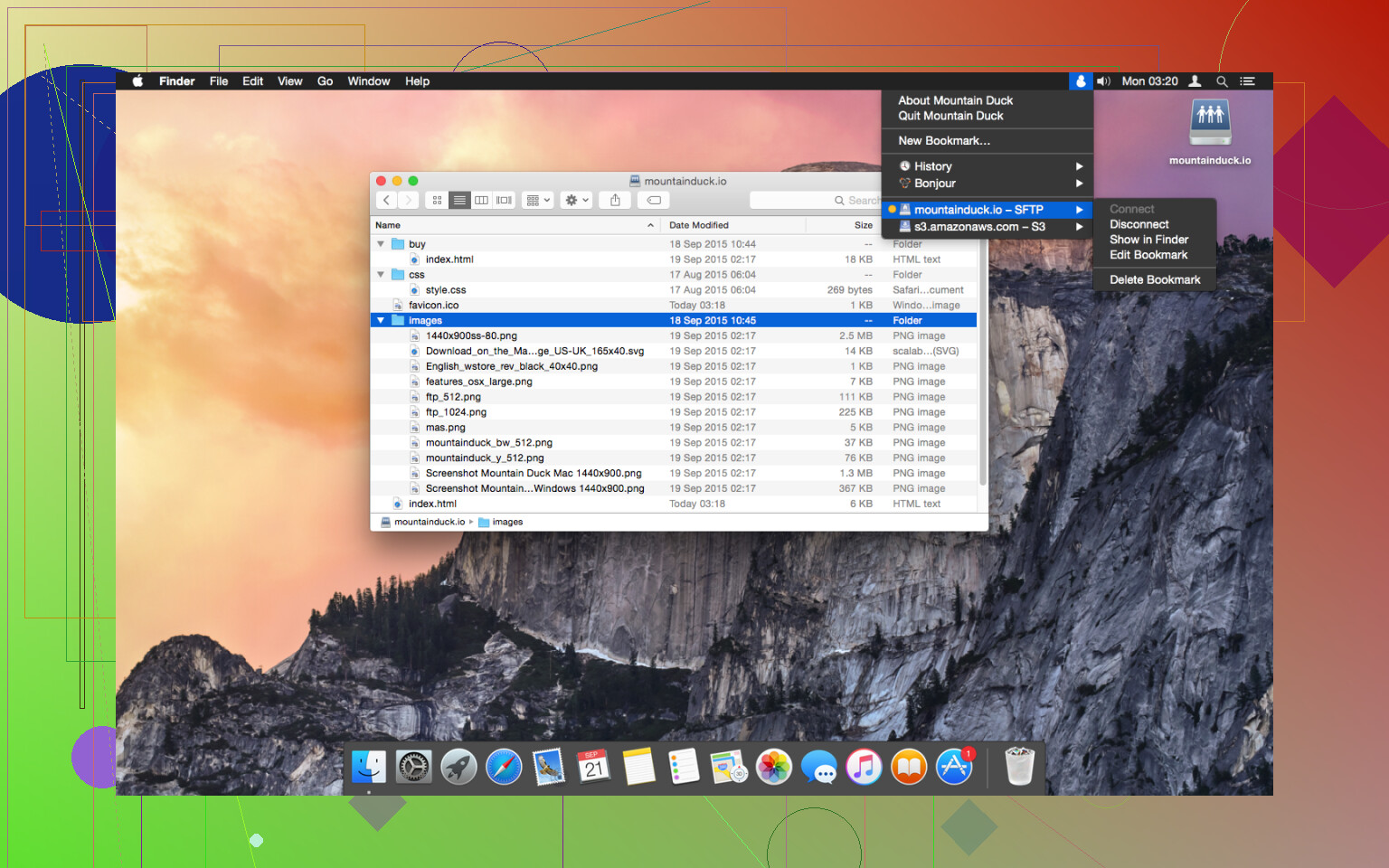
 What it actually does
In simple terms, Mountain Duck is a utility that mounts your cloud storage and remote servers as if they were local drives. Once you have it running, your Dropbox, Google Drive, or even a random FTP server shows up right in Finder on macOS or File Explorer on Windows.
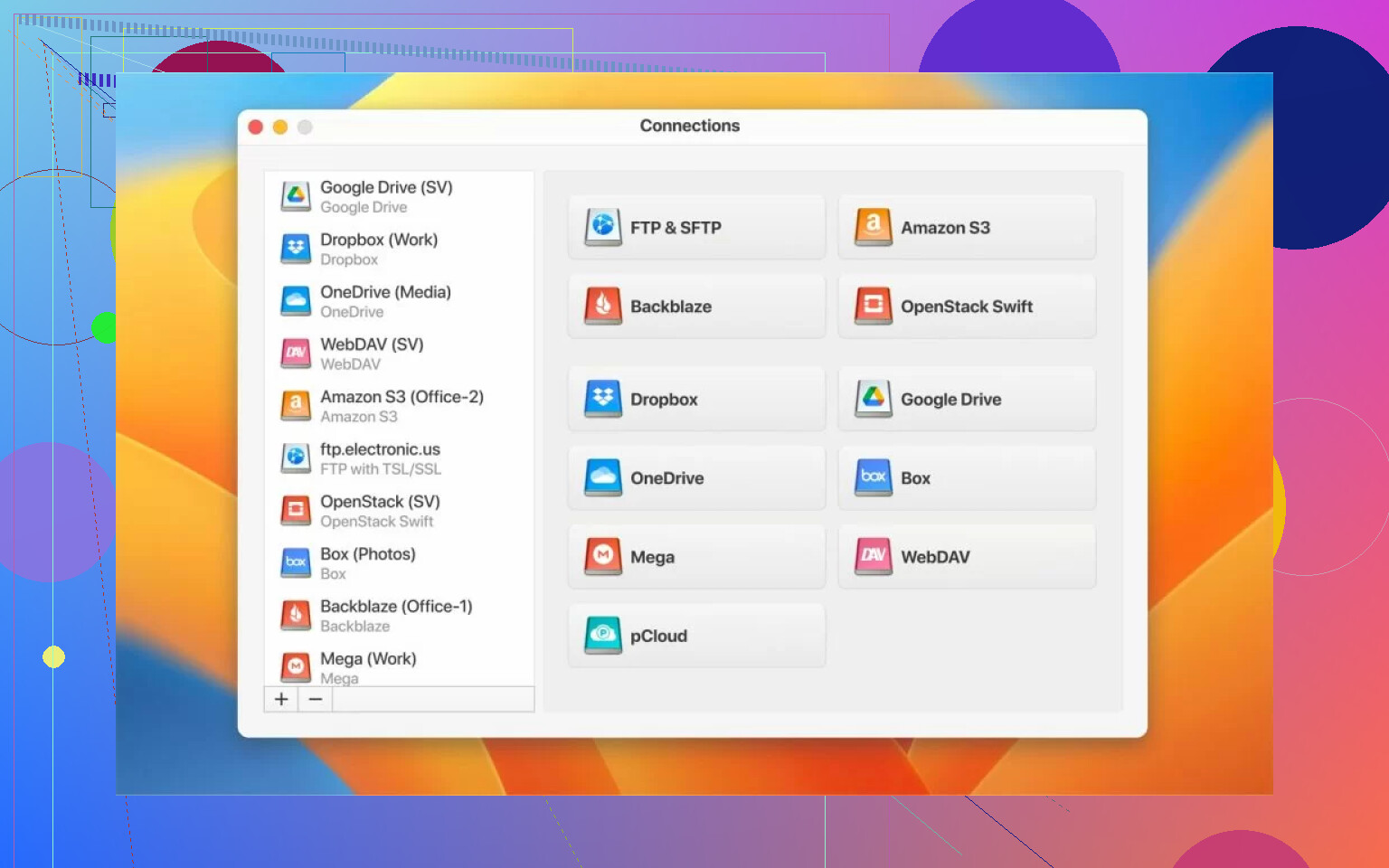
I noticed that instead of opening a dedicated FTP client like Cyberduck to move files back and forth, I can just use the standard folders I’m already used to. It supports a pretty wide range of protocols – SFTP, WebDAV, SMB, and the big cloud providers like Azure and Amazon S3. In my experience, it’s a lot more convenient to have everything consolidated into one tool rather than having five different sync clients running in the background eating up RAM.
 The day-to-day experience
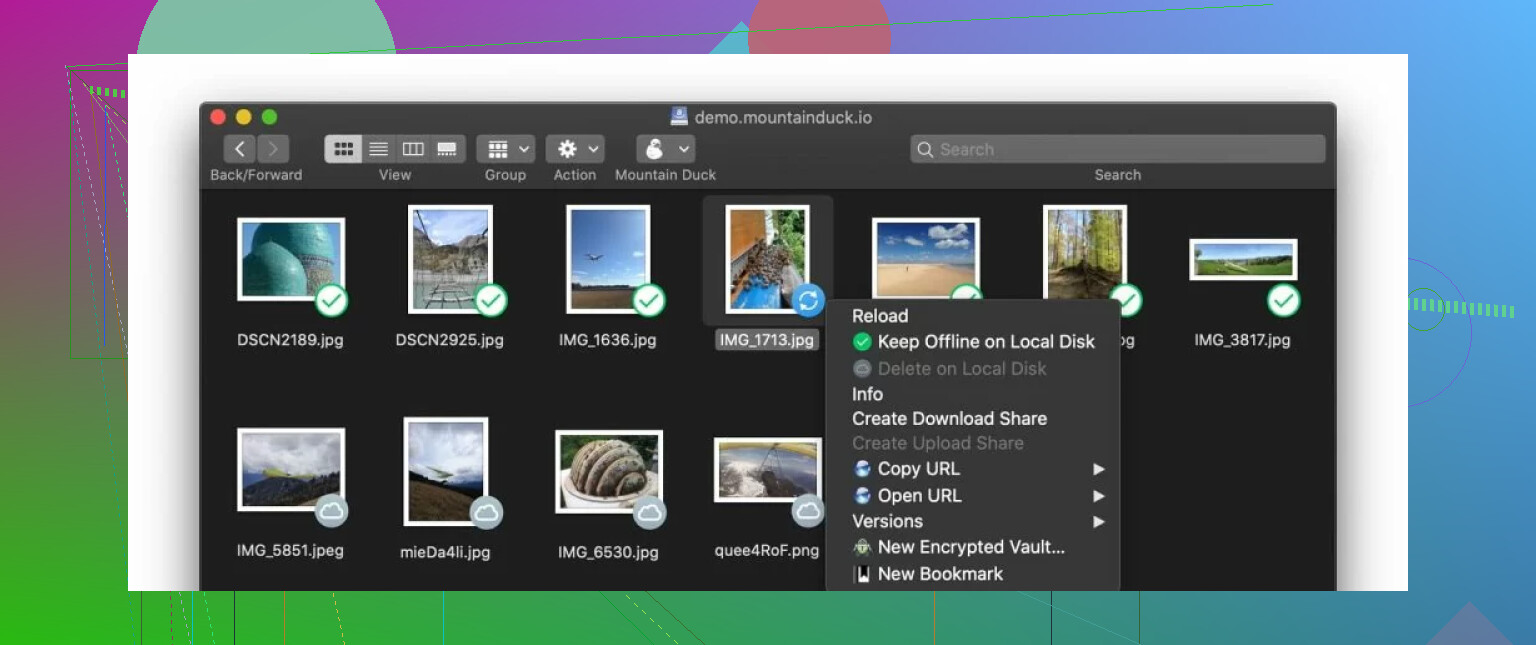
One of the best parts of the workflow is the smart synchronization. It’s designed so that files stay on the remote server until you actually double-click to open them. This has been a lifesaver for my laptop’s small SSD because I can “access” terabytes of data without actually downloading it all. When you do open a file, it downloads on the fly, and when you save your changes, it syncs back up.
I’ve also played around with the Cryptomator integration. If you’re worried about privacy on services like Google Drive, you can create these encrypted “vaults.” Anything you drop in there gets encrypted before it even leaves your computer, which is a nice touch for sensitive documents. The app is actively maintained too; I’ve seen regular updates hitting the menu bar, which gives me a bit more confidence that it won’t just break after the next OS update.
 Some things to be aware of
It’s not all perfectly smooth, though. What I noticed, and what people often mention in these threads – is that Mountain Duck can struggle with performance when you’re dealing with large file collections.
If you have a folder with thousands of small files, Finder can get a bit “spinny” while it tries to index everything. Users have reported that the app slows down significantly once your folder structures get too deep or too crowded. In my experience, if you’re just moving a few high-res photos or editing a document, it’s fine, but trying to browse a massive archive of tiny assets can feel a bit sluggish. It’s worth keeping your expectations realistic about the “local drive” feel; at the end of the day, there’s still a network connection between you and that file.
 A decent alternative: CloudMounter
If the slowdown issues with large collections are a dealbreaker for you, CloudMounter is probably the closest alternative for GUI-based Finder integration. I’ve seen other folks mention that it feels a bit snappier for them in those specific scenarios. It supports the popular cloud services like Google Drive, Dropbox, and OneDrive, as well as remote servers, and it offers strong encryption similar to what you get with Mountain Duck.
Here are a few things that make CloudMounter worth a look:
- Broad Support: It works with the latest services like Amazon S3, MEGA, and Microsoft OneDrive.
- Simple Setup: A quick login with your credentials gives you access to your photos, videos, and documents from Finder in a couple of minutes.
- Built-in Encryption: You can encrypt sensitive files before they hit the cloud. Once you enable it, files are protected automatically and then decrypted when you download them back.
- Cross-Platform: It’s compatible with both Windows and macOS, offering pretty much the same benefits on both.
- Offline Mode: This is handy because it lets you work with files regardless of your internet connection. Any changes you make will just sync up once you’re back online.
In my experience, CloudMounter seems to handle those large file collections a bit better without the same performance hits that people bring up with Mountain Duck.
 Final thoughts
Mountain Duck works well enough if you want a familiar interface for your remote data. It’s a very focused tool that does exactly what it says on the tin. It’s not magic – it won’t make a slow server feel like a local NVMe drive – but for consolidating multiple services into Finder, it’s a solid option. If you find yourself getting frustrated with lag when browsing big directories, then pivoting to something like CloudMounter might be a better fit for your workflow.
Either way, both are a fair shot if you’re tired of managing half a dozen different browser tabs and sync apps just to find one file.
43 Likes
Mountain Duck is worth using if your workload fits it. I would rate it as good, not great.
Where it works:
It feels clean in Finder or File Explorer.
It saves local disk space.
It works fine for opening a few docs, media files, or project files from SFTP, WebDAV, S3, and similar sources.
Where it falls apart:
Latency shows up fast with lots of small files.
Reconnects feel hit or miss on flaky networks.
Large copy jobs sometimes stall, then resume weirdly, or fail with no clear reason.
Finder integration adds friction because previewing, indexing, and thumbnail loads hit the remote side too.
I disagree a bit with @mikeappsreviewer on one point. I do not think the issue is only huge file trees. I saw lag even in medium folders when the server had high latency. So if your remote host is slow, Mountain Duck feels rough sooner than people expect.
My rule:
Use Mountain Duck for access.
Do not trust it for mission critical bulk transfers.
For big moves, use a dedicated transfer client.
If your goal is smoother cloud mounting with fewer weird pauses, CloudMounter is worth a look. In my tests it felt more stable for everyday browsing. Not magic. Less fussy.
So, worth using? Yes, if you want convenience first. If you want consistency first, it is only okay. Bit annoying, tbh.
Mountain Duck is worth using, but only if you grade it as a convenience tool and not a rock-solid transfer tool.
I mostly agree with @mikeappsreviewer and @sterrenkijker, but I think people sometimes expect the wrong thing from it. It is not really ‘remote storage becomes a true local disk.’ It is more like ‘remote storage wears a local-disk costume.’ Big difference. Finder or Explorer sees a mounted drive, but the network, server latency, API weirdness, and file count still matter a ton.
Where I think Mountain Duck is actually good:
- quick access to SFTP, WebDAV, S3, etc.
- light editing of remote files
- avoiding a bunch of separate sync apps
- saving local space
Where it gets kinda janky:
- folders with lots of small files
- flaky wi-fi
- long transfers
- apps that constantly autosave or generate temp files
I actually disagree a little with the idea that it is just ‘okay’ across the board. For simple remote access, it can be legit useful. For production-heavy workflows, nah. I would not trust it as my only path for moving important data. Too many random stalls and reconnect issues. Been there, lost time, got annoyed lol.
My take: use Mountain Duck for browsing and opening. Use a dedicated transfer client for serious bulk jobs. If you want a smoother cloud drive mounting app, CloudMounter is probly the cleaner pick for everyday use. It tends to feel less fussy when mounted storage is part of your daily workflow.
So, worth using? Yes.
Worth relying on? Ehh, only within limits.
I land somewhere between @sterrenkijker and @suenodelbosque here, and a bit off from @mikeappsreviewer on one point: I do not think Mountain Duck is mainly a “huge library” problem. It is more a “constant metadata chatter plus network sensitivity” problem. Even normal folders can feel bad if Finder or Explorer starts poking at previews, timestamps, temp files, and app autosaves.
So, is it worth using? Yes, but only if you treat it like a mounted access layer, not a dependable transfer backbone.
My honest split:
Mountain Duck is good for
- opening and editing remote files without syncing everything
- keeping cloud and server storage visible in one place
- low-storage laptops
- occasional admin work over SFTP/WebDAV/S3
Mountain Duck is not great for
- asset-heavy folders with tons of small files
- unstable internet
- long unattended copies
- workflows where apps constantly rewrite files in the background
That “feels inconsistent” part you mentioned is basically the whole product in one sentence. When the stars line up, it is very convenient. When latency spikes, it gets annoying fast.
I slightly disagree with the “just use a dedicated transfer client for big moves” advice as a full answer, because if the mount itself is part of your daily workflow, reliability while browsing matters just as much as transfer speed. A tool that is only good when you avoid stress is not exactly amazing.
That is where CloudMounter is worth trying.
CloudMounter pros
- usually feels smoother for everyday mounted-drive browsing
- broad cloud support
- cleaner experience if you live in Finder/File Explorer all day
- built-in encryption is useful
CloudMounter cons
- still not equal to true local disk speed
- some services work better than others
- offline behavior and caching still need realistic expectations
- if you do advanced transfer automation, it is not a replacement for a real sync or transfer tool
So my take: Mountain Duck is worth using, but only conditionally. If your priority is convenience, yes. If your priority is consistency, it is closer to “just okay.” If that tradeoff is getting old, CloudMounter is probably the first alternative I would test.