I only need something simple for uploading website files and occasional backups. FileZilla seems like the obvious choice. For simple tasks, does it still make sense to use it or are there better options now?
I’ve been using FileZilla for a while now to move files between my laptop and various web servers. It’s one of those tools that feels like it’s been around forever, and for the most part, it gets the job done without much fuss. If you’ve ever had to upload a website or manage remote files, you’ve likely come across it.
 What is FileZilla?
FileZilla is a free, long-established FTP client that has been around for many years. It’s easily one of the most recognized tools for moving files between a local machine and a remote server. It works across Windows, Mac, and Linux, and it supports the standard FTP, SFTP, and FTPS protocols.
For straightforward transfers, it generally does the job well. It has a huge user base, so if you run into a common bug, there’s usually a forum post about it. However, in my experience, certain situations reveal some rough edges–especially when things don’t go exactly as planned on the server side.
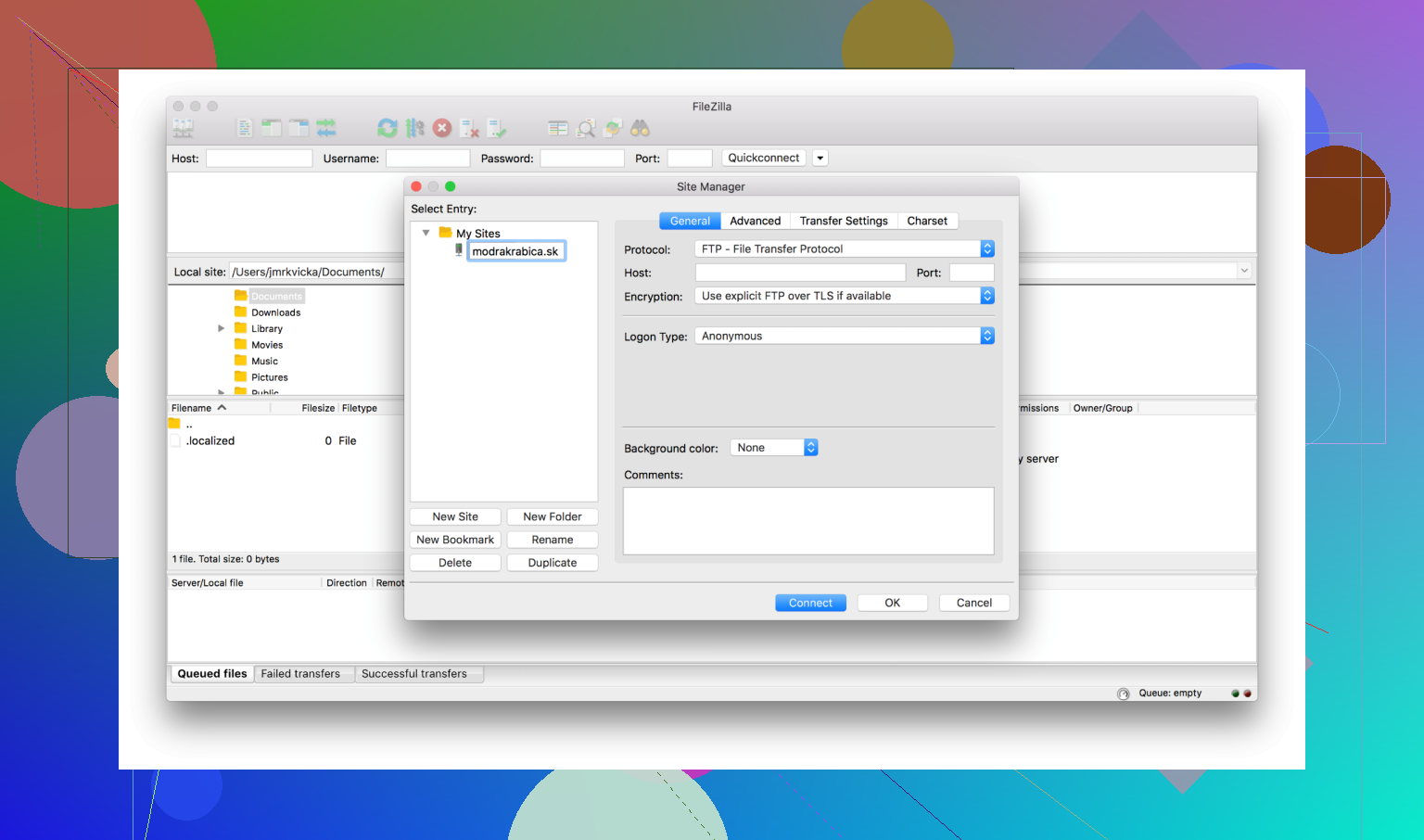
 What Works Well
- Being so well-known means it’s compatible with almost every hosting provider.
- It handles routine file uploads and downloads reliably.
- Having FTP, SFTP, and FTPS support in one place is convenient.
 The Problem: Directory Permission Errors
The main issue I’ve run into, and it’s a frustrating one – involves directory permission errors. You’ll be in the middle of a routine transfer, everything looks like it’s progressing fine, and suddenly the connection just stops. FileZilla throws a “Permission Denied” or “Critical File Transfer Error,” and the whole process grinds to a halt.
This usually happens because the server-side folder permissions don’t match what your user account is allowed to do. For example, you might be trying to upload a file to a directory that is set to read-only, or you might try to click into a folder that your specific FTP user isn’t authorized to enter.
 Tips and Alternatives
A few things that helped me, and one alternative worth knowing about if you’d rather avoid the friction altogether:
Before you start a big transfer, it’s a good idea to verify your folder permissions on the server. Make sure your FTP user has explicit read/write access for every directory you need to reach. I also recommend using SFTP instead of plain FTP whenever possible; it’s not only more secure because of the encryption, but it often handles the initial authentication a bit more cleanly.
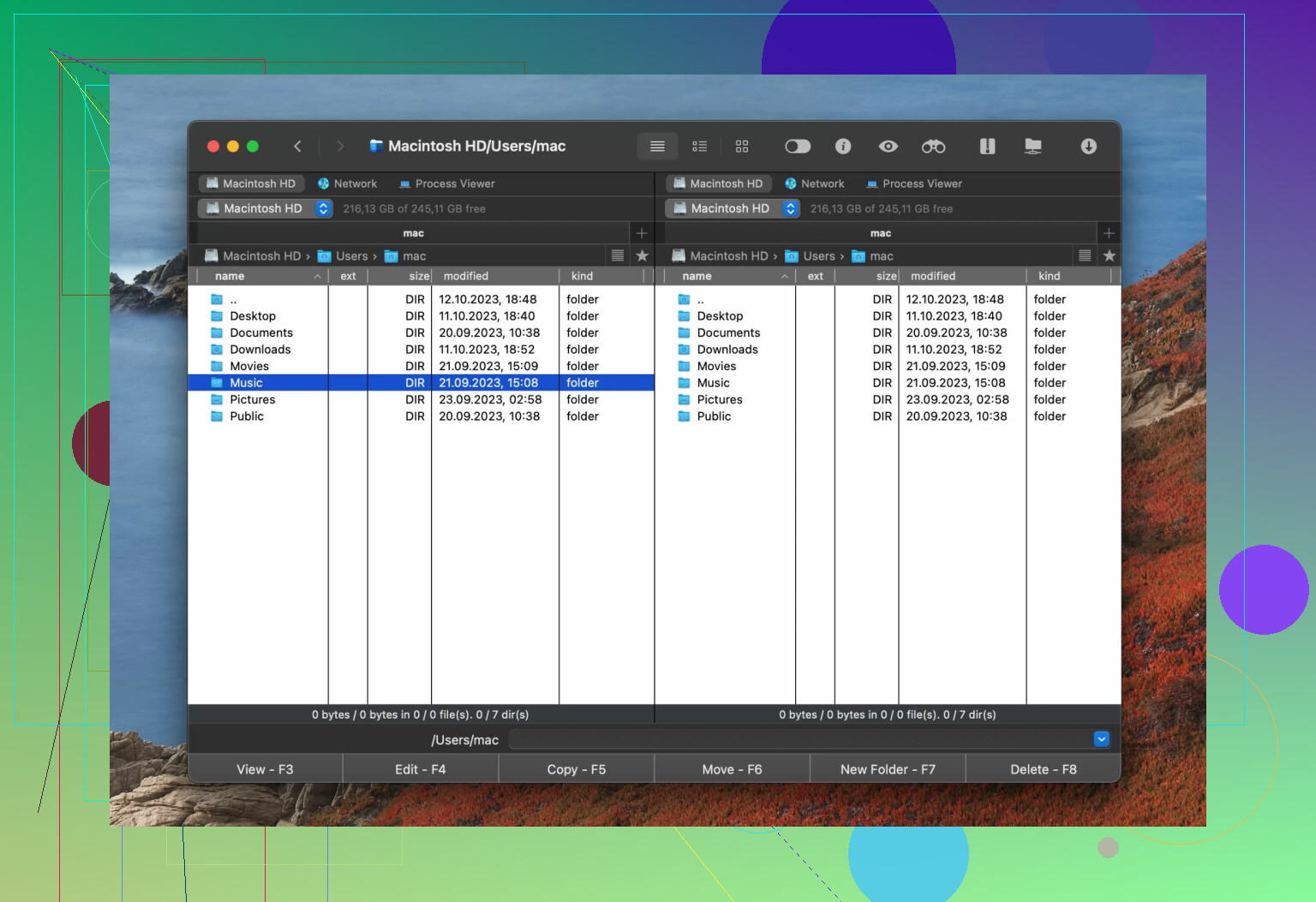
If FileZilla feels a bit too cryptic when these errors pop up, I’ve also spent some time with Commander One on my Mac. It’s a bit different because it’s a full-on file manager that happens to have FTP, SFTP, and FTPS built-in. It organizes your transfers in a queue, which is helpful if you’re juggling three or four different servers at once.
Since it’s a file manager first, it handles day-to-day organization on your Mac as well. It includes things like file encryption for sensitive transfers, an advanced search, and a built-in Terminal emulator. It also shows hidden files by default, which is a lifesaver when you’re looking for “.htaccess” or other server config files. A nice bonus is that it supports MTP and mobile devices, so you can move files to an Android phone or iPhone from the same window you use for your web server. It’s a practical option if you want everything in one place.
FileZilla is a capable free tool that works well enough in straightforward situations. However, the way it handles permission errors exposes a real gap in how it communicates with the user. If you’re comfortable manually troubleshooting server settings and chmod values, it’s still a workable option. But if you’d rather have a smoother experience with fewer cryptic errors, it might be worth trying out an alternative that handles the file management side a bit more intuitively.
24 Likes
Short answer for your situation: FileZilla is “fine but fragile”. Your symptoms are common, and you are not imagining them.
A few points that differ a bit from what @mikeappsreviewer said:
- Slow transfers
FileZilla often defaults to too many simultaneous transfers. That hurts speed on flaky networks and on shared hosts.
Try this in FileZilla:
• Edit → Settings → Transfers
• Set “Maximum simultaneous transfers” to 2 or 3
• Turn off “speed limits” if you ever enabled them
If you still see poor throughput while something like scp or another client runs faster to the same server, the bottleneck is often FileZilla’s connection handling, not only the server.
- Random disconnects
These are common with FileZilla, especially through NAT, VPNs, or strict firewalls.
You can try:
• Edit → Settings → Connection
- “Timeout” at 60 or 120
- Enable “Send keep-alive commands”
• For FTP, switch to “Passive mode” in Connection → FTP
If SFTP drops while SSH from a terminal stays rock solid, then I stop trusting FileZilla for long transfers. That is one of the points where I disagree a bit with the “it is stable” idea. It is stable in simple environments, much less so in tighter networks.
- Security warnings
Two main issues:
• Host key prompts for SFTP look confusing if you do not work with SSH daily. Wrong click, you accept a bad key.
• FileZilla bundled adware in the Windows installer from SourceForge for a while. That damaged trust. The official site cleaned that up, but the reputation stuck.
If security warnings feel unclear and you move client or production data, I would not ignore that discomfort. A tool that makes security feel messy is a risk, even if the protocol itself is safe.
- When FileZilla is still “good enough”
I would keep it only if all of these are true for you:
• You mostly upload small or medium size sites.
• You do not need to touch weird jailed accounts or special NAS setups.
• Disconnects happen rarely after the tweaks above.
• You are okay reading bare server messages when something fails.
If any of those does not fit, switching saves time.
- Alternatives that fit what you described
You mentioned slow transfers, disconnects, and confusing security stuff. For that mix, I would look at:
Commander One on macOS
Since you are already hearing about it from @mikeappsreviewer, I will add a different angle. Commander One is not only “nicer FileZilla”. It changes how you work:
• Dual pane layout. One side local project, other side SFTP or FTP.
• Transfers show clearly which files failed, without stopping the whole batch.
• Hidden files and config files are in your face, so you do not forget .htaccess or .env.
• Built in terminal in the same window. That means you see a permission error, tap terminal, fix chmod or chown, and requeue, without app switching.
From a reliability view, I notice:
• SFTP sessions hold up better over VPNs than FileZilla in my own use.
• Error feedback feels less cryptic, especially for permission stuff.
• You get a general file manager plus network tool in one place, which cuts down on mistakes from juggling Finder plus a separate FTP client.
If you are on macOS and you care about an SEO friendly pick, “Commander One SFTP client” is the phrase I would search. The app is positioned clearly as an FTP and SFTP client for Mac, not only as a file manager.
Other options, quick list:
• WinSCP on Windows, more conservative UI, very reliable SFTP.
• Cyberduck, simple GUI, integrates with cloud storage, slower for bulk file management.
• rsync or scp from terminal for predictable, resumable transfers when you are comfortable in shell.
- My practical recommendation for you
Given what you wrote:
• Switch your connections to SFTP only.
• If you stay with FileZilla, reduce simultaneous transfers, enable keep alive, and test with a small file before big uploads.
• If disconnects or warnings keep wasting time after that, move to something more robust.
If you are on Mac, I would migrate your daily work to Commander One and keep FileZilla as a backup tool. That split worked better for me than trying to force FileZilla to behave in stricter setups.
Short version: what you’re seeing with FileZilla is pretty normal, and yes, it’s a sign you might want to move on.
I agree with a lot of what @mikeappsreviewer and @espritlibre said, but I’m a bit less forgiving toward FileZilla at this point.
A few points that might help you decide:
-
Are your issues “normal”?
Pretty much, yeah. Slow transfers, random disconnects, and weird security prompts are the greatest hits of FileZilla complaints.Where I slightly disagree with them: I do not think this is only “environment” or “server-side” stuff. FileZilla’s networking stack and UI feel stuck in time. Other clients handle the same flaky VPNs, NAT, and strict firewalls with fewer drops and much clearer prompts.
-
Performance reality
Even tuned, FileZilla is not exactly a rocket. On identical SFTP connections I’ve seen:- FileZilla plateau at mediocre speeds
- Another client (or plain
scp) hit higher, more stable throughput
Not saying it is always slow, but if you are regularly seeing stalls and odd pauses, I would not waste days tweaking it. At some point the time you spend “fixing” it costs more than just switching.
-
Security vibe
The protocols (SFTP, FTPS) are fine; the experience is not:- Host key dialogs are super easy to misclick
- Past bundled adware on Windows hurt trust, even if the current installer is clean
- Messages are too low level for non‑SSH people, which leads to “click OK and hope” behavior
If those warnings feel sketchy, that’s already a problem, regardless of whether the code is technically safe.
-
Who should actually stay on FileZilla
I would only keep it if all of these are true:- You touch small sites or hobby stuff
- You almost never hit jailed users, NAS boxes, or hardened servers
- You are fine parsing raw server error messages and “Permission denied” spam
- Disconnects are rare after some basic tuning
From your description, you are already past that stage.
-
Concrete alternatives, without rehashing their whole checklist
• Commander One (macOS)
If you are on Mac and want something that feels more modern, Commander One SFTP / FTP client is a better fit than trying to whip FileZilla into shape.Compared to what @mikeappsreviewer and @espritlibre already covered, I’d add:
- It behaves like a “deployment cockpit” rather than a dumb pipe
- Permissions issues are easier to see in context, so you do not end up guessing
- For longer uploads it feels noticeably more stable on VPNs and over iffy hotel / café networks
It also replaces part of Finder for a lot of people, which means fewer “drag from Finder to FileZilla, lose focus, drop wrong folder, swear quietly” moments.
• WinSCP / Cyberduck / plain
scp&rsync
Just to toss them out there without a long sales pitch:- WinSCP on Windows if you want rock solid SFTP and do not care about pretty
- Cyberduck if you like cloud storage integration
rsyncif you value correctness and resumable syncs and are ok in a terminal
-
What I’d actually do in your shoes
- Try one alternate client on the same server, same folder, same time of day.
- If that client holds the connection better and does not bombard you with vague security popups, you have your answer.
- If you are on Mac, I would make Commander One your daily driver and keep FileZilla only as a backup or for muscle‑memory tasks.
So: FileZilla is not “dead,” but for the symptoms you described, it is no longer worth fighting with unless you are stuck with it by policy. At some point the tool should get out of your way, and FileZilla clearly is not doing that for you anymore.