I keep seeing the Cleanup App phone cleaner advertised as a way to free up storage and remove junk files on my iPhone, but I’m nervous about privacy, hidden charges, or it messing up my photos and data. Has anyone here used it long term, and is it really safe and worth installing, or should I avoid it and use something else instead?
8 Likes
Cleanup App (Phone Storage Cleaner) – my experience
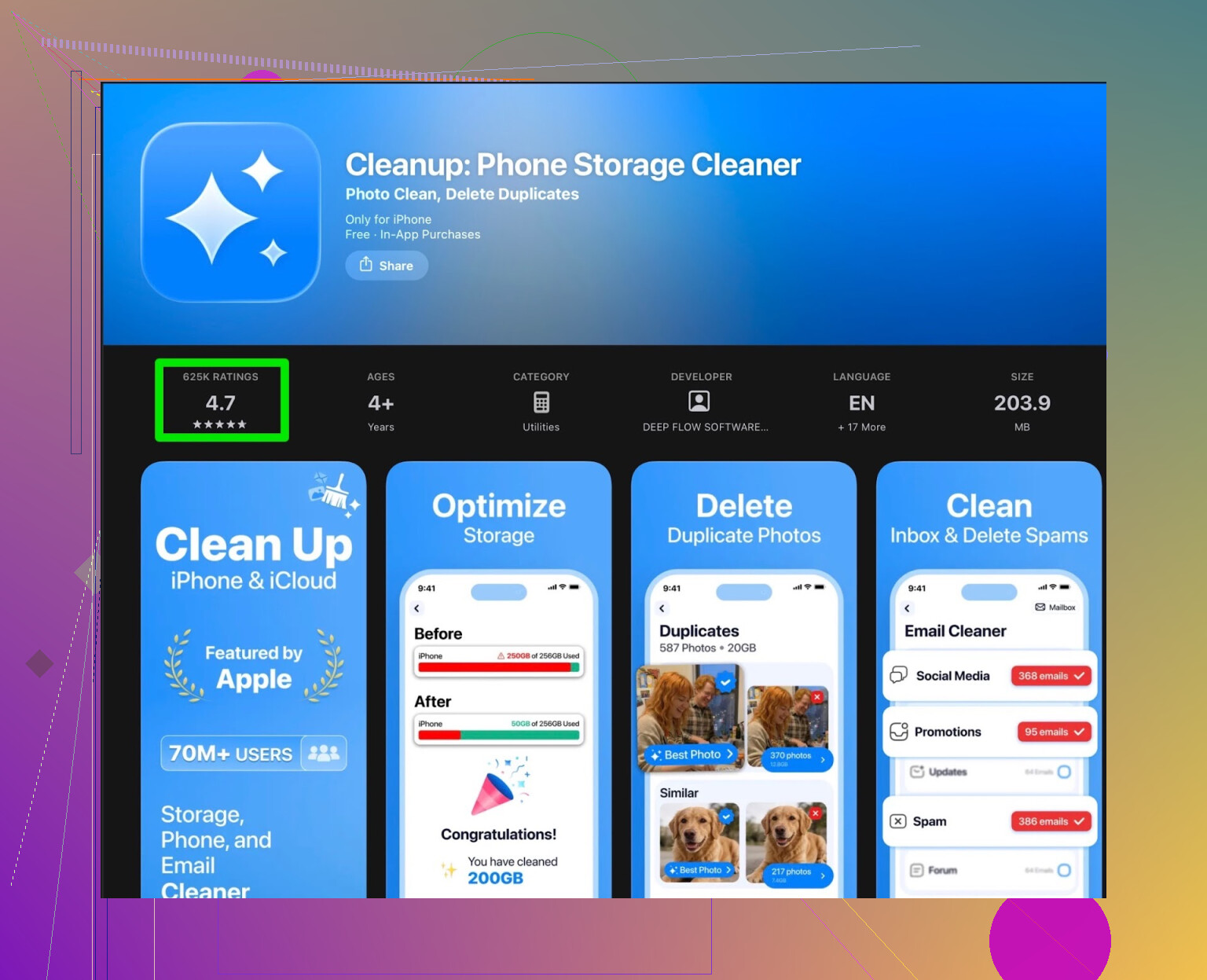
I installed Cleanup App (Phone Storage Cleaner) after my iPhone started throwing the “Storage Almost Full” alert every other day. I was out of space, Photos kept failing to sync, and iOS offloaded a couple of apps I actually use. So I went hunting for a quick fix.
Cleanup App looked decent on first launch. It scanned my library for:
- Duplicate photos
- Near-duplicate and “similar” shots (like 10 versions of the same selfie)
- Screenshots
- Large videos
- Contacts you can merge
It also showed some video compression tools and a “secret vault” thing. On paper, it covered the main pain points: photos, videos, and messy contacts.
After spending some time with it, I started to get annoyed.
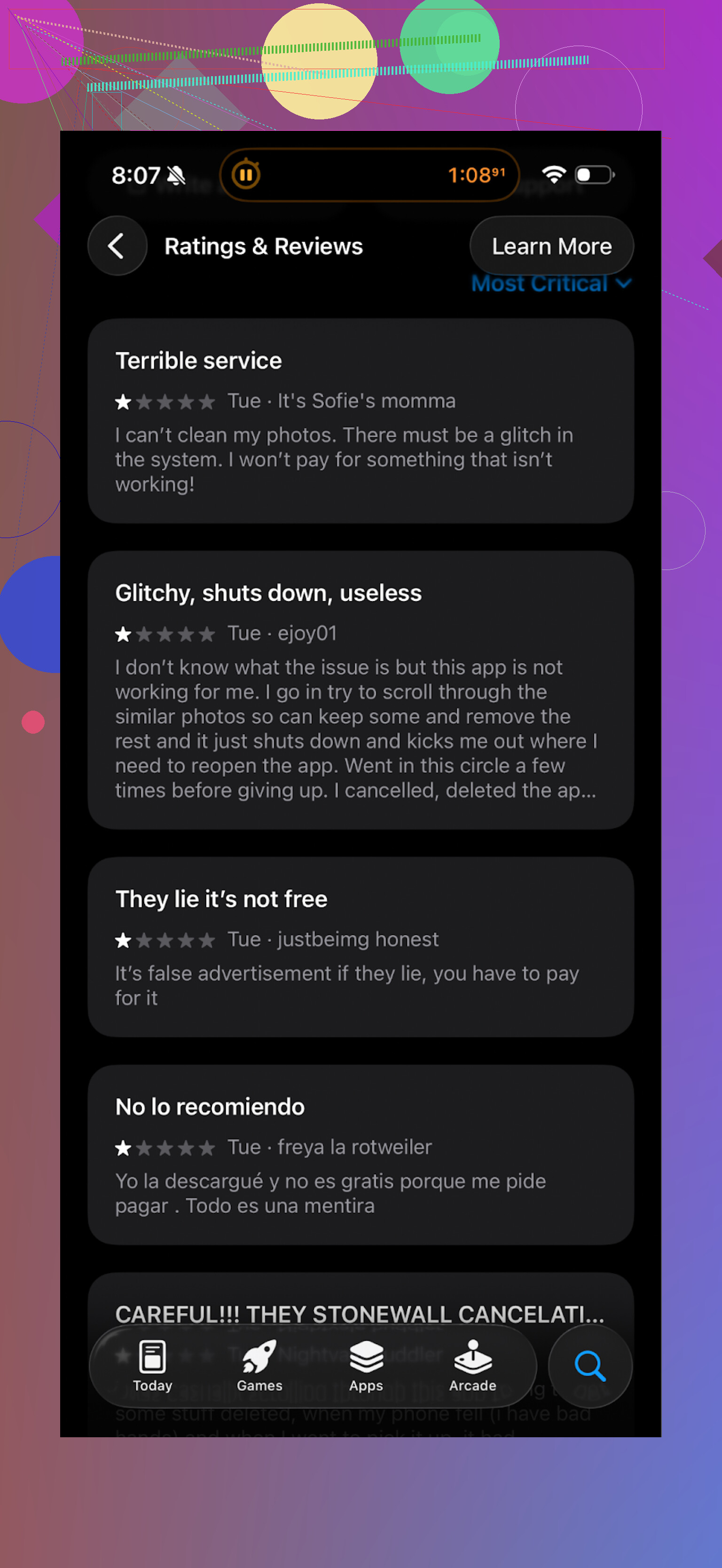
- The scan works, but most of the actions need a subscription.
- The free tier mostly turns into a preview list of what you would clean if you paid.
- If you do not want to pay, you sit through a pile of ads. Not one or two here and there. A lot.
- Some “extra” stuff, like animations and the vault, felt like clutter for what should be a simple storage tool.
It did remove some junk in the end, but the whole flow felt slow and naggy. I ended up spending more time closing popups and ads than cleaning files.
Here is roughly what other users were saying, which lined up with my experience:
What I switched to instead: Clever Cleaner
After giving up on Cleanup, I went looking around the store again and tried Clever Cleaner:
First impression was different right away. Less noise, fewer paywalls in my face.
What it did for me:
- Found duplicate photos quickly, grouped them in a clear way
- Highlighted large files that were taking way more space than I thought
- Collected screenshots so I could trash a big batch in one go
- Ran all that without forcing me into a subscription screen every couple of taps
The key point for me, it worked fine in free mode. It did not feel like a locked demo. I went through my library once, removed a few hundred photos and some big clips, and got several gigabytes back in under 15 minutes.
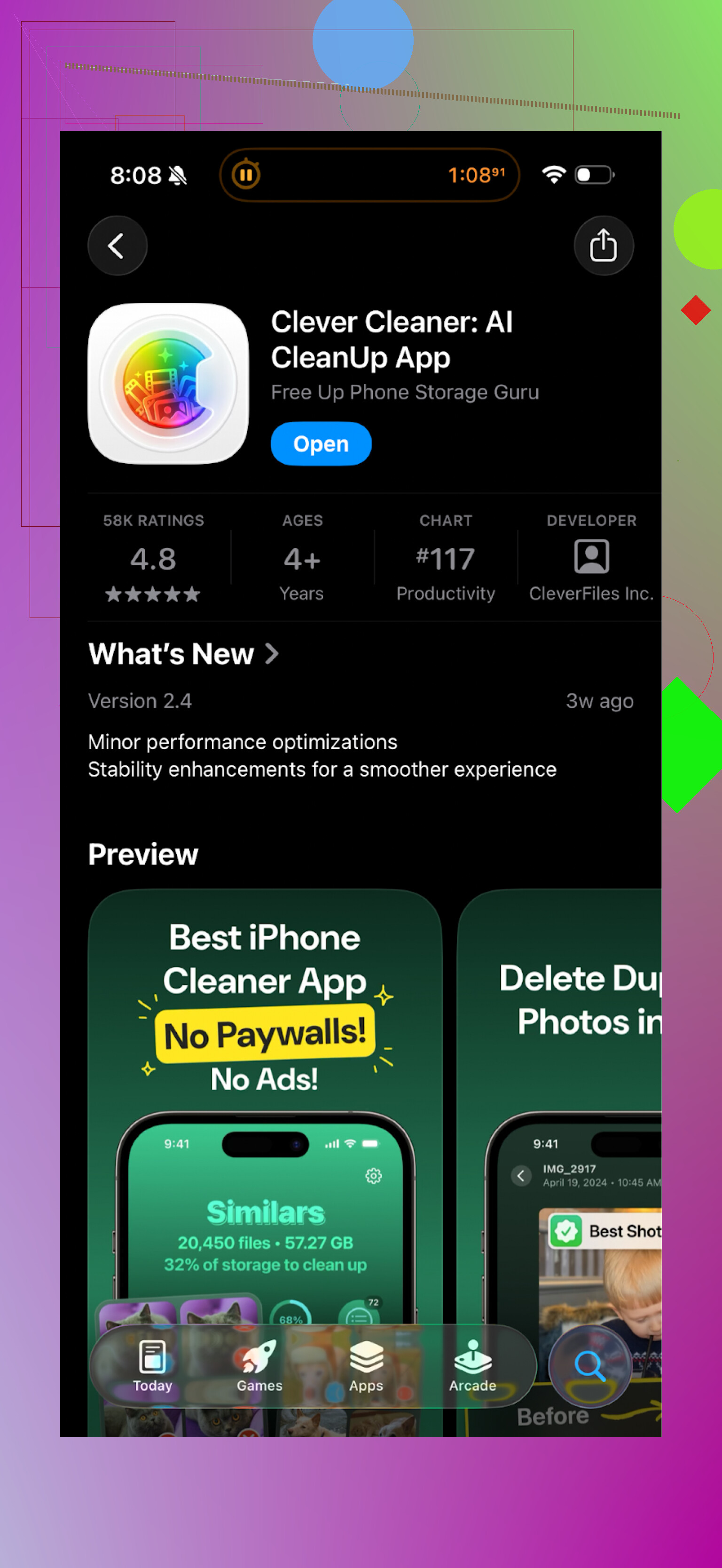
Here is the interface from my run:
Rough comparison from actually using both
Cleanup App (Phone Storage Cleaner)
-
Pros
- Scans work as advertised
- Finds duplicates, similar images, and screenshots
- Has contact merge and video compression
-
Cons
- Heavy push toward subscription
- Many actions blocked unless you pay
- Lots of ads if you stay on free
- Extra features that do not help storage much, like the secret vault
Clever Cleaner
App Store link:
Homepage:
-
Pros
- Functional free mode
- Simple layout, less clutter
- Fast scan of photos and large files
- Less aggressive monetization
-
Cons
- Still another app to trust with your photo library
- Interface is minimal, so if you want lots of “smart” suggestions you might find it a bit bare
If your goal is to free space without feeling like you are wrestling with a paywall, I would start with Clever Cleaner. Use it to:
- Run a duplicate photo scan
- Purge old screenshots
- Sort by file size and remove a few huge videos you forgot about
- Then check iOS Settings > General > iPhone Storage to confirm the space gain
Helpful links
YouTube walkthrough of Clever Cleaner in action:

Clever Cleaner homepage:
App Store download:
Short version. Cleanup App is not malware, but it is aggressive with subscriptions, not essential on iOS, and you should treat it like a paid convenience tool, not a must-have.
Some points that add to what @mikeappsreviewer said:
-
Safety and privacy
• iOS sandboxes apps. Cleanup App cannot dig into system files or delete stuff outside its allowed areas.
• The real privacy risk is analytics and uploaded photos. Check in Settings > Privacy > Photos. If it has “All Photos” access and cloud features, some image data might go to their servers.
• Read the App Store privacy labels. If you see “Data used to track you” or “Data linked to you” for identifiers and usage, assume your behavior feeds their marketing. -
Hidden charges and subscriptions
• A lot of cleaners push a trial that flips into a weekly subscription. Those weekly ones get expensive fast.
• On the App Store page, scroll to “In-App Purchases”. If you see things like 7.99/week or similar, treat the popup paywalls with caution.
• After installing any such app, go to Settings > Apple ID > Subscriptions and check if it started a trial. Cancel early if you are unsure.
• I do not agree with @mikeappsreviewer that “the upsells are fine if you read carefully”. The UI in many of these apps is designed to get quick taps. You need to slow down and read each screen. -
Risk to your photos and data
• iOS requires a confirm when deleting photos. Cleanup App uses the same Photos API. It moves deleted photos into the “Recently Deleted” album for 30 days by default.
• The real risk is user error. The “similar photos” and “duplicates” suggestions are not perfect. If you tap through too fast, you lose edits, alternate shots, or documents screenshots you thought were safe.
• Before doing a big cleanup session, open the Photos app, scroll through the suggested duplicates and similar shots yourself. Treat the app as a helper, not a judge. -
Do you even need a cleaner on iPhone
• iOS manages system “junk” on its own. Third party cleaners do not get access to deep system caches.
• The main useful parts of these apps are:- Grouping similar / duplicate photos.
- Finding big videos.
- Cleaning old screenshots or screen recordings.
• All of this you can do manually, slower, but safer, inside Photos > Albums > Media Types, or via Settings > General > iPhone Storage.
-
About Cleanup App specifically
• The pattern is heavy ads, “phone overheating / storage full” scare copy, and quick trial buttons. That alone makes me cautious.
• Long term use does not add new features beyond what iOS already offers. After the first cleanup, you get less value each month.
• If you want to try it, I would:- Turn off mobile data for it in Settings so it phones home less.
- Give it Photos access only while testing.
- Avoid one tap “clean all” actions. Manually review each category.
-
A more balanced alternative
If you like this type of tool but hate aggressive upsells, look at something like Clever Cleaner App on the App Store. It focuses on photo and video cleanup with clearer pricing and fewer nag screens. Still treat it as a helper, not magic, and still check the subscription section and privacy labels. -
Simple free workflow without any cleaner
• Go to Settings > General > iPhone Storage. Offload unused apps.
• In Photos, sort by size, delete a handful of the largest videos.
• Use the “Recently Deleted” album and clear it.
• In Messages, set auto delete for messages older than 1 year.
If you are nervous about privacy and surprise payments, I would skip Cleanup App, try a limited tool like Clever Cleaner App or do it manually in Photos and Settings. The “storage full” popups look scary, but you do not need a heavy cleaner app to fix them.
Short version: it’s “safe enough” technically, but kind of pointless for most people and easy to overpay for.
Couple of thoughts that build on what @mikeappsreviewer and @cacadordeestrelas already said, without rehashing their whole how‑to lists:
-
On the “is it malware?” fear
No, Cleanup App is not going to nuke your iPhone or secretly rewrite system files. iOS just doesn’t allow that. If Apple let an actual cleaner touch system junk, every dev would be doing it. They don’t. So any “deep clean” claim is mostly marketing fluff. -
Realistic privacy risk
The scary part is not “it will steal everything.” It’s the slow drip of analytics + maybe photo-related data if you turn on their smart features. If you’re already using Instagram, TikTok, etc, Cleanup App is not suddenly the worst thing on your phone… but it is yet another app trying to learn your habits.
I personally treat these cleaners as “extra tracking unless I lock them down.” If privacy is a big anxiety point for you, that alone is a decent reason to skip it. -
Hidden charges / subscription shadiness
This is where I’m a bit harsher than @mikeappsreviewer. The whole “free” or “3-day trial” with a weekly subscription attached is designed to catch distracted people. The app works, yeah, but the business model is optimized for “oops, I forgot to cancel.”
If you have to stare at the screen for 30 seconds to figure out which tiny X closes the paywall, the developer is not really on your side. -
Risk to your photos
I agree and disagree partly with @cacadordeestrelas here. Technically you get the Recently Deleted safety net, sure. In practice, plenty of folks never open that album and realize things vanish for good after 30 days.
The bigger issue is how agressive these apps can be about “similar photos” and “duplicates.” I’ve seen people lose the “best” shot in a burst because the algorithm decided another nearly-identical one was the keeper. If you’re not willing to review each group yourself, don’t use it.
I’d actually say: if your photos are precious or irreplaceable, treat any auto-cleaner like a chainsaw, not a feather duster. -
Do you even need it
This is the awkward truth: on iPhone, cleaner apps mostly exist because storage anxiety is profitable, not because the OS truly needs them. Once you get past the first run where it finds a bunch of old stuff, the value drops off fast. They don’t magically “speed up” the phone.
In my experience, the people who benefit most are:
• Heavy photo/video shooters who hate sorting
• Non-technical users who want a big “here’s what’s taking space” overview and are willing to pay for convenience
Everyone else can live perfectly fine without ever installing it. -
About Cleanup App specifically
The advertising style alone is a yellow flag for me. “Your phone is full / overheating / at risk” messaging is designed to push you into quick decisions. Whenever an app uses fear to sell, I start from a position of “probably not essential.”
It’s not that it’s unsafe to use in a catastrophic way. It’s that long-term, you’re mostly paying for a prettier interface on top of things you can already manage yourself. -
A more sane alternative
If you really like the idea of a photo/video cleanup helper but hate feeling like you’re in a casino app, something like the Clever Cleaner App is a more balanced option. It leans more into straightforward “find big stuff, group similar photos” and less into screaming alerts.
It’s still not magic, still not required, but as a paid convenience tool it’s more in line with what these apps should be: helpers, not scareware. -
So, should you install Cleanup App?
• If you’re very sensitive about:- privacy
- surprise payments
- accidentally losing photos
then I’d skip Cleanup App and either do things manually or use a more transparent tool like Clever Cleaner App.
• If you’re okay spending a few bucks for convenience and you’re good about: - carefully reading subscription screens
- reviewing every “to delete” suggestion
then it’s “safe” enough to try, just not especially special.
If I had to give you a blunt recommendation: you’re already nervous about privacy and hidden fees, so Cleanup App in particular is probably not worth the stress. Either go manual in Settings/Photos or, if you want a helper app, try something like Clever Cleaner App with clear pricing and use any of these cleaners in a very hands-on, skeptical way.
Short, blunt take: Cleanup App is “safe enough” in the iOS sense, but not especially wise for someone already worried about privacy and surprise billing.
A few angles that weren’t fully hit yet by @cacadordeestrelas, @sognonotturno, and @mikeappsreviewer:
1. What “safe” actually means here
- iOS sandboxing limits the blast radius. Cleanup App cannot wreck core system files or secretly install other stuff.
- The real “unsafe” parts are:
- Dark‑pattern paywalls and weekly subs.
- Over‑aggressive photo suggestions that you tap through too fast.
- Apple’s review process does catch straight malware. It does not catch apps that are legally fine but psychologically pushy.
So technically OK, human‑factor risky.
2. How much does it really help storage?
This is where I disagree a bit with the idea that it is a “useful convenience tool” for many people. iOS already auto‑purges caches, offloads apps, and shows you per‑app usage. After the first big cleanup run, most cleaner apps give diminishing returns. They cannot:
- Clear deep system junk.
- “Speed up” the CPU.
- Fix battery health.
If your storage problem is years of photos and massive chat backups, a cleaner app is only rearranging the same basic choices you still have to make: which photos, videos, or chats to keep.
3. Long‑term trust question
With something that touches your entire photo library, I care more about the business model than the code:
- Heavy fear‑based ads, super short trials, and weekly subscriptions are all signs the priority is revenue per user, not long‑term trust.
- If a developer earns mostly from people who forget to cancel, I personally do not want to hand them full photo access.
On that basis alone, I would rather spend time learning the built‑in tools than get locked into Cleanup App’s subscription loop.
4. About Clever Cleaner App specifically
If you want “the same general category but calmer,” Clever Cleaner App is the one that keeps coming up for a reason.
Pros:
- Focused on photo and video cleanup rather than fake “deep cleaning.”
- Typically clearer pricing and fewer “panic” banners about overheating.
- Good for surfacing:
- Huge videos
- Obvious duplicates
- Old screenshots
Cons:
- Still another app with potential analytics and tracking. You are trading convenience for some data exposure.
- Still not necessary for system health. It will not fix slow phones or battery drain.
- Auto grouping can still suggest deleting shots you actually like. You still need manual review.
- Paid convenience, not a one‑time miracle. Value drops after the first few cleanups.
So I see Clever Cleaner App as acceptable if:
- You hate manual sorting, and
- You are disciplined about subscriptions and permissions.
5. Privacy mindset instead of app choice
If your core fear is “I do not want to regret this in 6 months,” your strategy matters more than which cleaner you pick:
- Default position: no cleaner at all. Use Settings and Photos first.
- If you install any cleaner:
- Give it the narrowest Photos permission you can live with.
- Kill “upload to cloud” or “smart backup” unless you actually want that.
- Treat every auto‑selection as a suggestion, not a decision.
- Cancel the trial the same day unless you are 100 percent sure you want to keep it.
Bottom line
- Cleanup App: not outright dangerous, but too pushy and too marginal to be worth it for someone already anxious about privacy and billing.
- Clever Cleaner App: a more honest “helper,” still optional, still requires you to think.
- If your photos and data matter a lot, solving the problem with habits and built‑in tools is safer than outsourcing judgment to any cleaner, no matter how nicely it advertises itself.