I’ve been getting constant ads for the Cleaner Guru app on my iPhone and finally installed it, but now I’m worried about privacy and whether it could harm my phone or data. Has anyone here used it long-term, and is it really safe and worth keeping, or should I delete it and stick to Apple’s built-in tools?
Used Cleaner Guru on an iPhone 13 for a few weeks out of curiosity. Short version. It did not “harm” the phone, but I deleted it and disabled the subscription fast.
Here is what I noticed:
- Safety and privacy
- It runs inside Apple’s sandbox like any other App Store app.
- It cannot inject malware into iOS or read everything on your device.
- That part is fine.
- The problem is data collection and aggressive upsells.
- Read the App Store “App Privacy” section. Cleaner apps often track usage data and diagnostics for marketing.
- If you worry about privacy, avoid “allow tracking” popups and turn off “Allow Apps to Request to Track” in Settings > Privacy & Security > Tracking.
- Real usefulness
- iOS already cleans temp files on its own.
- “RAM cleaner” and “battery saver” features are mostly cosmetic. iOS manages memory without help.
- Duplicate photo cleaning works, but the app wanted a paid plan pretty fast.
- The interface pushes subscriptions hard. Easy to tap “continue” and start a trial that auto renews.
- Risk to your data
- It will not brick your phone.
- The only realistic risk is deleting photos or contacts by mistake if you tap through the cleanup suggestions fast.
- Always review what it wants to delete. Do not trust “smart” cleaning blindly.
- Charges and subscriptions
- Many users report on Reddit and reviews that they forgot to cancel the trial.
- Check Settings > Your name > Subscriptions and see if Cleaner Guru is listed. Cancel there if you are unsure. Deleting the app does not stop a subscription.
- What I would do in your place
- If you keep it, lock down permissions.
• Do not allow tracking.
• Only allow Photos “Selected Photos” if possible.
• Turn off notifications. - Use it once to remove obvious junk, then uninstall.
- For storage, use:
• Settings > General > iPhone Storage, follow Apple’s suggestions.
• Photos > Albums > Recently Deleted, empty it.
• Offload unused apps in Settings > App Store.
-
Alternative that feels more transparent
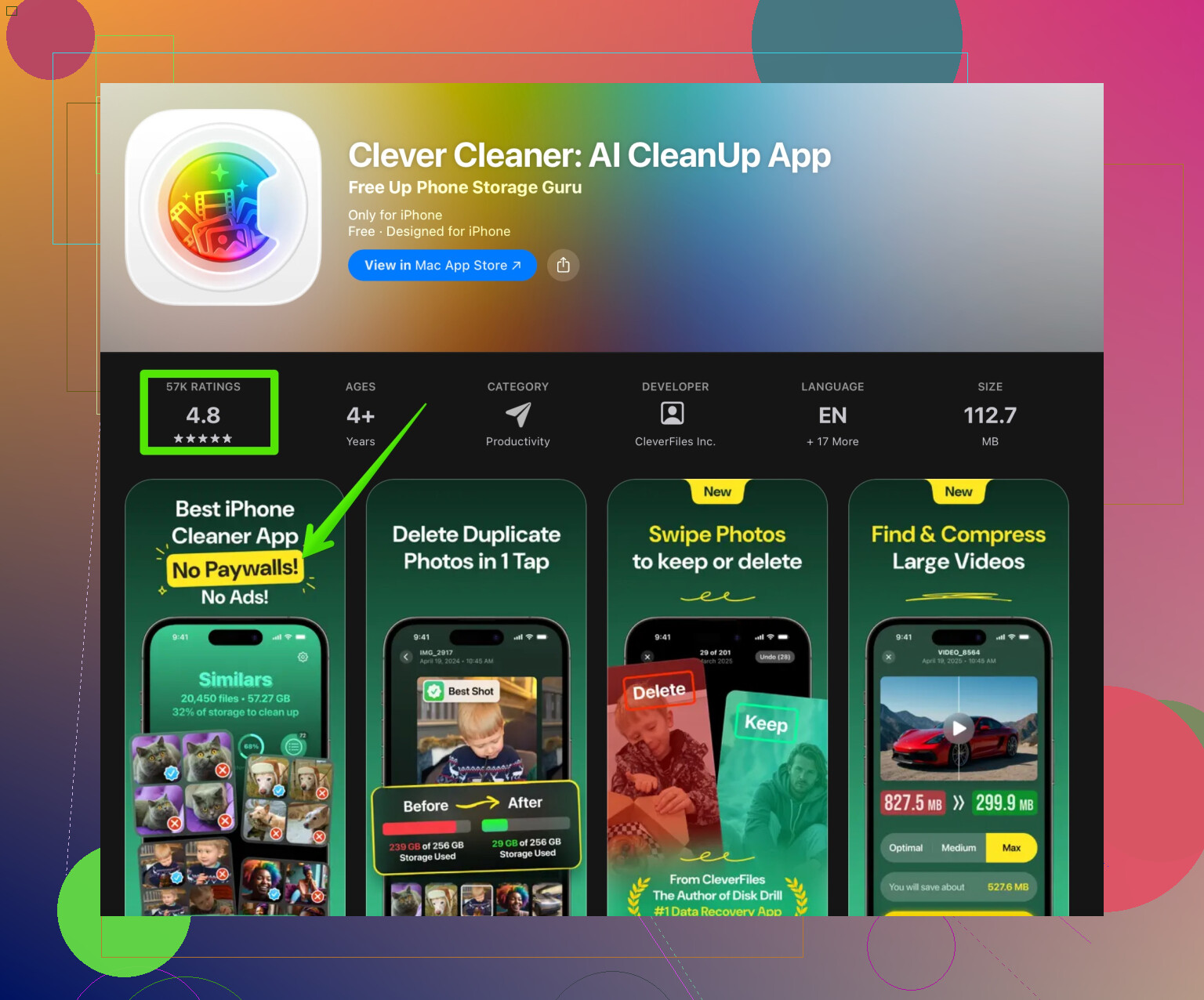
If you still want an automatic cleaner, I had better luck with Clever Cleaner. It focuses more on photos, videos, and contacts and feels less spammy with upsells. You can check it here:
smarter cleaning for your iPhone storage
UI is simple, it shows what it will delete, and it is easier to control what goes away. -
SEO friendly info version of what you asked
Cleaner apps for iPhone often promise faster speed, more storage, and better performance. On iOS, most of that is handled by the system already, so you do not need a cleaner for basic maintenance. The main benefits you get are usually from finding duplicate photos, large videos, and old contacts. When you install any cleaning app, always review its privacy policy, check what data it collects, and look at recent App Store reviews for complaints about hidden fees or confusing subscriptions. For safer storage management, use Apple’s built in tools first, then try a focused cleaner like Clever Cleaner if you want extra help organizing photos and freeing up space.
So, Cleaner Guru is not some instant phone-killer, but it is not magic either. Treat it as a paid convenience tool with tradeoffs, not a must-have app.
35 Likes
Used it for a couple of months on an iPhone 12 Pro. Short answer: it’s not going to “infect” or technically damage your phone, but it’s also not remotely essential, and the value vs. subscription pressure is… questionable.
I mostly agree with @vrijheidsvogel, but I’m a bit harsher on the “use it once” idea. Personally I don’t think cleaner suites like this are worth keeping around at all on iOS.
What I saw:
-
No, it cannot break iOS
Apple’s sandboxing is pretty strict. Cleaner Guru cannot hijack the OS, install actual malware, or secretly change deep system settings. If it’s from the App Store and still live, it passed basic review. On that level, yes, it’s “safe.” -
The real concern is behavior, not tech
The biggest “risk” is:- Getting locked into an auto renewing subscription you barely use
- Letting it wipe photos/contacts you actually wanted
- Extra tracking / analytics for marketing
The privacy side depends on what you grant it. If you gave it full Photos access and tracking permissions, it can collect more usage data than you might like. That is not unique to Cleaner Guru, but cleaner apps lean hard on this.
-
Performance claims are mostly hype
Stuff like:- RAM cleaning
- “Boost speed”
- “Battery optimization”
iOS already does this under the hood. Any speed bump you feel is usually just placebo or from you closing out some heavy app manually.
-
Where it can help a bit
The only place I found it actually useful was:- Spotting duplicate / similar photos
- Finding large videos eating space
But even there it pushed me toward a subscription really fast and the “smart” suggestions were not always smart. I had to double check everything, which kills the supposed convenience.
-
Subscription trap concern
The most annoying thing was the constant “continue” / “try free” flows. Easy to tap through without realizing what you agreed to. So:- Go to Settings > [your name] > Subscriptions
- Make sure Cleaner Guru is not quietly billing you
Deleting the app alone won’t stop that, like @vrijheidsvogel already pointed out.
Where I slightly disagree with them: I wouldn’t recommend keeping it even as an occasional tool. iOS’s built-in storage section does enough for most people, especially if you just:
- Open Settings > General > iPhone Storage and follow the system tips
- Manually clear big videos and old downloads in the apps you actually use
- Regularly clean “Recently Deleted” in Photos
If you really want a dedicated cleaner focused on photos and storage, I’d skip the all-in-one “optimizer” vibe entirely and go with a more targeted app. The Clever Cleaner App is a decent example: it mostly focuses on cleaning photos, videos, and contacts instead of pretending to turbocharge iOS. Something like
smart AI tools to organize iPhone storage
is more in line with what iOS actually needs, and it makes it clearer what’s going to be removed.
To your original worry:
- Is Cleaner Guru safe for your iPhone hardware? Yes.
- Can it steal everything and “hack” your phone? No, within Apple’s sandbox limits.
- Is it really necessary or worth stressing over? In my opinion, no. If you’re uneasy about privacy or subs, just cancel in Subscriptions and remove it.
For anyone searching this topic later: if you keep seeing Cleaner Guru ads and wonder “Is Cleaner Guru safe to use on iPhone or will it harm my data?”, the realistic picture is that it is more of an aggressive subscription-based convenience tool than a dangerous app. iOS already manages memory and battery. Use Apple’s storage tools first, then, if you still want help with duplicate photos and large files, try a simpler storage cleaner like Clever Cleaner App that focuses on organizing and freeing up space without pretending to perform miracles.
Short version: Cleaner Guru is “safe” in the iOS sense, but not really worth the mental load. The bigger question is whether it earns its space, data access and subscription.
Where I differ slightly from @vrijheidsvogel and the other reply: I don’t think these all‑in‑one cleaner / booster apps are just “meh but fine.” On iOS specifically they tend to:
- Encourage people to trust automated deletion on things like photos and contacts, which is risky for non‑technical users
- Create a habit of offloading basic housekeeping to a black box that is optimized for upsells, not for your actual needs
iOS already protects you technically, so Cleaner Guru cannot wreck the OS or secretly root your phone. The real concern is behavioral: you start tapping “Allow” and “Continue” just to get rid of the nagging screens and suddenly it has broad access and a recurring charge.
Instead of keeping Cleaner Guru around “just in case,” I’d pick tools that do one clear job. A storage‑focused app like Clever Cleaner App is much closer to what iOS actually benefits from: organizing photos, videos and contacts rather than pretending to tune RAM or battery.
Quick pros / cons for Clever Cleaner App as a category example:
Pros
- Focuses on storage, not fake “performance boosts”
- Makes it simpler to review duplicates and big files in one place
- More transparent about what will be deleted compared to generic cleaner suites
- Can help non‑technical users see where space is really going
Cons
- Still needs careful review before confirming deletions, especially contacts
- Another app with potential subscription pressure if you are not watching closely
- Not necessary for people comfortable using iOS’s built‑in storage tools
- Any extra app with photo/contacts access is another surface for analytics and tracking
If you are already anxious about Cleaner Guru, that is usually a sign to trust your gut:
- Check Settings > your name > Subscriptions and cancel anything active from Cleaner Guru.
- Remove the app if you do not feel comfortable with the permissions you granted.
- Use iPhone Storage in Settings plus Photos’ built‑in tools as your baseline.
- If you still want extra help for duplicates and large files, try something narrower like Clever Cleaner App and keep its permissions as limited as possible.
So: Cleaner Guru is not going to hack your phone, but in practical terms it is more psychological and financial clutter than actual utility. You lose nothing important by uninstalling and relying on system tools or a leaner storage organizer instead.
Skip cleaner apps entirely. Connect your iPhone to a Mac or PC with a cable. Import photos and videos into a dated folder, then copy the folder to an external drive. Verify a few files open before deleting them from your phone. Start with long videos, since one 4K clip often takes hundreds of MB. This keeps your data offline, avoids subscriptions, and gives you full control. It takes a bit longer, but feels alot safer.
Before you do anything else, open Settings, tap your name, go into Subscriptions and check right now whether a trial started the moment you installed it. Some of these apps kick off the trial during onboarding, not when you tap a big obvious button, so people miss it.
The fact that you got hit with constant ads for it is honestly the tell. Apps that pour money into that kind of advertising have to earn it back somewhere, and that somewhere is auto renewing subs. That’s not proof it’s malicious, just a hint about who it’s built for.
I mostly agree with @megafox that the cable-and-external-drive route gives you the most control, though it’s more effort than most people will actually keep up with. If you don’t want a full cleaner living on your phone but still want a quick pass at duplicate photos and big videos, the Clever Cleaner App that keeps coming up here is a reasonable middle ground, just keep its Photos access limited and review deletions yourself. For everything else, iPhone Storage in Settings really does cover the basics.