I accidentally erased and formatted my USB drive and lost important files I still need. I’m looking for the best way to recover data from a formatted USB drive without causing more damage, and I’d really appreciate advice on reliable USB data recovery tools or steps that might help.
I did this once with a USB stick full of family photos, and the part that mattered most was simple. Stop writing anything to the drive. Right now. If you copy new stuff onto it, some of the old data gets replaced. After that, recovery tools won’t pull those parts back.
What happened during the format matters too. If the format finished in a few seconds, it was almost surely a quick format. That is the better outcome. Quick format usually rebuilds the file system and clears the file index, but a lot of the raw data stays in place until new files land on top of it. Full format is rougher. It writes over the storage, so recovery odds drop hard.
If you do not have a backup, I would skip the random Command Prompt fixes people paste everywhere. Same for repair tools. CHKDSK is for file system problems, not for bringing back data from a formatted drive. I have seen it make a messy drive worse.
What I would do:
- Unplug the USB and stop using it.
- Install recovery software on your computer’s internal drive, not on the USB.
- Plug the flash drive back in.
- Run a full scan.
- Check previews before recovering files.
- Save recovered files to a different drive, never back to the same USB.
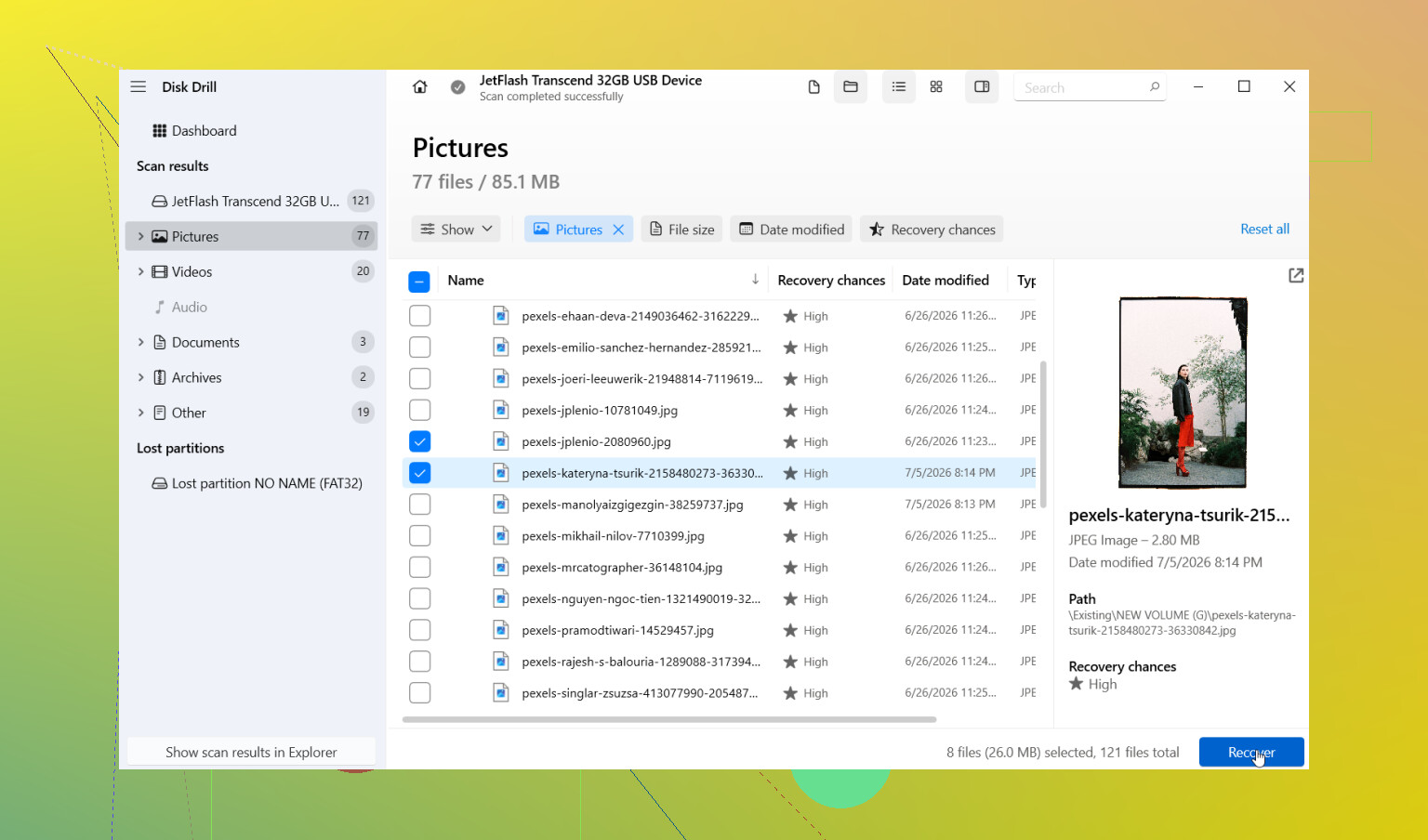
I had decent luck with Disk Drill. The layout is easy to follow, which helped me since I was half-panicking the first time I used it. Pick the USB, run Universal Scan, wait it out, then go through the results. It sorts by file type, which saved me time. The preview tool helped too. If a photo opened in preview, I usually got a usable recovery from it.
One part I liked more than I expected was disk imaging. If the USB drops connection, throws errors, or feels unstable, make an image first and scan the image instead of hammering the original drive over and over. That is safer when the flash memory looks shaky.
A few things change your odds:
- If you wrote nothing new to the USB after formatting, your chances are better.
- If you changed the file system, recovery still might work, though some file details get lost.
- Photos, documents, and videos are common targets for recovery tools, so those tend to go better than odd file types.
If recovered files come back with weird names, I would not freak out. I saw plenty of files lose the original filename after a format. Sorting by type, size, or date usually helps you piece things back together.
Also, do not stop the scan early. This got me once. I thought the scan was done because a pile of files had already shown up. Later in the scan, more of the important stuff appeared. Let it finish.
If the USB is not detected at all, keeps disconnecting, or Windows shows the wrong size, the problem might be more than formatting. Repeated scans on a failing flash drive are not a great idea. If it stays connected long enough, try imaging it first. If the files matter a lot, I would stop there and hand it off to a recovery shop.
So yeah, recovery without a backup is often still possible. The two big factors are whether it was a quick format and whether you wrote anything to the drive after. If it was quick, and the USB has been left alone since, your odds are still decent.
11 Likes
First, do not trust the USB yet. A format error is one thing. A dying flash controller is another. I agree with @mikeappsreviewer on stopping all writes, but I’d add one step before scanning. Check the SMART or health info if your tool shows it, and note the drive’s exact size in Disk Management. If Windows shows a fake size, 0 bytes, or it keeps reconnecting, stop messing with file recovery first.
My take is a bit different on full format. On modern Windows, a true full format usually wipes enough to kill normal recovery, but I’ve seen people call a quick reformat a “full format” by mistake. So verify what happened before you give up.
What I’d do:
- Plug it into a rear USB port, not a hub.
- Check Disk Management. See if the partition and capacity look normal.
- If stable, make a byte-for-byte image first. This matters more than people think.
- Scan the image, not the USB, with Disk Drill or another recovery app.
- Recover the most important file types first, photos, docs, project files.
- Open a sample of recovered files before saving hundreds of GB of junk.
Disk Drill is a solid pick for formatted USB recovery because it handles both file system scan results and signature-based recovery in one place. If the original folder tree is gone, sort by type and date. It’s slower, but often worth it.
One more thing. If the USB was encrypted with BitLocker or used on a Mac with APFS/HFS+, your results depend a lot on the software. People skip this and waste hours.
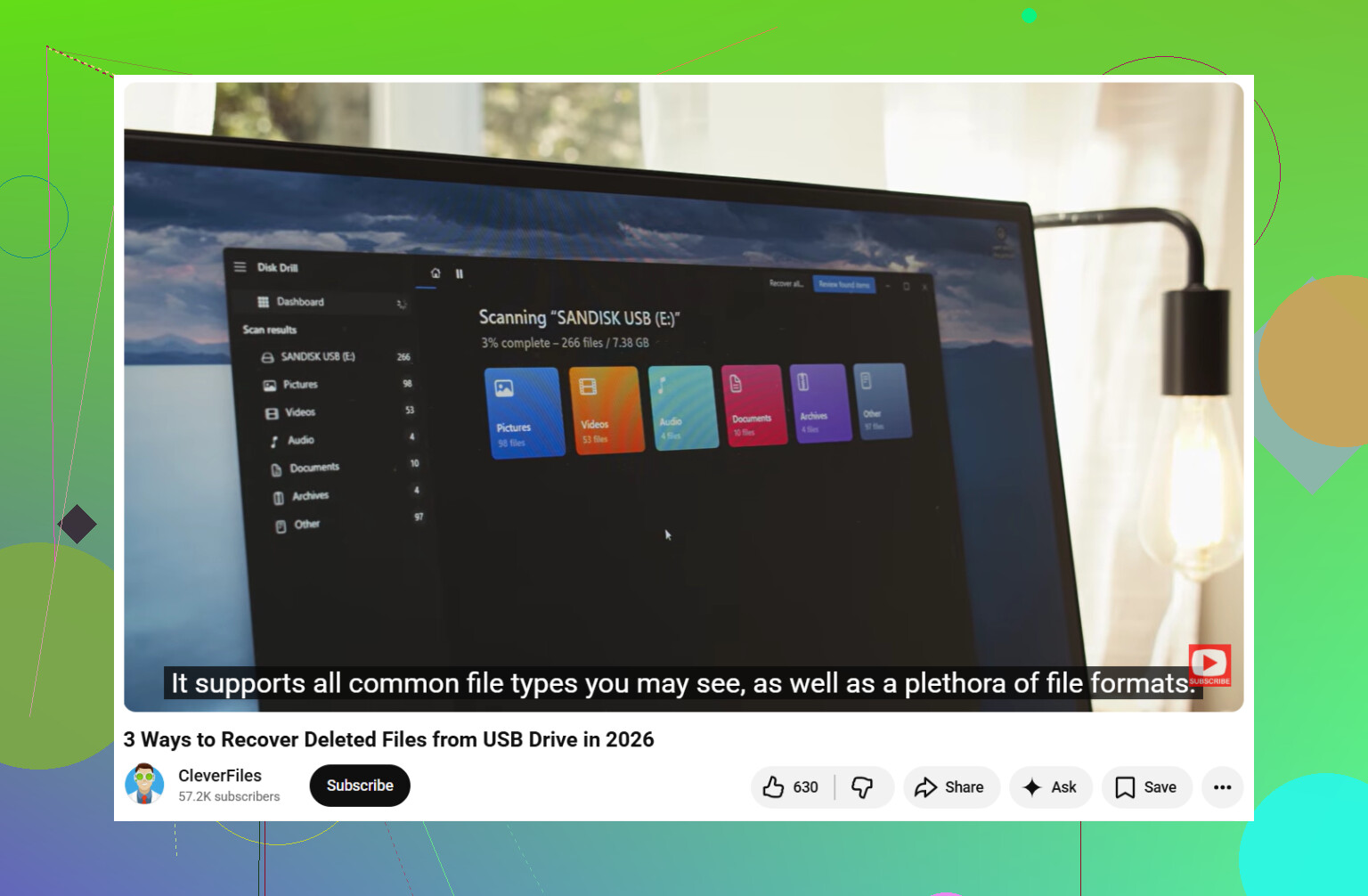
If you want a simple flash drive recovery guide, this video is decent:
step by step USB flash drive data recovery tutorial
Also, if the files are business or legal stuff, I would stop after imaging. DIY gets risky fast. I learned this the dumb way, twice.
One thing I’d add to what @mikeappsreviewer and @voyageurdubois said: don’t judge recovery by the first scan result. Formatted USB drives often look “empty” at the file-system level, but deeper signature scans can still find a ton of data with missing names/folders. People quit too early and think it failed.
Also, slight nitpick: imaging first is ideal, but on a cheap healthy flash drive that formatted by accident and is still stable, I wouldn’t overcomplicate it if you’re not super technical. If the stick is behaving normal, a straight scan with Disk Drill is usually fine. If it’s flaky, then image it before doing anything else.
What helps recovery odds besides not writing new data:
- same computer/OS that used the drive before can sometimes help identify file system quirks
- if you remember file types, filter for those first instead of restoring everything
- recover a few files as a test and open them before spending hours on the rest
- if videos come back but won’t play, they may need repair, not re-recovery
And yeah, avoid “repairing” the USB before recovery. That’s where ppl make it worse.
If you want a clean walkthrough, this is actually useful:
easy guide to recover files from a formatted USB drive
Short version: stop using the USB, scan it with Disk Drill, restore found files somewhere else, and verify the important stuff first. If the drive disconnects or shows weird size info, stop DIY stuff becuase that’s where simple file recovery turns into hardware trouble real fast.
I’d add one angle the others only touched lightly: check whether TRIM/secure erase behavior got involved. On some USB flash drives, especially newer ones with better controllers, a format can trigger cleanup that makes recovery much worse than the usual “quick format leaves data behind” rule. So I slightly disagree with the blanket optimism people often have about quick formats. It’s often recoverable, not always.
What I’d do differently:
- First, look at the drive in a hex viewer or recovery app preview and see whether large areas read like all zeros or all FFs.
- If the recovered scan shows mostly filenames but files are blank/corrupt, that’s a clue the controller may have already purged blocks.
- If the drive got formatted in another device like a camera, TV, or recorder, recovery outcomes can differ a lot from a Windows format.
About the replies from @voyageurdubois, @nachtschatten, and @mikeappsreviewer: good advice overall, especially on not writing new data and not “repairing” first. I only part ways on one thing: if the USB is cheap and old, imaging can fail or stall for ages. Sometimes a targeted scan for critical file types first is the faster triage move.
Disk Drill is a reasonable choice here.
Pros
- easy to use
- good at combining filesystem and raw recovery results
- previews help weed out junk
- decent for photos, docs, common video formats
Cons
- raw recovery can lose original names/folders
- deep scans can return tons of clutter
- not magic if the flash controller already wiped blocks
- license cost may annoy people
If Disk Drill finds your files, recover only the most important ones first to another disk. If it finds nothing but generic fragments, test another scanner before assuming the data is gone. Different tools carve different file types better.