I’m trying to compare two pictures on my iPhone without downloading any extra apps, but I can’t find a built-in way to view them side by side. I need to check small differences between the photos for editing and picking the best one, so I’d really appreciate help with the easiest iPhone photo comparison method.
I ran into the same mess with iPhone photos. You take six shots of the same sunset, or a group pic where one person ruins each frame in a different way, then Photos gives you almost no sane way to compare them. I kept flipping back and forth, trying to remember which one had better focus, which one had fewer closed eyes. After a few minutes I would give up and leave all of them there. Then the storage warning shows up again. Same old story.
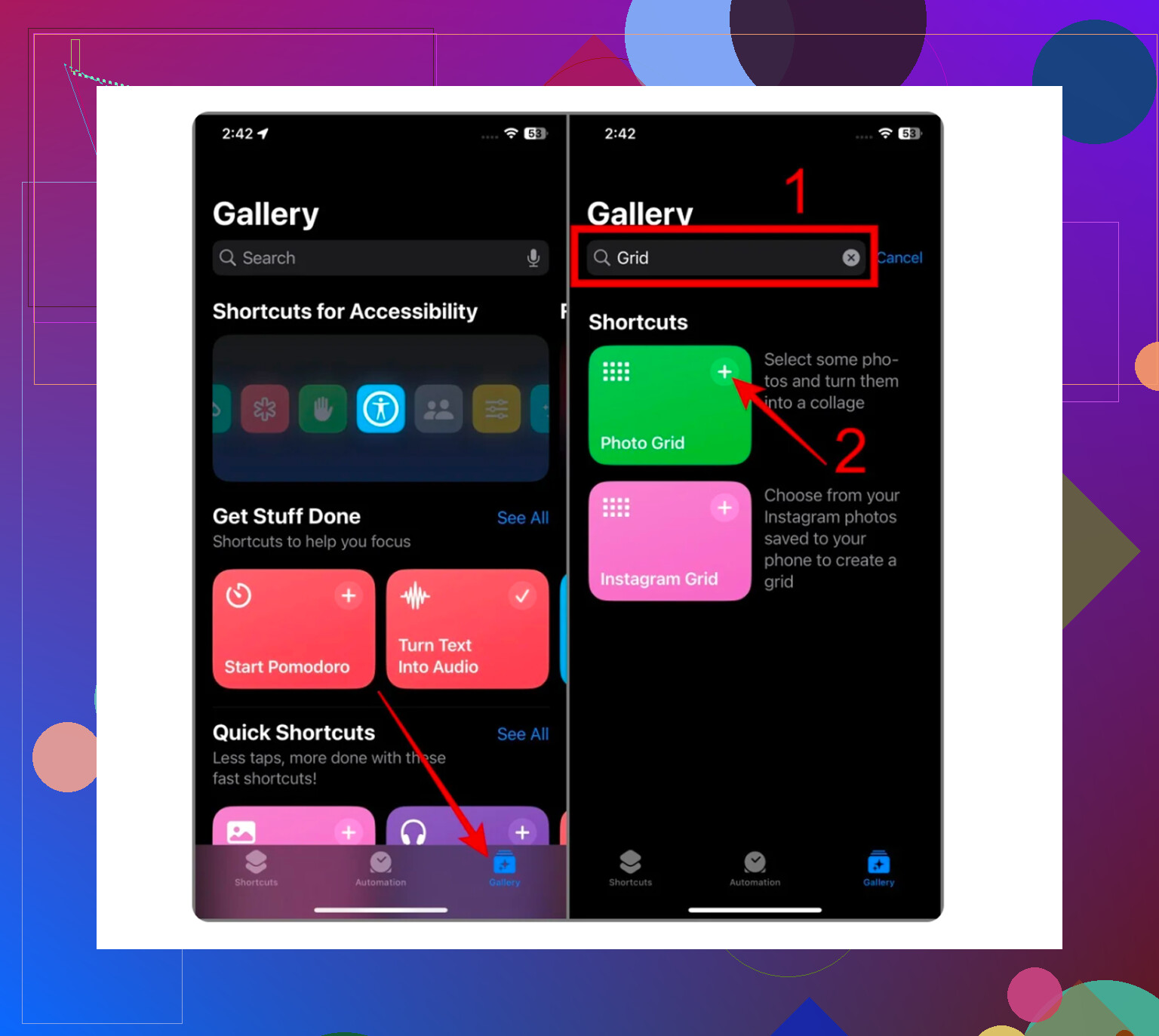
If you do not want to install anything, there is one Apple-made workaround, sort of. It lives in the Shortcuts app, not in Photos, which still feels odd.
Here is the rough setup:
- Open Shortcuts.
- Tap the plus button.
- Add the ‘Select Photos’ action.
- Turn on ‘Select Multiple.’
- Add ‘Combine Images.’
- Pick horizontal or vertical layout.
- Add ‘Save to Photos.’
When you run it, you choose two images and it saves one combined image back into your library. For a quick before-and-after, or if you want a side-by-side meme, it does the job. For sorting a big camera roll, I found it annoying fast. You are making extra files, not reviewing photos in any clean way.
I tried to avoid cleanup apps for a long time. Most of the ones I tested were junk. They say free, then you tap delete and get hit with some weekly subscription. Or ads. Or both. I got tired of it.
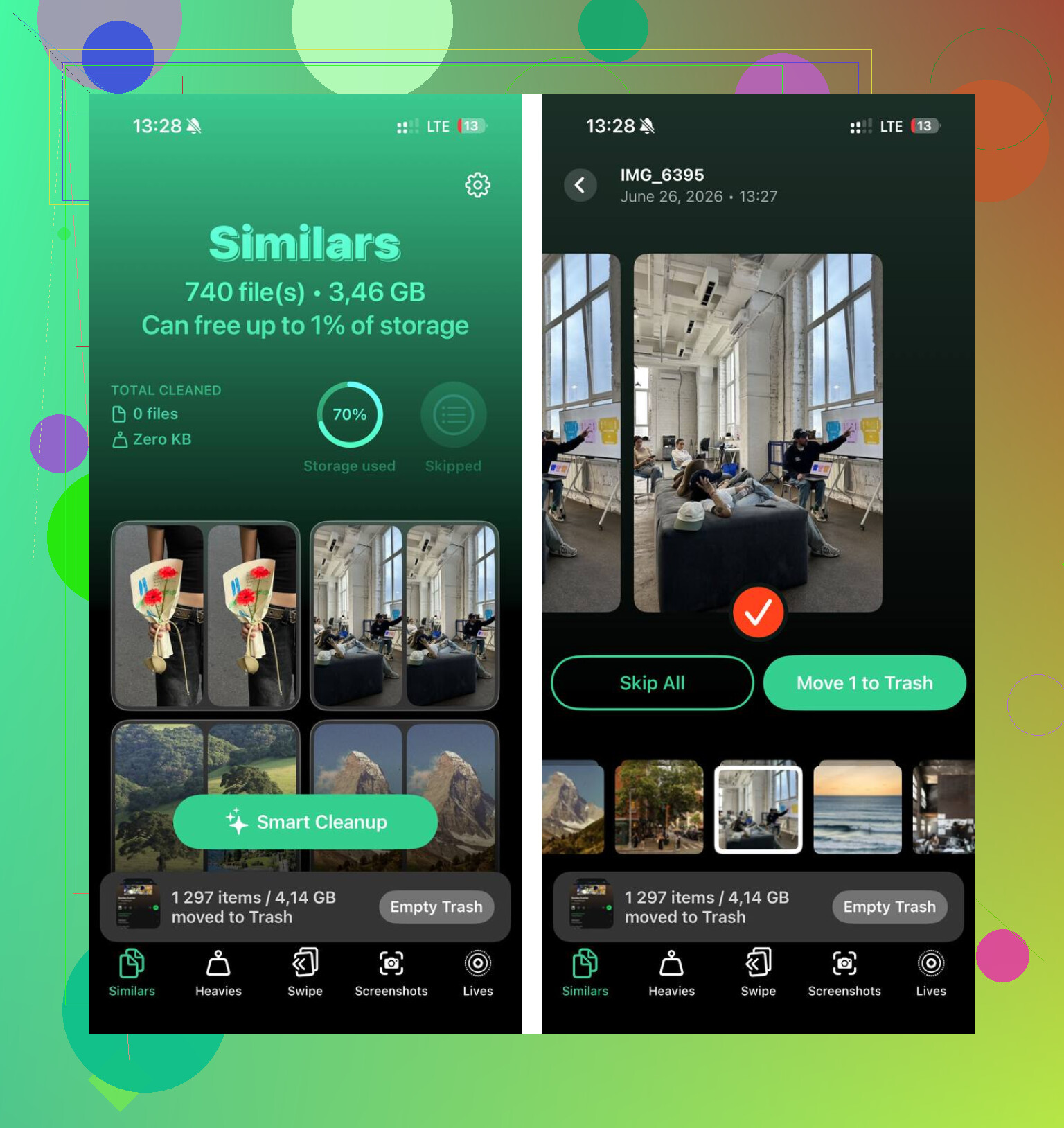
The one I ended up keeping was Clever Cleaner. I found it a few months back and, yeah, it helped more than the Shortcuts trick ever did. What sold me was simple stuff, not flashy stuff. No ads. No paywall popping up when you try to clean anything. No fake free model.
The useful part is the Similars section. It groups near-duplicate shots, not only exact copies. So if you took five almost identical cat pics, or a burst of the same person moving half an inch each frame, it bundles them together. It also marks a best shot on its own. I did not agree with it every time, but most of the time it was close enough. I still checked manually. From what I saw, the grouping felt around 95 percent right, give or take.
A few things I liked after using it for a while:
The large files view helped a lot. It sorts by size, biggest first, which iPhone does a lousy job with on its own. I found old 4K clips sitting there at 1GB, 2GB, more.
There is a swipe review mode. You go through stuff month by month and keep or delete with a swipe. Sounds dumb. Worked better than I expected when I was killing time in line somewhere.
It shows exact file sizes. Not vague storage bars. Real numbers in MB or GB. I like seeing what each screenshot folder or random screen recording is costing me.
Privacy mattered too. From what I read and saw, the scanning stays on the phone. My photos were not being pushed to some server farm for ‘analysis.’ That was one of the first things I checked, tbh.
One more thing, Live Photos. I forget to turn them off all the time, and they pile up. The app strips the motion part and keeps the still image if you want. I got back a decent chunk of space from those alone.
So, if you need one side-by-side image one time, use Shortcuts. It is clunky, but it works.
If you are trying to sort duplicates, compare similar photos, and stop your phone from nagging you about storage every week, I had a better time with Clever Cleaner. Out of all the cleanup apps I tried, this was the first one which did not feel like a trap. The cleanup itself is still tedious, no way around taht, but once you clear out a few thousand bad photos, you feel it right away.
15 Likes
No true side by side viewer exists in the iPhone Photos app. Apple still makes you flip between shots, which is dumb if you need pixel-level differences.
A better no-download trick than the one @mikeappsreviewer mentioned is this:
Open one photo in Photos.
Swipe up and check details like file size, resolution, lens, and time taken.
Tap Edit, then zoom in on the same area.
Memorize the spot.
Back out and open the second photo.
Zoom to the same area.
It is not elegant, but for focus checks, skin detail, and small object movement, it works better than making a new combined image every time. If the two shots were taken in burst mode, use the Burst picker. Apple already stacks them, so reviewing there is faster and less messy.
If you want an Apple-only way to place two pictures together once, this guide is cleaner than most: how to put two pictures side by side on iPhone
For sorting lots of similars, I kind of disagree with staying fully built-in. iOS is weak here. Clever Cleaner is one of the few cleanup apps worth bothering with if your goal is compare, pick, delete, done. It saves time. Photos app doeesn’t.
Honestly, iPhone just does not have a true built-in side-by-side photo compare view. That’s the annoying part nobody tells you. @mikeappsreviewer and @jeff are both right about Photos being weirdly bad at this, but I slightly disagree that the Shortcuts route is worth it unless you only need a one-off comparison. Making a merged image every single time gets old real fast.
If you want to stay 100 percent no-download, the best built-in trick is using Split View on an iPad, but on iPhone itself, nope, not really. Your closest option is this:
- open first photo
- zoom into the exact area you care about
- note the framing
- swipe back, open the second
- zoom to the same spot
Also, if both pics are from the same burst or were taken seconds apart, check the photo info and scrub by capture time. It helps a little with tiny differences like focus or facial expression. Still clunky, still very Apple.
Blunt version: if your goal is actual photo culling, not just a one-time compare, the built-in tools kinda suck.
That’s where Clever Cleaner makes more sense. It can group lookalike shots and spot similar photos on your iPhone automatically for faster cleanup, which is way more useful than manually bouncing between ten near-identical pics. So for no-download, there’s no true side-by-side viewer. For real cleanup, Clever Cleaner is probly the less irritating route.