I recently received a HIX bypass review on my account and I’m confused about what triggered it, what it means for my current coverage, and whether I need to submit additional documents or appeal. Can someone explain how HIX bypass reviews work, what I should look for in the notice, and what steps I should take next to avoid losing coverage or benefits?
HIX Bypass AI Humanizer Review
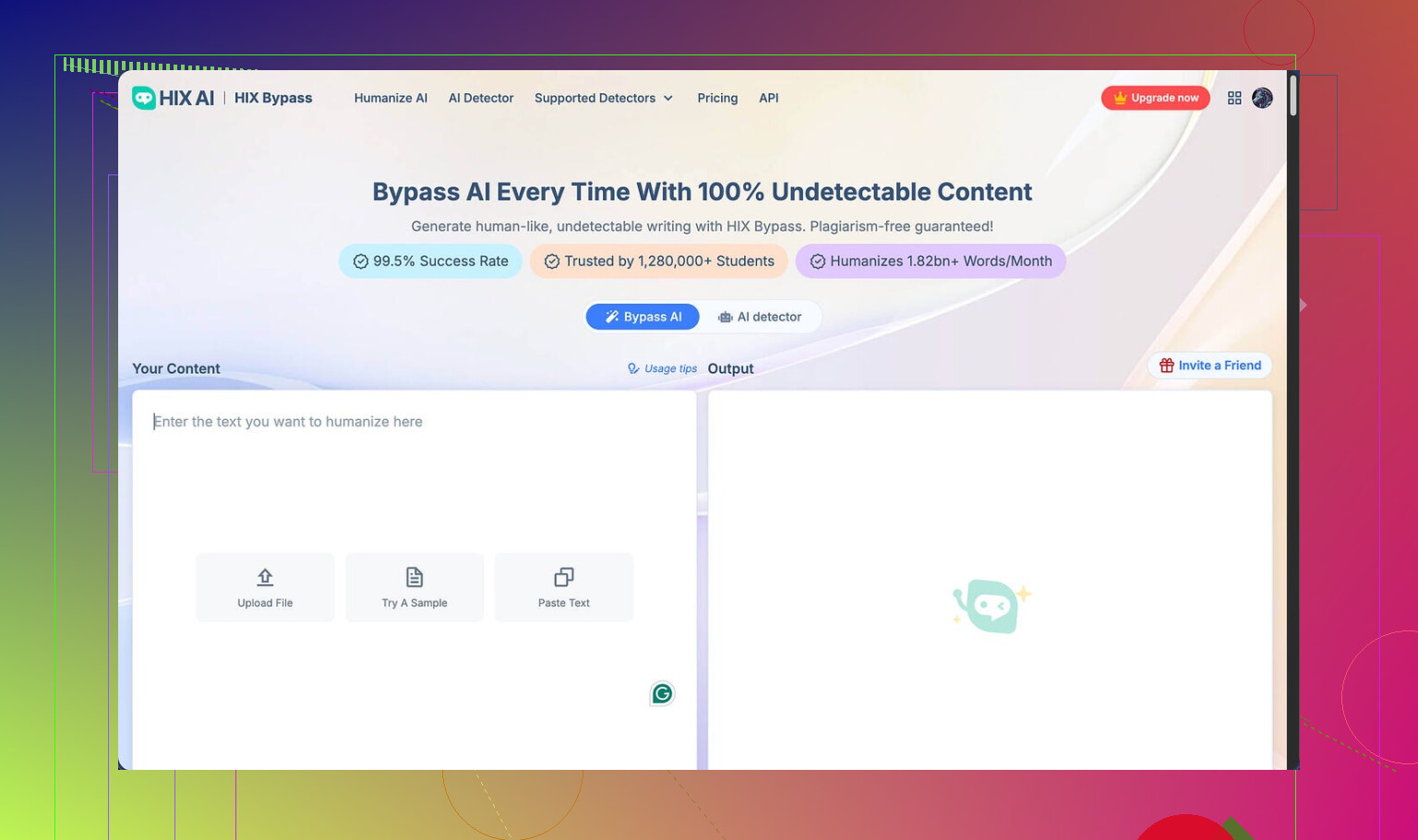
I tried HIX Bypass because of that loud “99.5% success rate” claim on their site and the row of fancy logos. Harvard, Columbia, Shopify, the usual flex. The marketing looks clean. The results, not so much.
Their review page I went off of is here:
Testing against AI detectors
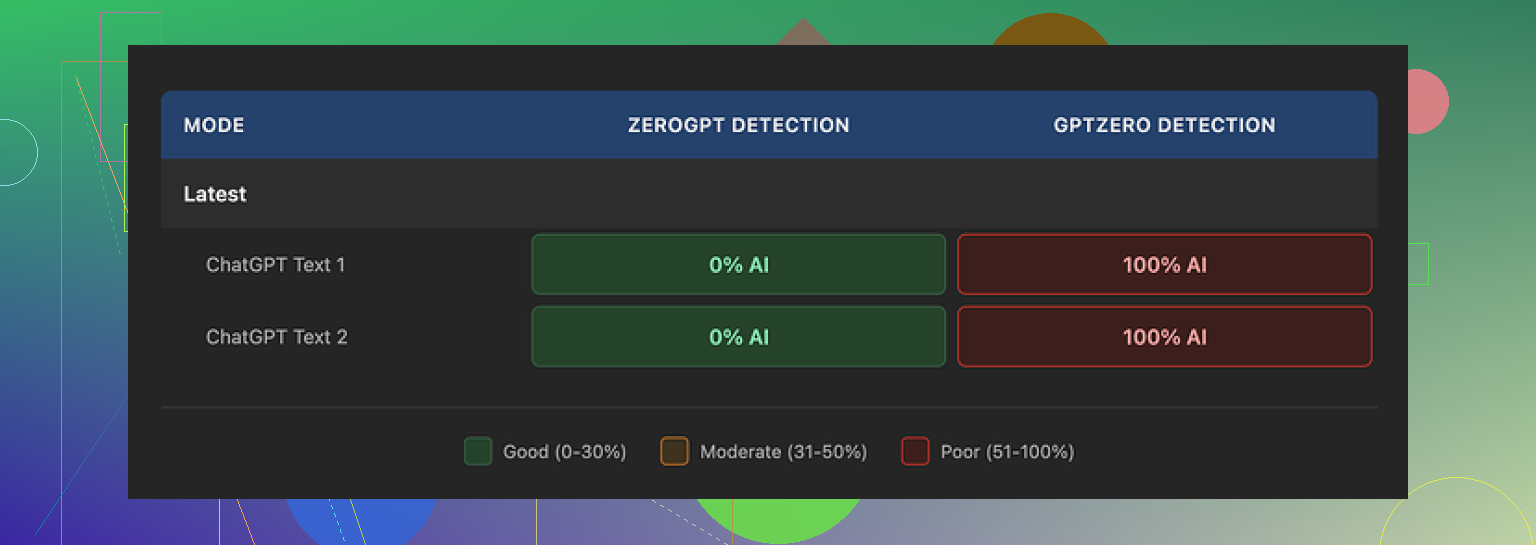
I ran a simple test with two samples. Nothing complicated, short paragraphs, typical AI-looking text.
What happened:
• Both samples passed ZeroGPT with no issues at all.
• The same samples hit GPTZero and got nailed at 100 percent AI.
• Inside HIX Bypass, their built-in “detector” screen said the output was “Human-written” on most of the listed detectors.
• That confidence turned out to be wrong for GPTZero. Completely off.
So if you are trying to stay under GPTZero’s radar, this tool did not help me at all. It might fool some detectors, but not the stricter one I care about.
Here is one of the screenshots from my run:
Writing quality and weird glitches
I care less about marketing claims and more about how the text reads. On that front, I would give it around 4 out of 10. Maybe less.
Stuff I hit:
• It kept outputting em dashes, which are a common AI fingerprint right now. If you are trying to look human, that is not ideal.
• One output had a broken sentence fragment. Not a typo, more like the sentence got chopped during generation.
• Another output put an entire sentence in square brackets for no sane reason. It looked like an internal note that never got cleaned up.
So instead of “humanized” text, it looked like an AI that was trying too hard and tripping over its own formatting. If you paste this into a doc for a client or a teacher without editing, it will look off.
Limits, refunds, and pricing traps
This part annoyed me more than the bad text. I tested on the free tier first and then looked at the paid options. The numbers on the pricing page look friendly until you read the fine print.
What I ran into and what you should know:
• Free tier caps you at 125 words per account. Not 125 words per run. Per account. That is barely enough for a couple of paragraphs.
• Refund policy is 3 days and there is a hard usage cap for refunds. You need to stay under 1,500 words processed if you want your money back.
• Do one or two slightly bigger tests and you are already past that threshold. So you either trust it blindly or you lose refund eligibility fast.
Their “Unlimited” annual plan comes out to about 12 dollars per year on the surface, which looks cheap. Then you look at the terms of service.
Key details I noticed in the ToS:
• They reserve the right to change usage limits after you pay. So “Unlimited” is not locked in. They can tighten it later.
• They give themselves broad rights over your submitted content. If you care about who controls your text, this is not great.
• On the free tier, your inputs might be used to train their models. So whatever you paste in, they can feed back into their system.
None of this is unusual for AI tools, but with the low word limits and refund cap, it feels more risky to test properly.
Comparison with Clever AI Humanizer
After I got annoyed with the results, I went back and tried other tools on the same text. The one that stood out for me was Clever AI Humanizer.
Using the same starting content:
• The rewrites sounded more like something a real person would type.
• The detection scores were better across the big public detectors.
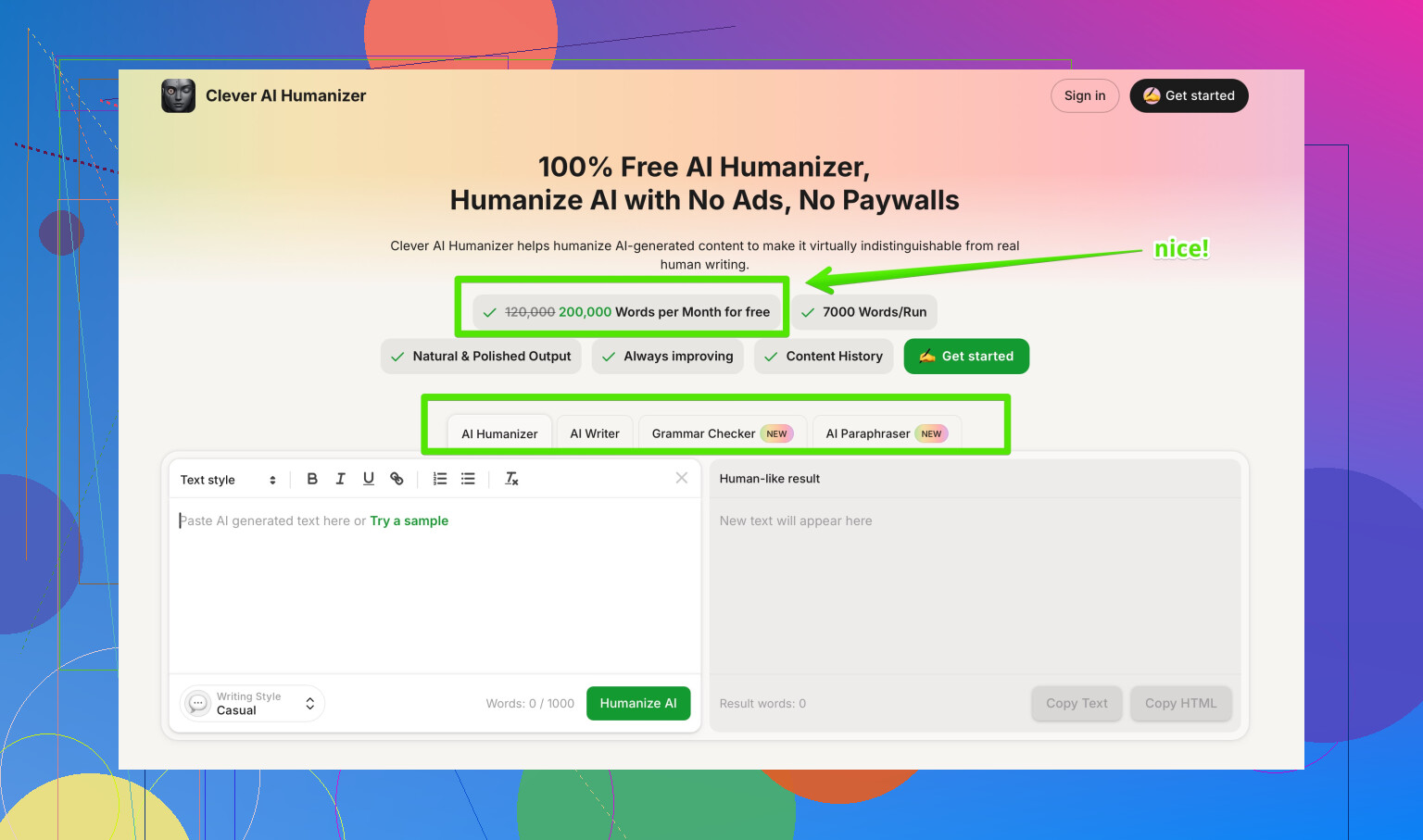
• I did not have to deal with hard word caps or a tight refund clock because it was free.
You can see their detailed breakdown and tests here:
My takeaway
If you need something to lightly rewrite text for casual use and you are not worried about GPTZero, you might tolerate HIX Bypass. I would not rely on it for anything serious that goes through stricter detectors.
Between the low-quality output, misleading internal “detector” screen, tight limits, and the ToS language, I moved over to Clever AI Humanizer and got better results without paying.
17 Likes
HIX bypass review on your account usually means the system thinks something about your enrollment or eligibility did not go through the normal Health Insurance Marketplace checks. It is not about that HIX Bypass AI tool everyone talks about. Different thing.
Here is what is likely going on and what you do next.
- What probably triggered it
• Income looks off compared to IRS data or past tax returns.
• Someone reported a life change and the new info does not match older records.
• Immigration or citizenship data did not auto verify.
• Social Security number mismatch or typo.
• Multiple applications linked to the same person.
Sometimes it hits for simple stuff, like a wrong digit or missing document.
- What it means for your current coverage
• Your current coverage usually stays active for now.
• Advance Premium Tax Credits or cost sharing help can be at risk if you do nothing.
• If they asked for proof and you do not respond by the deadline, they can adjust or cut your financial help.
• In some cases they can end coverage or change the plan if they decide you were never eligible.
Look at the notice date and the “respond by” date. Those matter a lot.
- How to see exactly what triggered it
• Log in to your Marketplace account (HealthCare.gov or your state exchange).
• Check “Messages” or “Tasks” or “Application details”.
• There should be a notice with a subject like “Data Matching Issue” or “Inconsistency” or “Eligibility Review”.
• The letter usually lists the reason. Income, identity, immigration, or other.
If the online account is confusing, call the Marketplace and ask them to read the notice line by line.
- Do you need to send more documents
Short answer, if the notice lists documents, then yes. Common ones.
• Income: recent pay stubs, employer letter, prior tax return, Social Security benefit letter.
• Identity: driver license, state ID, passport.
• Immigration: green card, work authorization, I‑94, naturalization papers.
• Residency: lease, utility bill, letter from landlord.
Upload through your Marketplace account if possible. You can mail them, but upload is faster and safer. Keep copies of everything.
- Do you need to appeal
You only appeal if you think their decision is wrong after they process the review. Examples.
• They lower or remove your tax credit even though your income proof matches what you put.
• They say you are not eligible due to immigration when your status qualifies.
• They end coverage claiming you did not respond, but you did send documents.
If you still have time before the deadline, send or resend documents first. Appeal usually takes longer. The appeal form and instructions are in the notice or on the Marketplace site.
- Timing details
Typical pattern.
• You get a notice, usually with 30 or 90 days to respond.
• If you do nothing, after that window they recalc your eligibility.
• If that changes your tax credits, your monthly premium can jump.
• If coverage ends, you often need a Special Enrollment Period or wait.
So do not wait until the last week. Upload documents as soon as you can.
- About the AI “HIX Bypass” confusion
If you were worried this has something to do with tools like HIX Bypass AI Humanizer, it does not. Different context. Those tools try to rewrite AI text for detectors. The “HIX bypass review” on your health account is an internal Marketplace review, not AI detection.
I saw @mikeappsreviewer’s take on the HIX Bypass humanizer tool and I agree on one thing, their “success rate” claims look stronger than what testers get on GPTZero. I do not fully share the low rating on writing quality though. For casual stuff it works for some people, as long as they edit a bit.
If you need safer AI text for emails to support, appeals letters, or explanations for the Marketplace, I would look at Clever AI Humanizer instead. It tends to produce text that looks closer to what real people send agencies. You can check it here for that purpose: make your AI text sound more natural. Still read and edit before you submit anything official.
- What I would do in your spot, step by step
• Log in to your Marketplace account today.
• Open every new notice from the last 30 days.
• Write down the exact issue type and deadline.
• Get the requested documents. If something is missing, upload what you have and add a short written explanation.
• Call the Marketplace if any part of the notice is unclear and ask them which documents will satisfy the review.
• After they process, if the decision looks wrong, ask for appeal instructions and timelines.
If you post the general reason listed in your notice (like income, immigration, identity) people here can share more specific examples of documents that worked for them.
Yeah, the wording on “HIX bypass review” is super confusing and honestly sounds way more dramatic than what it usually is.
What @mikeappsreviewer and @codecrafter already laid out is solid, so I’ll skip repeating the whole step‑by‑step doc upload routine and hit the stuff that tends to trip people up in real life.
- What actually triggers these reviews in practice
A few patterns I’ve seen over and over:
- Your stated income puts you right on the edge of Medicaid vs Marketplace and the system basically says “hmm, not sure.”
- Big swing in income from last year’s tax return to what you put now. Even if it is true, the system flags it as odd.
- You picked “no employer coverage” but some data source still shows an employer plan tied to your SSN.
- Someone else in your tax household made an application that slightly conflicts with yours.
So it is rarely something you did “wrong.” Usually the data sources just do not line up cleanly.
- What it means for your coverage right now
This is where people panic more than they need to:
- Your plan almost always keeps going during the review. You are not instantly kicked off.
- What is really at risk short term is the discount part of your plan. The tax credit or cost sharing can get cut if you ignore the review.
- If they cannot verify you after the deadline, they basically recalc you like you never qualified for help. That is when premiums jump and people think they “lost coverage” when in reality they lost the subsidy.
So you are not in free fall yet, but you do not want to sit on it.
- Difference between “send docs” and “appeal”
This gets mixed up a lot.
- “Send additional documents” means they are still deciding. You are still in the review pipeline. That is the easy zone.
- “Appeal” means they already made a final decision you disagree with. That is more formal and slower.
If your notice is asking for proof, you are not at the appeal stage. Just give them what they ask plus a short note if anything is weird. Only think appeal after they actually change or deny your eligibility and it looks clearly wrong.
- One thing I slightly disagree on
There is a tendency to say “just upload all the docs they list.” I would not shotgun random documents.
- Focus on exactly what the notice says is inconsistent. If it says income for 2025 is not matching old data, send something that reflects your current year, not just last year’s tax return and call it a day. Two recent pay stubs plus a short written explanation about why your income changed works better than five mismatched PDFs.
- If it is an immigration or identity issue, do not mix in a ton of extra unrelated stuff. Too many docs can slow the review and confuse the rep.
Targeted proof beats a big messy upload pile.
- How to read your notice smarter
Instead of just scanning for the scary bold text, look for:
- The issue type line. Usually uses words like “Data matching issue” or “Cannot verify income” or “Citizenship/immigration not confirmed.”
- The “What you need to send us” section. That is the core. Anything else is filler or legal boilerplate.
- The “Respond by” date. That is the real deadline, not whatever your friend or some blog says.
If you cannot find those three pieces, screenshot the notice and call the Marketplace. Ask them to tell you exactly which one thing is blocking the file.
- Do you actually need to appeal
You only go here if:
- They lowered or removed your tax credit even though the docs you gave matched your stated info.
- They decided you were ineligible due to immigration status when you clearly meet the Marketplace rules.
- They claim you never responded when you have proof of upload or mail.
Appeals take time and are more like a mini administrative process. So exhaust the regular review first.
- Quick note on the “HIX Bypass” AI confusion
This is where the internet makes everything worse. That HIX Bypass AI Humanizer tool that @mikeappsreviewer and @codecrafter talked about has absolutely nothing to do with your health insurance review. The Marketplace is not running your messages through GPTZero or any of that nonsense.
If you are drafting explanations or cover letters to upload as part of your review and you are using AI to help write them, that is the only place those tools even touch this. In that case, I would actually skip HIX Bypass entirely and lean on something like Clever AI Humanizer, because:
- You want your explanation letter to read like a normal person, not a weird over‑formatted bot text that might confuse the caseworker.
- You can still quickly clean up grammar and tone before sending.
Just remember to read what it spits out and adjust details so everything matches your real situation.
- About that “Best AI Humanizer” thing
Since you mentioned reviews, there is a thread that breaks down different AI humanizer tools and how they perform against detectors and real use cases. If you are trying to decide between options, it is worth a skim:
in depth look at top AI humanizer tools people actually use
Pair that with something like Clever AI Humanizer and you can get cleaner text for your Marketplace explanations without overpaying or getting stuck with those weird word caps that @mikeappsreviewer hit on.
- What I would do next, without repeating all their steps
- Reopen your notice and write down only three things: issue type, docs requested, deadline.
- Gather exactly what they list, plus one short written explanation in plain English of any big income or life changes.
- Upload everything and then call once to confirm they can see the files. Ask how long reviews are taking right now in your state.
- Wait for the updated eligibility notice before you even think about appeals.
If you post the specific issue type from your notice like “income” or “citizenship” people here can share more targeted examples of what worked for that exact problem.