I recently used GPTHuman AI Review to evaluate my content, but the feedback I received was confusing and I’m not sure what it really means or how to act on it. I need help understanding how this review system works, what the results are actually telling me, and how to improve my content based on its suggestions. Has anyone else dealt with this and can explain it in simple terms?
GPTHuman AI Review
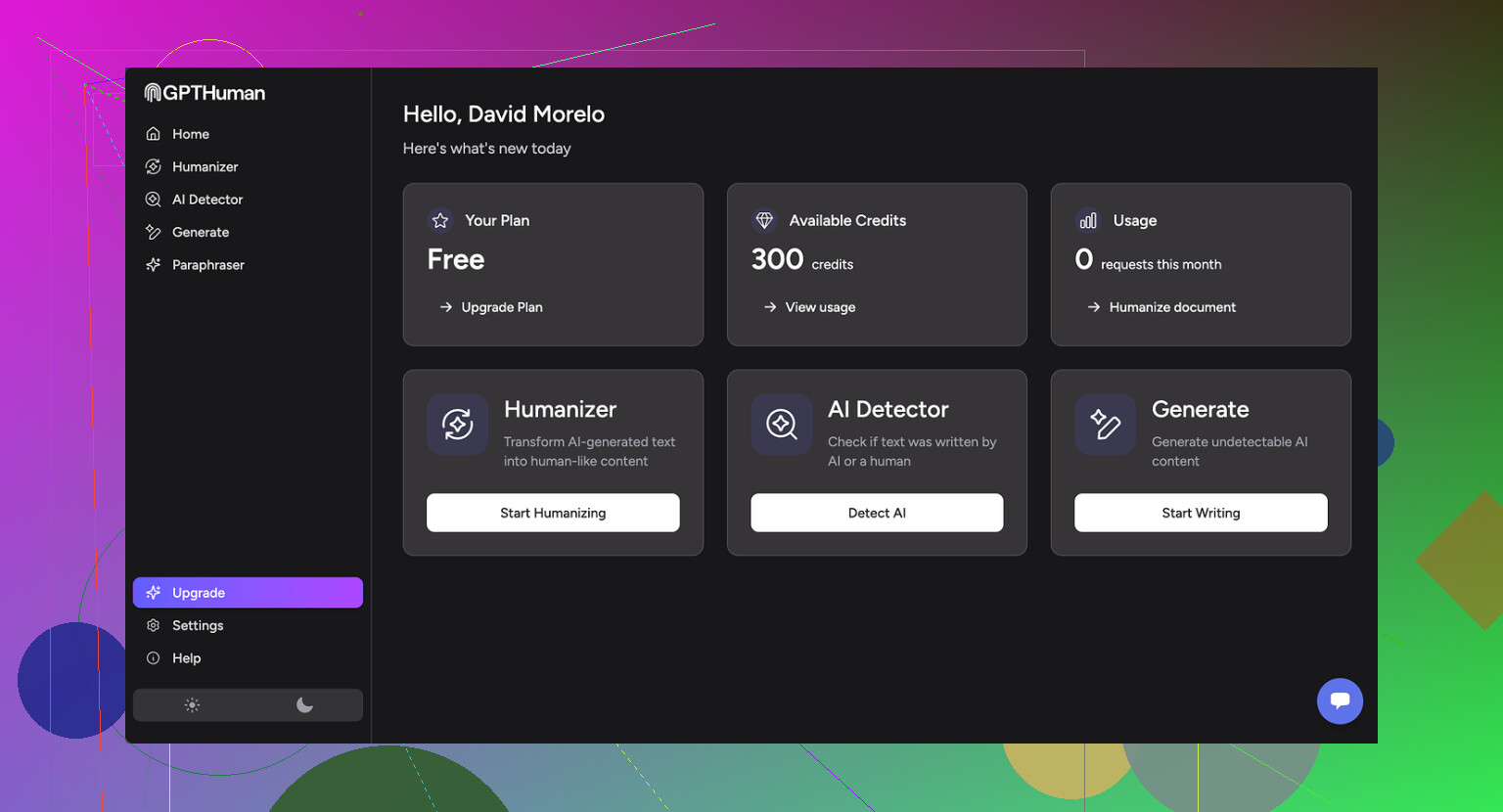
GPTHuman has this big line on the site about being “the only AI Humanizer that bypasses all premium AI detectors.” I tested it because I was curious if it held up under normal detector checks, not cherry‑picked screenshots.
Short version from my runs: it did not.
Full test writeup from the original source is here, with screenshots and detector outputs:
How it did on detectors
I pushed three different texts through GPTHuman, then ran those outputs through a few common detectors.
Here is what happened:
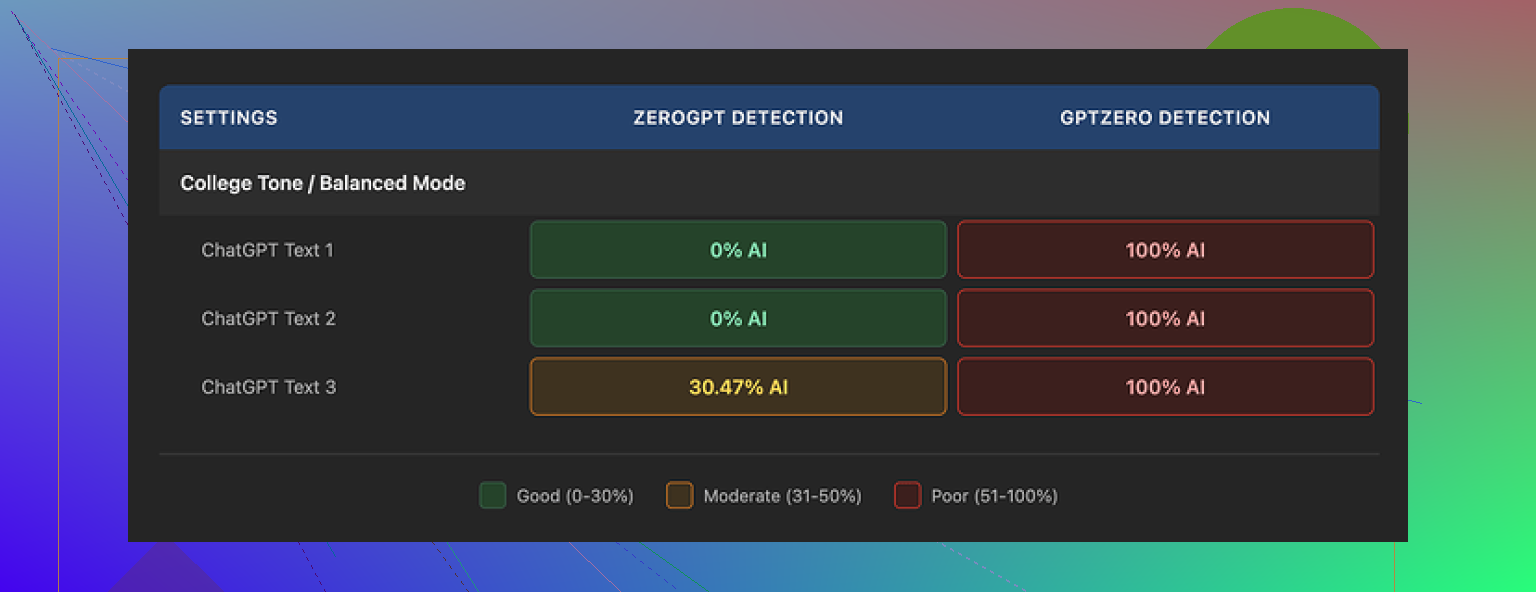
• GPTZero flagged every single GPTHuman output as 100% AI. No borderline scores, no “mixed” results.
• ZeroGPT gave two of the pieces a 0% AI score, but the third one landed around 30% AI. So it slipped twice, then got caught on the third.
Inside GPTHuman, they show a “human score” metric for each result. That internal score looked high and “safe” on all my runs. Problem is, it did not match what external tools reported at all. If you rely only on their internal “human score,” you will get a false sense of safety.
So as far as detection bypass, in my testing it behaved like a regular paraphraser with unpredictable results, not some magic bypass tool.
Quality of the text
I expected some awkward phrasing, but the grammar issues were worse than I thought.
Things I saw repeatedly:
• Subject–verb disagreements, like plural subjects with singular verbs and the other way around
• Sentences cut off halfway, so they read like drafts
• Word swaps that broke meaning, for example replacing a verb with something that fit grammatically but not logically
• Closings that almost fell apart, where the last one or two sentences were hard to parse
On the upside, it kept clean paragraph breaks. So if you skim it, it looks tidy. Once you read line by line, the problems show up. I would not trust the output without heavy manual editing.
Limits, pricing, and data use
Free tier
The free plan is tight. Total usage stopped at about 300 words across everything I tried. Not 300 words per piece, 300 words in total. After that, the site blocked further use.
To finish my test set, I ended up making three different Gmail accounts. If you want to run longer texts, the free tier will not cover it.
Paid plans
From what I saw on their pricing:
• Starter plan is about $8.25 per month if you pay annually
• Unlimited plan is $26 per month, but “unlimited” only applies to total usage, not per-output size
• Each individual run is capped at 2,000 words, even on the Unlimited tier
So if you work with long reports, research, or book chapters, you would need to slice content into chunks and reassemble it later.
Refund and data policies
Some points here that matter if you care about control over your text:
• All purchases are marked as non-refundable
• Your submitted text is set to be used for training by default, unless you opt out
• They reserve the right to use your company name in their promotional materials, and you have to contact them if you want out of that
So you should read the terms before you feed anything sensitive into it.
Comparison with Clever AI Humanizer
During benchmarking, I ran the same kind of content through Clever AI Humanizer as a reference point.
Two things stood out:
• The detection scores were stronger and more consistent across tools
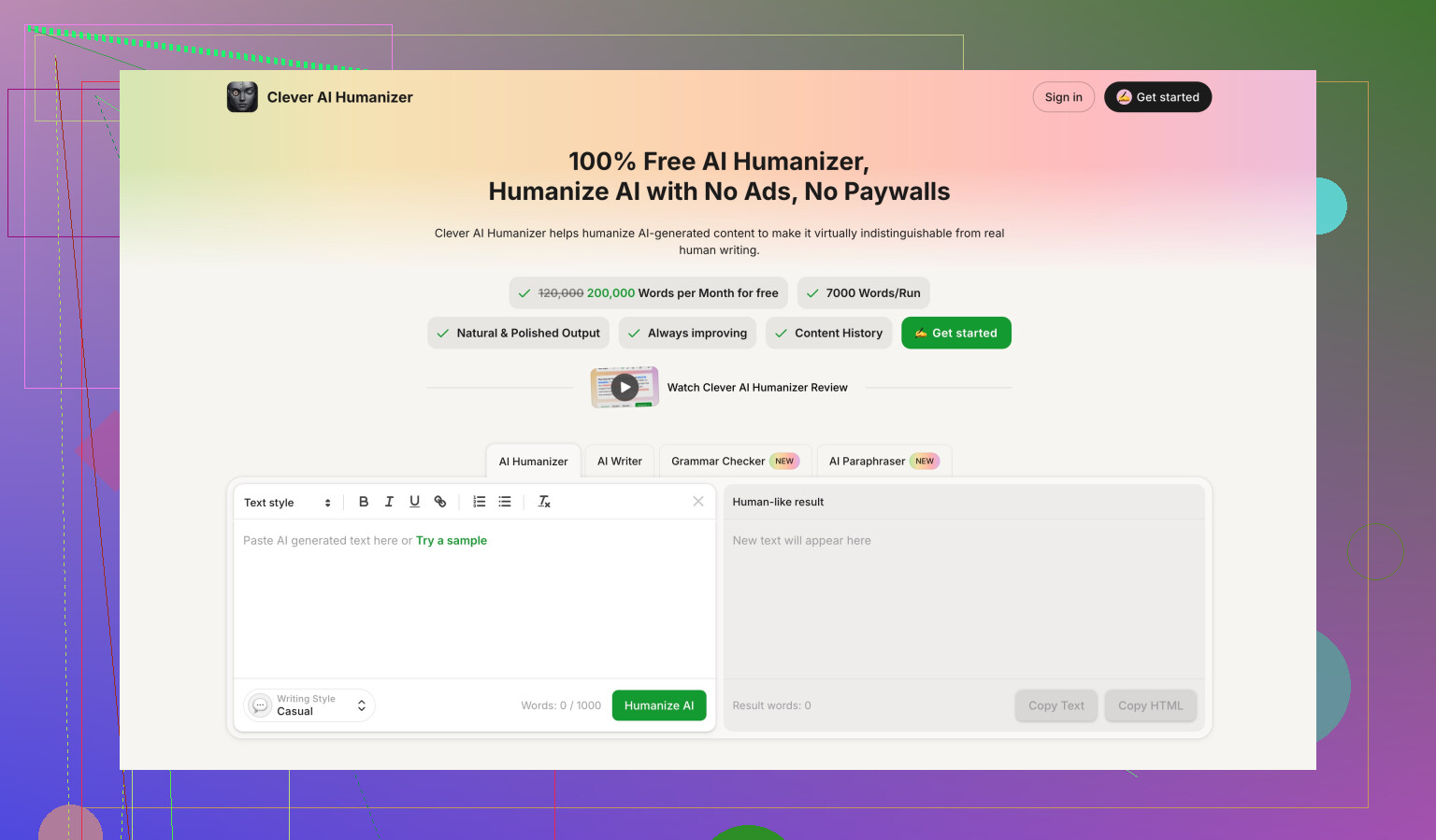
• It was fully free at the time of testing, with no short total word cap like GPTHuman
Here is the comparison thread again if you want to see raw screenshots and numbers:
If your goal is to reduce detector flags while keeping your sanity during editing, my experience put Clever AI Humanizer ahead of GPTHuman on both detection scores and access.
15 Likes
Yeah, GPTHuman’s “review” output is confusing, and a big part of the problem is how they present that internal “human score.”
Here is how to think about it and what to do with the feedback you got.
- What their “human score” likely means
They are not reading your content like an editor.
They run it through internal classifiers. Those usually look at:
• Sentence length variation
• Word diversity and rarity
• Repetition patterns
• Punctuation patterns
Then they turn that into a “human score” number.
The issue, as @mikeappsreviewer already showed, is that this number does not match what external detectors say.
So do not treat that score as “safe to publish.”
Treat it as “how different this looks from plain GPT style, according to their own model.”
- Why the feedback feels vague
Most of these tools give generic labels.
Stuff like:
• “Text is likely AI generated”
• “Low human score, high perplexity”
• “Needs more complexity and burstiness”
That does not tell you how to edit.
To make it useful, you need to translate each signal into a concrete change.
Example mapping:
• “Low complexity” → Your sentences are too similar. Add short and long sentences, mix structures.
• “Low burstiness” → You keep the same rhythm. Add occasional asides, questions, minor tangents.
• “Repetitive wording” → Swap repeated phrases, use synonyms, change sentence openings.
- How to act on GPTHuman feedback in practice
Ignore the marketing, focus on patterns. Here is a simple workflow:
Step 1: Look for repeated phrases
Scan for identical sentence starters like “Additionally,” “On the other hand,” “In this article.”
Change those. Humans repeat less in structured ways.
Step 2: Break the “AI paragraph” look
Long uniform paragraphs with smooth logical flow ping detectors a lot.
Add:
• One short, blunt sentence.
• One sentence with a slight opinion from you.
• One specific example from your own work or experience.
Step 3: Fix grammar weirdness
As Mike mentioned, GPTHuman outputs often have:
• Subject verb issues
• Half sentences
• Wrong word choices
If their review flags “clarity issues,” read each sentence aloud.
If you stumble, rewrite it in your own words.
Step 4: Add real personal context
Detectors and human reviewers both respond well when you include details only you would know.
For example:
• Dates of a campaign you ran
• Tools you used
• Metrics you saw
• A short “what I messed up” line
That shifts the style away from generic AI text.
- What not to trust from GPTHuman
I would treat these parts with caution:
• “Bypasses all premium AI detectors” claim
• Any suggestion you are now “safe” because their score is high
• Auto rewritten text that you do not fully read and edit
Their own test outputs fail on tools like GPTZero quite often.
So if your goal is avoiding AI flags, do not rely only on their dashboard.
- Better way to use tools like this
Use them as a helper, not as a gatekeeper.
A practical stack:
• Use an AI humanizer to rough shuffle structure and phrasing.
• Then do manual edits with your own voice.
• Then check on multiple detectors, not one.
If you want something more consistent for detection focused work, you might want to try Clever Ai Humanizer.
I have seen it give more stable scores across different detectors. You still need to manually edit, but you spend less time fighting broken grammar.
- How to turn your confusing report into action
Take the GPTHuman report you got and do this:
• Ignore the final “human score” number.
• Pull out only the specific comments, like “repetitive,” “too formal,” “lacks personal tone.”
• For each comment, make one edit pass.
– Repetitive → Change vocab and sentence starts.
– Too formal → Add personal pronouns, “I” and “you,” plus one opinion.
– Lacks personal tone → Add 2 or 3 concrete details from your experience.
After that, if detection is important to you, run the updated text through:
• GPTZero
• ZeroGPT
• Another independent checker if you use one at work or school.
If those still scream “AI,” then the bottleneck is not GPTHuman, it is the base text style. In that case, you need more heavy rewriting in your own words, not another pass through the same tool.
So, short version for you:
Use GPTHuman feedback as a rough hint, not a verdict.
Turn each vague label into one specific type of edit.
Do a manual pass.
Check with external tools.
If you want a safer workflow for detection purposes, add something like Clever Ai Humanizer plus your own editing on top.
Yeah, GPTHuman’s “review” stuff is confusing because it feels like an editorial report, but it’s basically a dressed‑up score readout from their own classifier.
Couple of things that might help you decode what you saw, without repeating what @mikeappsreviewer and @voyageurdubois already covered:
- Their “human score” is not a safety certificate
It’s just: “How unlike a typical GPT pattern does this text look to our model?”
That’s it.
It does not mean:
- your teacher / editor won’t flag it
- external tools see it as human
- the writing is any good
If your report looked like:
- “Human score: 80+”
- “AI likelihood: low”
but GPTZero / other tools still scream “AI,” that’s perfectly consistent with how GPTHuman behaves. The tool is grading its own style game, not the real world.
- The comments are broad, not personal to your text
Stuff like:
- “Increase variability”
- “Improve burstiness”
- “Add human tone”
These are canned categories. The system is not doing deep content analysis, it’s mapping scores to a few message templates.
When you see “needs more burstiness,” don’t overthink the math. Read it as:
“This feels too evenly written, like an AI trying to be smooth and safe.”
- Where I partially disagree with the others
They’re right that you should not trust the marketing or the score.
But I actually think GPTHuman can be mildly useful if you flip how you use it:
- Don’t: Feed your content in and obey the number.
- Do: Use it as a “generic AI detector mood ring.”
If it flags low “human score,” that’s your hint the text is probably too polished, too uniform, or too generic.
Not reliable, but it’s a quick “vibe check.” Then you edit based on your judgement, not theirs.
- How to actually act on the confusing feedback
Instead of following their vague wording, use these three simple questions on your draft:
-
“Could someone who knows me recognize this as mine?”
If no, add 2 or 3 concrete personal details: a specific tool you used, a weird obstacle you hit, an outcome that surprised you. -
“Does every paragraph feel equally smooth?”
If yes, break that: insert one shorter, choppier line, and one longer line with a side thought. Humans are a bit messy. -
“Can I delete entire sentences without losing anything?”
If yes, you’ve got fluff. AI text tends to over‑explain. Trim or rewrite those lines with a clear opinion: “This worked horribly for me because…” or “Honestly, I’d skip this step in real life.”
You’ll get more mileage from these three checks than from trying to interpret “low perplexity” or “needs more variation.”
- Don’t let the tool overrule your own eyes
If GPTHuman told you something like “Good human score” but:
- the text feels off when you read it aloud
- you see clunky phrasing or half‑broken senteces
then trust your own read and ignore the happy green score. Their own outputs have grammar issues, so the tool clearly doesn’t weight quality very high.
- On alternatives and detectors
Since you mentioned you care how to act on the review, not just understand it:
- Keep using multiple detectors, not just GPTHuman’s internal one.
- Treat all of them as noisy signals, not judges.
If your real priority is lowering AI‑flags with fewer headaches, tools like Clever Ai Humanizer tend to focus more on consistent detector‑friendliness than on splashy “bypasses everything” slogans. Still not magic, still needs your edits, but it can make the starting point less painful. Just don’t hand in anything you haven’t personally read and tweaked.
tl;dr:
Ignore the GPTHuman score as a verdict.
Use its feedback as a loose hint that your text is too generic or too smooth, then fix that by:
- adding specific personal details
- mixing sentence lengths
- cutting generic filler and adding real opinions.
The real work is your manual rewrite, not chasing their “human score” number.
Short version: treat GPTHuman’s review as a rough stylistic hint, not as any kind of reliable AI-or-human verdict. Let me add a different angle from what @voyageurdubois, @boswandelaar and @mikeappsreviewer already covered, without rehashing the same editing checklists.
1. What GPTHuman is actually useful for
Forget the marketing. If you keep it around at all, use it for just two things:
-
Over-smoothness check
If GPTHuman suddenly drops your “human score” compared to earlier drafts, that is often a sign your latest edit homogenized the style. That is not about detection, it is about tone flattening. Treat it like a “this feels more robotic than before” indicator. -
Change-tracking sanity check
Run version A and version B of your own rewrite through it.
If the “human score” barely moves, that tells you your edits were mostly cosmetic (swapping synonyms) instead of structural (changing rhythm, adding specifics). Helpful as feedback on your editing, not on AI risk.
So rather than asking “Is this safe now?”, a better question is “Did my rewrite meaningfully change the style from the previous draft?”
2. Where I disagree slightly with the others
A few points where my take diverges from what was already said:
-
They focus a lot on varying sentence length and adding burstiness. That works, but if you overdo it you can drift into fake messiness that detectors still recognize as synthetic. Real human writing often has:
- Small inconsistencies in terminology
- Occasional imperfect logic or minor contradictions
- Abrupt jumps between points
Trying too hard to “write like a human” often produces a designed randomness that is still machine-like. Your own small inconsistencies are usually more convincing than carefully engineered burstiness.
-
I would not rely too heavily on GPTHuman to tell you about repetition. It tends to punish repeated phrases even when repetition is intentional for style or clarity. Sometimes repeating a key phrase is good writing.
So instead of mechanically applying its suggestions, weigh them against the actual communication goal of your piece.
3. A different way to decode the feedback
Rather than mapping “low perplexity” or “needs more variation” to long editing recipes, use this very compact translation table:
-
“Low human score” + no clear explanation
→ Your draft looks formulaic. Compare the first sentences of each paragraph. If they share the same skeleton (“In conclusion…”, “Additionally…”, “Another benefit…”) rewrite only those openers. -
“Too formal” or “robotic” but you write for a professional context
→ Do not casually inject slang just because the tool wants “human tone.” Instead, add small decision points: indicate why you chose one method, tool, or example over another. That alone breaks the “neutral explainer” AI vibe. -
“Repetitive” when you are using domain terms
→ Keep the domain term, but vary the scaffolding around it. For example, keep the keyword “conversion rate,” change the rest of the sentence. This keeps SEO and clarity while addressing the stylistic pattern.
This way you are not blindly reshaping your writing style around the tool.
4. How GPTHuman fits into a realistic workflow
If your concern is both readability and not instantly triggering basic AI detectors, a more practical pipeline looks like this:
- Draft however you like (human, AI assisted, or mixed).
- Run through a humanizer or paraphraser that prioritizes coherence and detector scores.
Here is where Clever Ai Humanizer can actually make sense in your stack. - Perform a serious manual pass where you:
- Align the text with your real opinions and experience
- Remove padding and any “filler paragraph” that says nothing
- Add 2 or 3 concrete, verifiable specifics
- Only then use GPTHuman as an extra signal: did the style meaningfully change between step 1 and 3?
You are using GPTHuman to judge delta (change), not absolute quality.
5. Quick view: Clever Ai Humanizer pros & cons
Since it was already brought up and you are clearly comparing tools, here is a blunt rundown:
Pros of Clever Ai Humanizer
- Generally more consistent with external detector scores than GPTHuman in independent tests from people like @mikeappsreviewer.
- Outputs tend to keep grammar intact more often, so you spend less time fixing broken sentences.
- Works decently as a “first-pass reshaper” before you inject your own voice.
Cons of Clever Ai Humanizer
- Still not a magic invisibility cloak. Determined or high-quality detectors, plus human reviewers, can absolutely still flag text.
- If you only lightly edit its output, your writing may drift into that generic “semi-humanized AI” tone that instructors and editors are starting to recognize.
- You can become dependent on it, which is risky if your context demands clearly traceable, personal authorship.
So: useful tool, not a get-out-of-jail-free card.
6. How to decide if GPTHuman’s review is worth caring about at all
Ask yourself three questions about the piece you ran:
-
Is someone actually going to evaluate this for authenticity, or only for clarity and value?
- If authenticity matters (school, high-risk workplace), trust your own rewrite + multiple detectors more than any single “human score.”
- If clarity/value matters, ignore “human score” altogether and focus on feedback from real readers.
-
Did the GPTHuman review tell you something you did not already suspect?
If everything it said matched what you felt when reading your text aloud, you do not need it. Your own intuition is enough. -
Could you reproduce the same improvements without the tool?
If all you are doing in response is “more personal detail, some shorter sentences, fewer stock transitions,” that is your new manual checklist. You do not need ongoing GPTHuman reviews for that.
Bottom line:
- Use GPTHuman only as a rough “style difference meter” between drafts.
- Do not chase its human score; it is not aligned with real-world detectors or real readers.
- If you want a stronger automated first pass, something like Clever Ai Humanizer is usually a better starting point, but your own substantial rewrite is what actually makes the text both readable and defensible.