I’ve been using VLC Media Player for almost everything, including videos, music, and random file formats, because it seems to open more files than anything else I’ve tried. Now I’m wondering if it’s actually a good main media player long term or if I’m missing a better option for daily use, performance, and features. Looking for advice from people who use VLC regularly.
VLC Review (From My Experience)
I decided to spend some time with VLC Media Player because it’s one of those apps that’s always “just there.” Everyone recommends it, everyone trusts it, and at some point you probably already have it installed.
What I wanted to see was simple: does it still hold up as a daily media player, not just a backup when something else fails?
After using it regularly for a while, here’s how it actually felt.
Interface & Design 
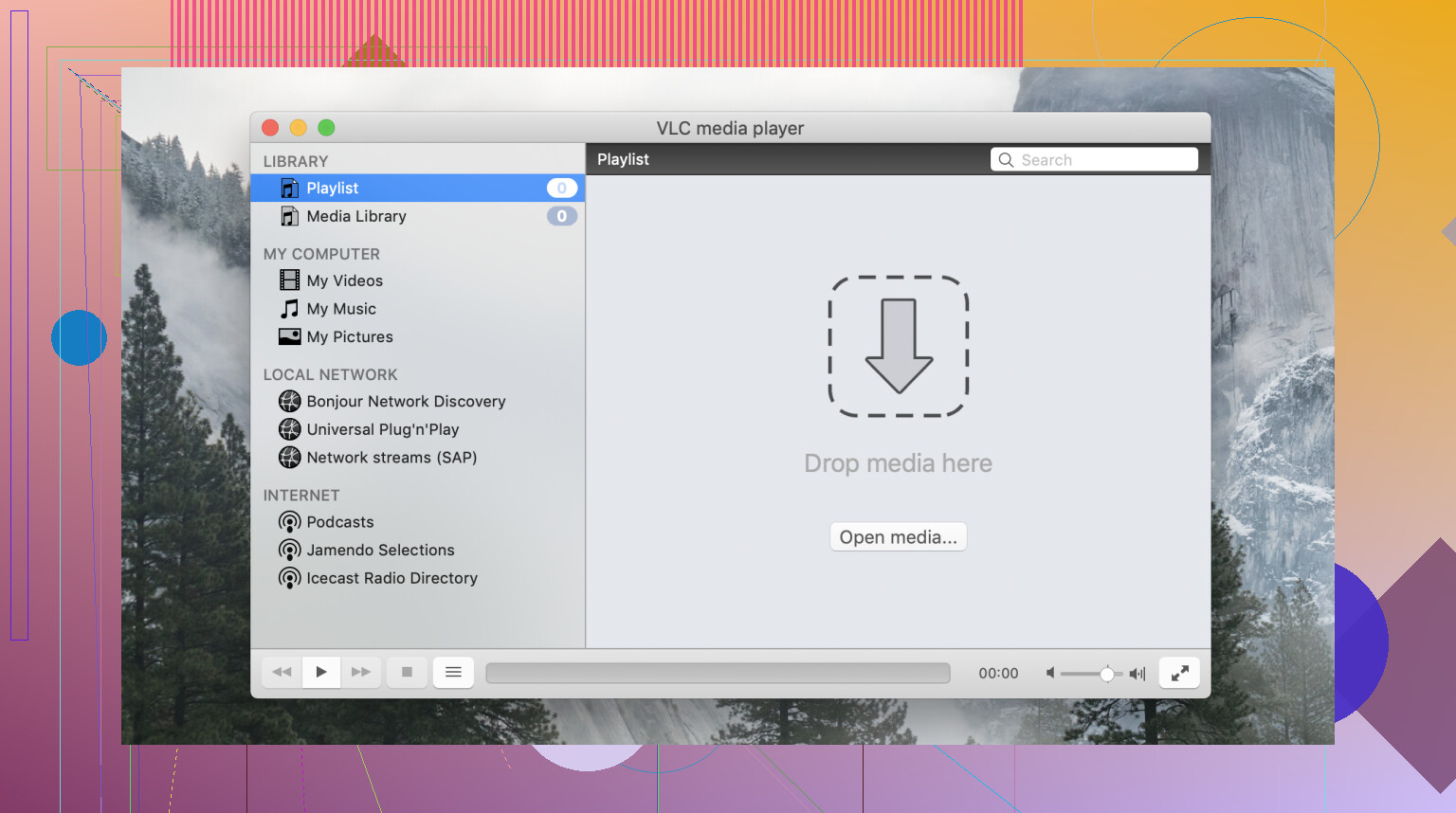
It’s not broken, and it’s not confusing in a technical sense, but it definitely feels old. The layout, the buttons, the menus… it all works, but it doesn’t feel like it’s evolved much. On macOS especially, it doesn’t blend into the system the way newer players do.
You open it, load a file, press play, and that part is fine. But once you go beyond that, things start to feel less polished. Settings are tucked away in menus that aren’t always intuitive, and some features feel like they were added over time rather than designed as part of a cohesive experience.
There are positives:
- It’s lightweight
- Controls are straightforward
- Nothing gets in your way during basic playback
But visually and structurally, it feels more like a utility than a modern app you enjoy using.
Format Support 
This is where VLC still stands out. I tried a mix of formats: MKV, MP4, older AVI files, FLAC audio, and some 4K content. The experience was exactly what people say: you open the file, and it just plays.
I also experimented a bit with network playback, including streaming from a local server over DLNA. It worked, though not in the most user-friendly way. You can tell the capability is there, but it’s not something the interface really guides you through.
So in practice, VLC feels incredibly capable, just not always approachable beyond the basics.
 Performance in Real Use
For standard files, playback was smooth and reliable.
But once I started pushing it a bit higher resolutions, newer codecs - things became less consistent. Some files played perfectly, others required a bit more patience.
In particular, I noticed:
- occasional stuttering with high-resolution content
- weaker performance with newer codecs like AV1
- hardware acceleration that didn’t always feel consistent
None of this made VLC unusable. But it did shift my perception slightly, from “flawless player” to “very capable, with limits depending on the situation.”
 A Specific Problem Worth Mentioning
This issue stood out because it’s not immediately obvious what’s going wrong. In some setups, especially when integrating VLC into custom environments or scripts you might encounter an error where video simply doesn’t display at all.
The reason is more technical than it first appears. VLC needs a graphical environment to actually render video output. Without a proper window or canvas to display the video, playback can fail even if everything else is working.
 When I Looked at Alternatives
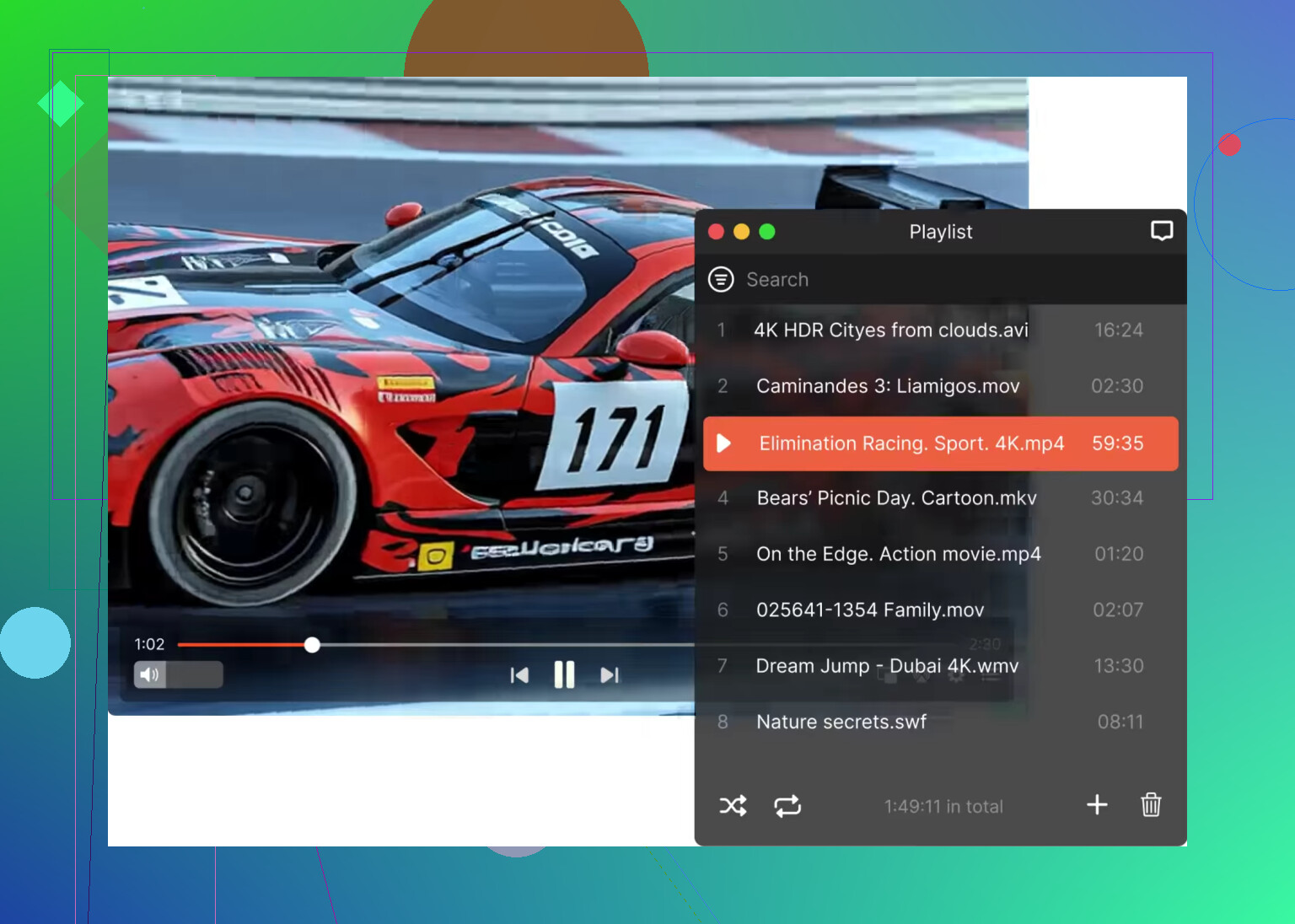
After a while, I wanted to compare that experience with something more modern, so I tried Elmedia Player.
The difference wasn’t about what it could play, it was about how it presented everything.
Instead of digging through menus, features felt visible and easy to access. Subtitle controls, audio adjustments, and playback settings were all right where you’d expect them. It also adds things VLC doesn’t focus on much, like built-in streaming support (Chromecast and AirPlay), and more refined audio controls like an equalizer and sync adjustments.
It felt less like a toolbox and more like a finished product.
I also checked QuickTime Player again. It’s almost the opposite of VLC: extremely simple, very stable, but limited. If your file is supported, it works perfectly. If not, you’re out of luck.
 In a Nutshell
VLC is still incredibly relevant. It plays almost anything, it’s free, it’s open-source, and it works across platforms. That alone makes it hard to replace completely.
But using it every day made something clear: it prioritizes capability over experience. If you want something that just opens any file you throw at it, VLC is still one of the safest choices. If you care more about interface, discoverability, and a smoother overall experience, something like Elmedia Player may feel more natural.
In the end, VLC feels less like a primary player and more like a reliable fallback that you’re always glad to have installed.
5 Likes
Yep. I used VLC as my default for years.
For video, it still makes sense. It opens messy file types, old codecs, partial downloads, weird subtitle files. Few players match it there. If your main job is, “play this file now,” VLC does the job.
I disagree a bit with @mikeappsreviewer on one thing. I don’t think VLC feels bad as a daily player. I think it feels like a tool. If you like simple playback and don’t spend time tweaking menus, it stays out of your way.
Where VLC falls off for me is music. Big libraries feel clunky. Playlist handling feels dated. Streaming support feels uneven too, especailly if you want smooth casting stuff.
My split is this:
VLC for random video files.
Elmedia Player for a cleaner everyday Mac setup.
Music app for music.
If VLC already fits your routine, keep using it. You are not missing some secret “better” main player. If you want cleaner controls and easier AirPlay or Chromecast use, Elmedia Player is worth a look. VLC is still one of the best backup players, and for a lot of people, the main one too.
Yep, plenty of people do, and honestly VLC is still a legit main player if your priority is compatibility over polish.
I’m a little between @mikeappsreviewer and @sonhadordobosque on this. I think people sometimes overstate how “old” VLC feels. It’s not pretty, sure, but for basic watching it’s fast, light, and doesn’t try to turn media playback into a whole lifestyle app. That counts for a lot.
Where I stop using it as my one-and-only player is this:
- music management is kinda bad
- playlists feel clunky
- browsing a large library is meh
- some modern streaming/casting stuff feels awkward
For video files though? Still excellent. Random anime file from 2012, giant MKV, odd subtitle track, broken-looking AVI, whatever. VLC usually just eats it. That reliability is why so many people keep it installed.
I do disagree a bit with the “backup player” idea. For a lot of us it’s more like the default utility player. Not the nicest chair in the house, but the one that never breaks.
If you want something cleaner for daily Mac use, Elmedia Player is probly the better “main media player” experience. Better interface, easier controls, nicer for AirPlay/Chromecast stuff. VLC is more like the swiss army knife. Elmedia Player feels more finished.
So yeah, using VLC as your main player is totally normal. Just maybe not for music if you value convenience lol.
Yeah, VLC is a perfectly normal main player. I’d actually go a bit against @mikeappsreviewer here: I don’t think VLC is just a “trust it, not enjoy it” app. If all you do is open files and watch stuff, that blunt utilitarian design is part of why it lasts.
Where I agree with @sonhadordobosque and @shizuka is that VLC stops feeling great once you treat it like a full media hub. Music libraries, playlists, browsing, casting, all that feels more functional than pleasant.
My take:
VLC is best if you want
- maximum file compatibility
- no account, no ecosystem nonsense
- a player that survives weird codecs and broken files
- one app you can keep on every machine
VLC is weaker if you want
- polished library management
- modern Mac-style controls
- smoother AirPlay/Chromecast workflows
- a nicer “daily use” feel
That’s where Elmedia Player makes sense as an alternative.
Elmedia Player pros
- cleaner interface
- easier subtitle/audio control access
- better everyday Mac feel
- more convenient streaming/casting features
Elmedia Player cons
- not as universally “default install” trusted as VLC
- some people will prefer VLC’s bare utility approach
- if you only open random files occasionally, the extra polish may not matter much
So yes, using VLC as your main media player is completely reasonable. I’d just say it’s a better main video player than a true all-purpose media center.