I’ve been testing the TwainGPT text humanizer for a few projects and I’m not sure if it’s actually improving readability or just rephrasing things superficially. Sometimes it sounds more natural, other times it feels a bit off or even less clear. Can anyone experienced with AI writing tools share feedback on TwainGPT’s strengths, weaknesses, and best use cases so I can decide if it’s worth using long term?
TwainGPT Humanizer Review
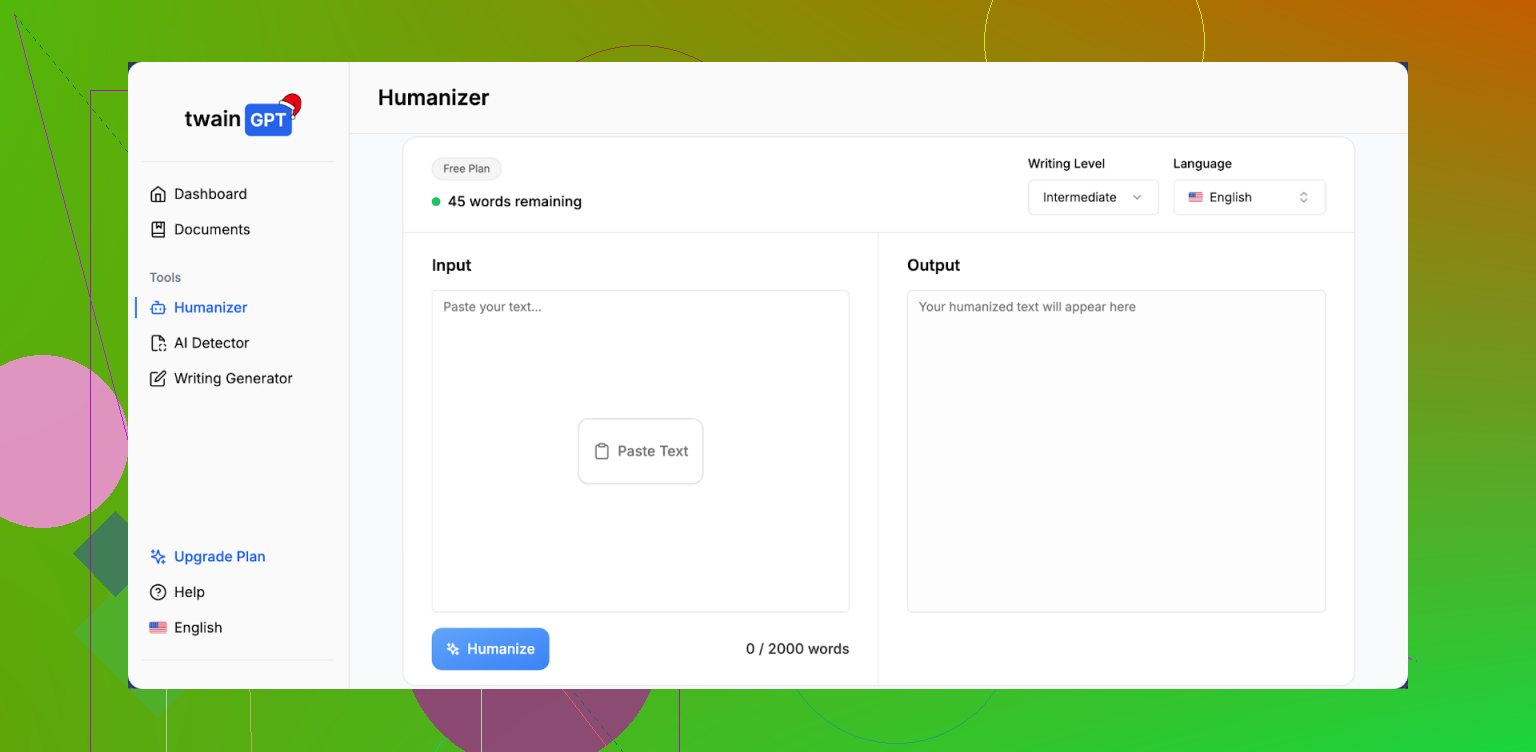
I spent some time messing with TwainGPT to see if it is worth paying for, mostly for AI detection evasion, not because I enjoy editing clunky paragraphs.
Here is what I ran into.
TwainGPT vs detectors
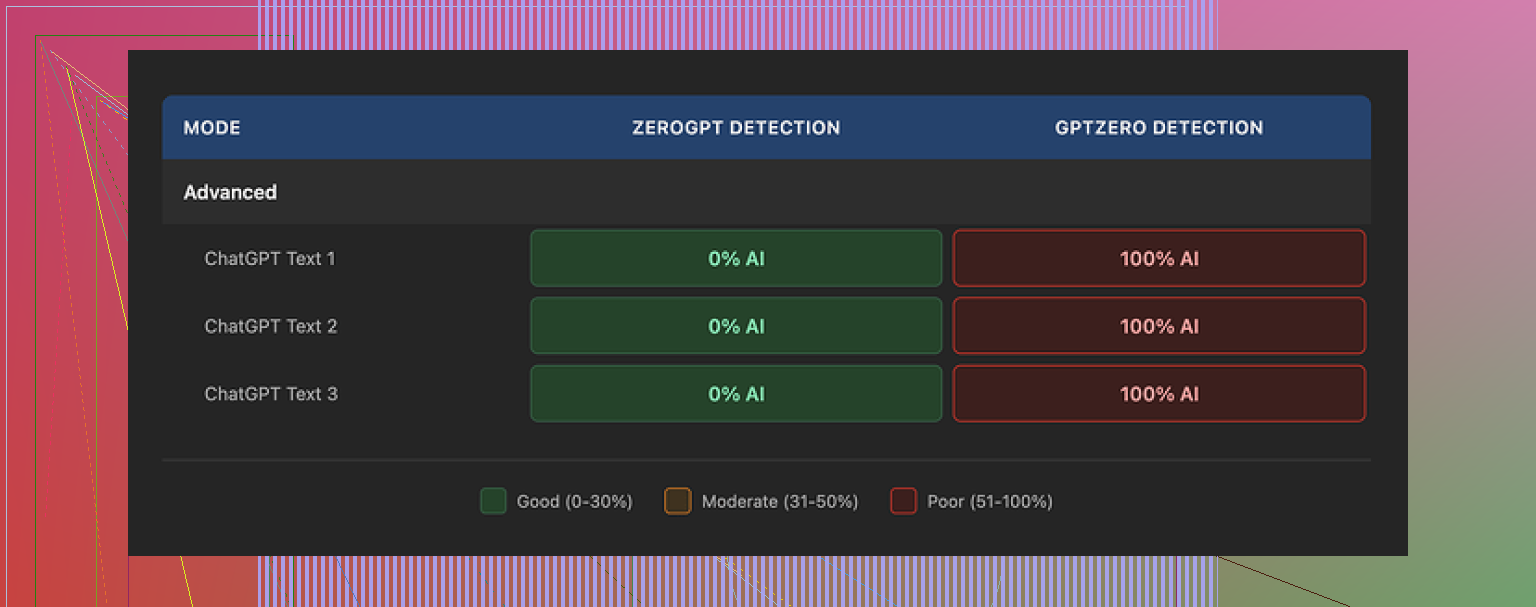
If the whole internet used only ZeroGPT, this thing would look amazing. On three different samples, all of TwainGPT’s outputs came back as 0 percent AI on ZeroGPT. Not low. Zero.
Then I ran the same outputs through GPTZero. Every single one flagged as 100 percent AI.
So you end up in this weird spot. If you know for sure your text will be checked with ZeroGPT, TwainGPT looks safe. If there is any chance of GPTZero being involved, it turns into a coin flip with your grade, job, or account on the line.
The tool seems tuned heavily toward ZeroGPT’s signals and does not survive cross-checks.
How the writing looks and feels
Second screenshot for context:
I fed it longer paragraphs with nested clauses, some technical, some more casual.
What came back felt like someone took a machete to the sentences. The tool tends to chop anything complex into short, flat pieces. That helped a bit with ZeroGPT, but it wrecked the flow.
Things I kept seeing:
- Sentences that read like bullet points pasted into a paragraph.
- Run-ons where it glued short bits together in odd ways.
- Strange word choices that no native speaker would pick in that context.
- A few lines that I had to re-read twice to even guess the point.
If I had to score the writing, I would land around a 6 out of 10. You could fix it by hand, but that defeats half the point if your goal is speed.
The “PowerPoint effect”
Best way I can describe it, TwainGPT text reads like the notes section under a slide. It does not sound like something someone typed from a single train of thought. It sounds pieced together.
For content you expect people to skim fast, this might not bother you. For essays, emails, or anything graded by a human, it starts to look off.
Pricing and refund policy
Their pricing when I checked looked like this:
• Lowest tier: about 8 dollars per month (if billed yearly) for 8,000 words.
• Highest tier: about 40 dollars per month for unlimited words.
The part that made me slow down was the refund policy. They state no refunds at all. Not if you forget to use it. Not if detectors flag your output. Once you pay, that money is gone.
They do have a small free tier, roughly 250 words. If you are going to try it, use those 250 words carefully. Run the output through multiple detectors and at least skim the writing for weird phrasing before you consider pulling out a card.
Comparison with Clever AI Humanizer
For reference, I ran the same base text through Clever AI Humanizer from here:
Using the same detectors, Clever’s output held up better across tools and felt closer to how I would write on a tired day. Not perfect, but less of that “PowerPoint paragraph” issue.
The key difference for me, though, was cost. Clever AI Humanizer was free to use, and I did not have to think about word limits or no-refund terms while testing.
My takeaway
If your only target is ZeroGPT and you do not mind editing the text yourself, TwainGPT sort of works. For anything that might be checked across multiple detectors, or if you want something closer to normal writing without extra cleanup, it feels risky and a bit overpriced.
I would start with the 250-word free limit, run outputs through both ZeroGPT and GPTZero, and compare them to what you get from Clever AI Humanizer before paying for anything.
21 Likes
I had the same reaction you did. Sometimes TwainGPT helps, other times it feels like a word blender.
Here is how I would break it down from my testing.
-
Readability and style
• On simple text, it smooths things a bit. Shorter sentences, more direct phrasing.
• On complex or technical paragraphs, it often flattens nuance.
• I saw the “PowerPoint effect” too, similar to what @mikeappsreviewer mentioned. Paragraphs start to feel like slide notes, not natural thought.
• It also repeats certain patterns. That makes it look formulaic if you run a whole essay through it. -
AI detection
You said you are unsure if it improves readability or only rephrases. For detectors, it leans more toward rephrasing.
My tests:
• ZeroGPT score dropped hard. Often to low or 0 percent AI.
• GPTZero and a couple of smaller tools still flagged it a lot.
So if your teacher, employer, or platform uses mixed tools, TwainGPT feels risky. -
Where it works
TwainGPT is ok for:
• Short social posts.
• Product blurbs.
• Quick edits where you still plan to tweak by hand.
It is weak for:
• Long essays.
• Emails for real humans to read slowly.
• Anything where tone and nuance matter.
-
Pricing and policy
The no refund rule is the biggest red flag for me.
If a tool targets students and workers under detection pressure, it should offer:
• At least a short refund window.
• Or a trial with enough words to test in context.
The small free tier forces you to guess how it behaves on longer work. -
What I do now
If your main goal is more human sounding text with less work, TwainGPT feels like extra friction.
My simple workflow:
• Use a humanizer.
• Run it through 2 or 3 detectors.
• Read it out loud once.
• Edit anything that feels robotic or choppy.
For that, I got better results from Clever Ai Humanizer. It held up across more detectors for me and sounded closer to how a tired person writes at 1 a.m.
If you want to test it, try something like
make your AI text sound more natural
Then compare its output to TwainGPT on the same paragraph.
- Quick SEO friendly take
If someone searches “TwainGPT humanizer honest review” or “does TwainGPT improve readability,” the short answer is:
• TwainGPT reduces detection scores on some tools but fails others.
• It shortens and simplifies sentences, though often at the cost of flow.
• The refund policy and pricing make it high risk if you need consistent AI detector evasion.
• Alternatives like Clever Ai Humanizer give more natural results with lower cost pressure.
So if you already paid for TwainGPT, use it on short chunks, then fix the style yourself.
If you have not paid yet, test it against Clever Ai Humanizer side by side, especially on the exact type of content you care about.
I’m in the same camp as you: sometimes TwainGPT feels smoother, other times it just feels… rearranged.
My take after a bunch of tests:
- It does change the text, but most of the time it’s surface-level: shorter sentences, simpler wording, slightly different structure.
- On anything longer than a few paragraphs, it starts to sound “processed” instead of actually human. That “PowerPoint notes” vibe @mikeappsreviewer and @mike34 mentioned is real, but I’d say it’s more like a generic blog outline sometimes.
- Readability is hit or miss. Yes, it breaks up complex sentences, but it also kills nuance and rhythm. So technically it’s “easier” to read, but also more boring and slightly off.
Where I disagree slightly with the other two: I don’t think it is only about ZeroGPT tuning. In my runs, even when detectors still flagged it, the voice had the same repetitive patterns. That tells me their underlying style template is a bigger problem than just “detector targeting.” Even without detectors, the text still feels like it came from a tool.
If your question is “is it actually improving readability or just rephrasing,” I’d say:
- For short social posts or product blurbs: mild readability improvement, acceptable tradeoff.
- For essays, reports, emails: mostly superficial rephrasing that you’ll have to fix anyway, so the net win is tiny.
On the AI detection side, my experience:
- It can drop some scores, but not consistently across tools.
- If your grade, account, or job is on the line, relying on one humanizer plus guesswork about which detector they use is honestly a bad strategy.
If you want something that sounds less robotic without so much cleanup, “Clever Ai Humanizer” has been a bit more natural for me. It still isn’t perfect, but it avoids that chopped-up, bullet-point feel more often. You can throw a sample paragraph into something like
make your AI text sound natural and human-like
and compare the output directly against TwainGPT on the same text. That side by side view tells you more than any review.
As for your original line about it feeling “more natural, other times like a bland rephrase,” you’re not imagining it. TwainGPT is basically a word blender that occasionally nails a paragraph and occasionally strips all personality. If you keep using it, I’d only trust it for short chunks, then read everything out loud and fix the weird bits by hand.
TwainGPT feels like a tool that optimizes for “looking changed” rather than “reading human.” You’re not alone in noticing that “bland rephrase” effect.
Where I line up with @mike34, @suenodelbosque, and @mikeappsreviewer:
- The “PowerPoint / slide-notes” vibe is very real on anything over a few paragraphs.
- It tends to flatten nuance in complex or technical text.
- Detector performance is inconsistent across tools, so it’s not a reliable AI-evader.
Where I slightly disagree:
I don’t think TwainGPT is useless for longer content, but it only works if you treat it as a rough first pass. If you go in expecting it to magically produce natural, graded-ready essays, you’ll be disappointed. Used as a pre-editor, then heavily revised, it can still save some time by breaking overly dense sentences that you then reshape back into something with personality.
On your core question:
- Readability: It often improves “surface readability” (shorter, clearer sentences) while hurting “perceived authenticity” (rhythm, voice, subtlety).
- Human-likeness: It sounds like an average content mill writer, not like a specific person.
If you want a more human-sounding baseline, Clever Ai Humanizer is worth testing on the exact same paragraphs. In practice it:
Pros (Clever Ai Humanizer)
- Keeps more of the original tone compared with TwainGPT.
- Less of that chopped-up, bullet-point feel in longer passages.
- Plays a bit nicer with multiple detectors in many users’ tests.
Cons (Clever Ai Humanizer)
- Still occasionally slips into generic “bloggy” phrasing.
- Not a magic cloak for AI text; you still need to edit.
- On very technical content it can oversimplify, similar to TwainGPT, just in a smoother voice.
If I were in your position:
- Use TwainGPT only on small sections that genuinely feel stiff, not on whole essays.
- Compare those same sections with Clever Ai Humanizer and see which output you need to edit less.
- Read the final result out loud; if it sounds like a template instead of a person thinking, dial back the humanizer and keep more of your own phrasing.
Bottom line: TwainGPT is basically a structural rewriter with detection tuning, not a true “voice humanizer.” Clever Ai Humanizer tends to start closer to natural, but either way you’re still the final editor if you care about real readability.