LocalSend stopped working when I tried to send files between my devices on the same Wi-Fi network. The devices are not finding each other, and transfers will not start or keep failing. I need help figuring out why LocalSend is not working and what settings or steps I should check to get file sharing working again.
I’ve hit this a few times and it’s almost always one of the same handful of issues. Here’s what to check before giving up on it.
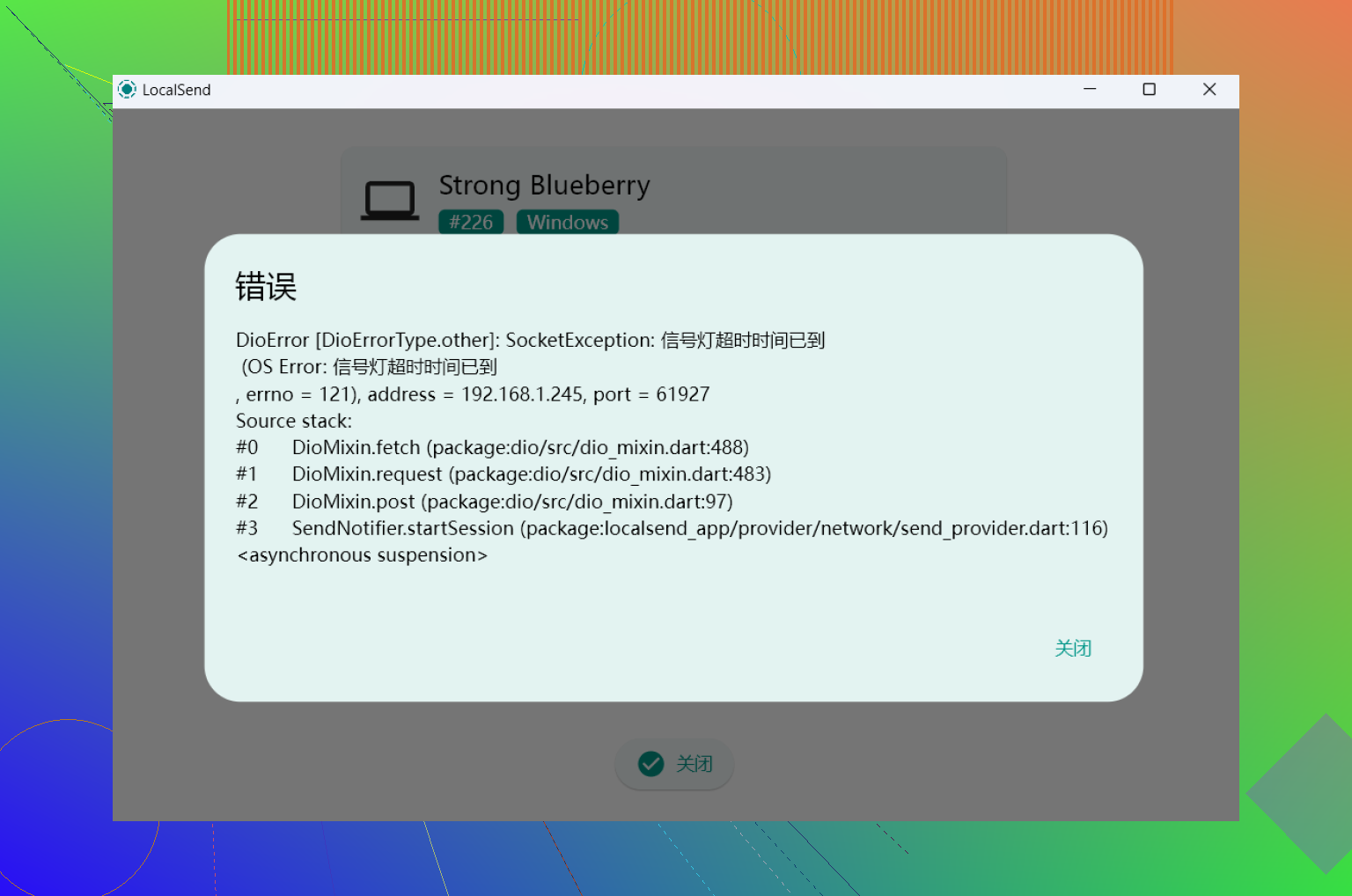
The most common culprits
The biggest one by far is the firewall. LocalSend uses port 53317, and if your firewall is blocking it, devices simply won’t see each other. On Windows, you’ll want to make sure LocalSend has permission under Windows Defender Firewall. On Linux, check your iptables or ufw rules.
The second thing to check is whether both devices are actually on the same network. It sounds obvious, but one device being on a guest network or a different Wi-Fi band (2.4GHz vs 5GHz) will break discovery completely.
A few other things worth checking:
- App version mismatch – if one device is running an older version of LocalSend, they sometimes can’t communicate properly. Update both.
- Discovery issues – try switching the discovery mode in settings from multicast to broadcast, or vice versa. This fixes it surprisingly often.
- iOS/Android background restrictions – on mobile, the app needs to be open and in the foreground to send or receive. Battery optimization settings can quietly kill it in the background.
- Antivirus interference – some antivirus software blocks LocalSend’s traffic even when the firewall rule looks fine. Try temporarily disabling it to test.
If none of that works
Sometimes it’s just the network setup itself. Certain routers block device-to-device communication (AP isolation), which makes LocalSend unable to find anything regardless of your settings. Coffee shops and office networks are common offenders.
A quick workaround in that case is to create a mobile hotspot from one device and connect the other to it. That usually bypasses the router restriction entirely.
When it keeps being unreliable, alternatives worth trying
If LocalSend keeps giving you trouble, there are other options depending on your setup.
- For Android/Windows users, Warpinator and KDEConnect are both solid. Quick Share (formerly Nearby Share) has also become reliable enough that it’s worth trying if you’re on Android and Windows.
- For Mac users transferring files to and from Android, I switched to MacDroid and it solved most of my frustration. You connect via USB cable and transfer directly, which removes the whole “are they on the same network” problem entirely. No Wi-Fi dependency means no slow uploads, no cloud storage fees, and no files going missing because the connection dropped halfway through. For large files especially, it’s just more predictable.
- SyncThing is another one worth mentioning if you want an automatic background sync between devices rather than manual transfers.
The firewall and same-network issues cover probably 80% of LocalSend problems, so start there. But if your use case is Mac-to-Android and it keeps being flaky, a wired solution like MacDroid is honestly just less hassle in the long run.
88 Likes
I’d check name resolution and clock sync before more firewall tweaking. I know @mikeappsreviewer pointed at the common stuff, but in my tests discovery failure is often the network stack getting stuck, not the app itself.
Try this order.
-
Turn off VPN, proxy, iCloud Private Relay, Tailscale, ZeroTier, ad blocker DNS apps.
These often hijack local traffic. On phones, a VPN icon sitting there idle still breaks LAN discovery. -
Restart the network interface, not only the app.
Disable Wi-Fi on both devices for 10 seconds.
Reconnect.
If on desktop, run a full network reset or renew DHCP lease.
I’ve seen LocalSend start working right after a fresh IP lease. -
Check subnet/IP range.
Both devices should look like 192.168.1.x, or 10.0.0.x, on the same range.
If one device is 192.168.0.x and the other is 192.168.1.x, they are not on the same local segment even if the Wi-Fi name looks the same. This trips people up alot. -
Test by manual IP.
In LocalSend, use the manual send by IP option if your version has it.
If manual IP works, discovery is the problem.
If manual IP fails too, data traffic is blocked. -
Fix broken local network permission on Apple devices.
On iPhone and Mac, Local Network permission gets denied and the app goes blind.
Check Settings, Privacy, Local Network.
On macOS, remove and reinstall if the prompt never showed up. I had to do this once. -
Watch file path and storage perms.
Transfers fail at 0 percent or near the end when the receive folder is invalid or storage access got revoked.
On Android 13+, storage perms get weird after updates. Re-pick the save folder. -
Check device names.
Non-Latin chars, emojis, and long custom names have caused flaky detection for me. Rename both devices to simple ASCII names and test agian. -
If it is Mac to Android and you need the file moved now, skip Wi-Fi for the moment.
MacDroid is a solid fallback over USB. Less guesswork, fewer failed transfers, espeically for large files.
My unpopular take, version mismatch matters less than buggy network permissions on Apple and VPN apps on mobile. Those two break LocalSend more often on my side.
One angle I’d check that @mikeappsreviewer and @waldgeist only touched lightly is the router itself doing “helpful” traffic filtering even on a normal home network.
A lot of mesh systems and ISP routers have stuff like:
- client isolation
- guest protection leaking onto main SSID
- “smart connect” band steering bugs
- WPA3-only weirdness
I actually disagree a bit with the idea that 2.4 GHz vs 5 GHz alone should break LocalSend. On a sane router it usually should not. But on cheap router firmware, yeah, it absolutely can go sideways. If you have a mesh setup, try both devices on the exact same node, not just the same Wi-Fi name.
Couple other things that are easy to miss:
- Check your system clock on both devices. If one device time is wildly off, some network handshakes get flaky.
- Try sending a tiny TXT file first. If small files work but big ones die, that points more to sleep, storage, or router instability.
- Lower the file count. Hundreds of small files can fail even when one ZIP transfers fine.
- Reboot the router. Boring advice, but honestly it fixes more LAN weirdness than people want to admit.
If discovery still fails, test plain LAN visibility first:
- can you ping one device from the other?
- can you open any local service by IP?
If basic LAN traffic is broken, LocalSend is just the mesenger getting blamed.
If this is Mac to Android and you just need the files moved today, I’d skip the Wi-Fi rabbit hole and use MacDroid over USB. It’s way less fragile for big transfers.
Also, completely remove LocalSend config/cache and re-set it up. Reinstall alone sometimes is not enough. That one got me once becuase the app looked “fresh” but kept old broken settings.